Deforce question. Parts of clothing not effected by deForce.


Daz 3D is part of 
Connect
DAZ Productions, Inc.
7533 S Center View Ct #4664
West Jordan, UT 84084
Licensing Agreement | Terms of Service | Privacy Policy | EULA
© 2026 Daz Productions Inc. All Rights Reserved.
Comments
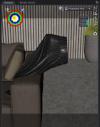
There are a couple of ways that parts of an outfit might be made resistant to dForce. If the area has its own surface (try hovering over it with the Surface selection tool, from the Tools menu, and see what highlights) then it might have its dynamic strength lowered, or another setting adjusted; here that may be true for the waistband. In this case I think it's more likely that a weight map is being used for the main part of the skirt at least. To edit a weight map you need to add a dForce Weight node from the Create menu, then activeate the Node Weightmap Brush tool from the Tools menu and the the Tool Settings pane look to see if theer are any active maps; if there is one for dForce Influence then select it and you can use a couple of steps to aply dForce across the whole skirt - right-click>Geoemtry Selection>Select All, then right-click>Weight Editing>Fill Selected and give it a value of 100%.
Bear in mind that some areas may be excluded for a reason - for example, the geometry around the waist bane may be so dense that the default Dynamic Offset is longer than the actual separation, leading to the simulation pumping more and more energy into the simulation until the cloth explodes.
Marvalous! Thank you so much for the detail instructions on how to get this to work. I keep in mind that last note you worte. Some of the belt straps geometeries flew off the waist band. Thankfully, no explosions.
Thank you,
EJRM