Porting Wendy 9 to Blender
 cowdog
Posts: 18
cowdog
Posts: 18
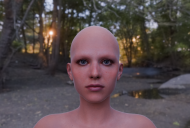
Has anyone [ported Wendy 9 to Blender] done this successfully? I'm using Diffeomorphic, which does work except on the eyebrows... The eyebrows seems to be strand based, however, and there are no Preview PR or Line Tessellation parameters availabe... Is there a way to add those while in DS? Or is there a workaround for this in Blender? (I have very basic Blender skills.) Oh, just an FYI, the eyebrows also don't show up when using Filament in DS either (for the same reason).

Daz 3D is part of 
Connect
DAZ Productions, Inc.
7533 S Center View Ct #4664
West Jordan, UT 84084
Licensing Agreement | Terms of Service | Privacy Policy | EULA
© 2026 Daz Productions Inc. All Rights Reserved.
Comments
As far as I know, Diffeomorphic is, like Daz's own Blender exporter, essentially an enhanced FBX export, and DS's implementation of FBX doesn't seem to support curves/splines. Try exporting as OBJ (even if just the brows themselves), with line tesselation on the brows set to 0, then merge with your Diffeo figure.
Well, I did try that. The object imports as G9EyebrowFibers, but it's invisible in a render. The line tesselation parameter isn't available in Daz Studio. If it was, the diffeo issue probably wouldn't be an issue.
Can't you convert the edges to curves, and then add geometry?
We're already bumping up against the edge of my Blender-specific knowledge, but have you tried converting the curves to particle hair?
I haven't. That's an area I've barely looked at in Blender, although I'm curious about it. The idea sounds promising at least. Of course, none of this would be necessary if I could just add in the Line Tesalation and PR Preview parameters somehow in DS.
The eyebrows on Wendy 9 are just a figure formed by base polylines rather than being set as an SBHs (vendor's issue...), so they're not able to be tassellated ~~
But they can be imported by Diffeo with no issue. (screenshot 1) Check System Console in Blender to review the log... see if there's any error / warning. Also make sure you correctly configure the path of your Daz Libraries in Global Settings of Diffeo. If Diffoe finds no geometry definition file, the brows cannot be imported ~~
Then, better use the true fiber mesh eyebrows from G9 Starter Essentials, if you'd like to ~~