Unique Smiles for Gen 9 product help
 etaktrash_d29ae59121
Posts: 54
etaktrash_d29ae59121
Posts: 54
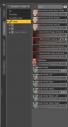
So I bought this product: https://www.daz3d.com/20-unique-smiles-hd-for-genesis-9 and installed it via DIM and now I... can't find it. Not in Smart Content, Content Library, or Pose Control dials. See screenshot of the 'smile' dials (I have scrolled through ALL the head dials just to check, too!). I've restarted Daz and it hasn't shown up. I've turned off Filter by Content and they're not there.
I've looked at where the files were installed, which was under data/Daz3d/Gen9/Base/Morphs, which is mostly shaping morphs?? (it's not in the Shaping tab either), so I copied the files to People/Gen9/Expressions to see if that helped (ie where other expressions I've bought are) but that's not helping either. The files all seem to be .dhdm or .dsf, whereas my other expressions are .duf. The only thing that shows up when I search Content Library or Products is the Remove Expression tool.
Has something gone wrong? Are they hiding from me? Should I open a ticket/make a complaint? I find expressions really hard, that's why I wanged $20.99 on this!
(and yes I do have Gen 9 Starter Essentials installed)

Daz 3D is part of 
Connect
DAZ Productions, Inc.
7533 S Center View Ct #4664
West Jordan, UT 84084
Licensing Agreement | Terms of Service | Privacy Policy | EULA
© 2026 Daz Productions Inc. All Rights Reserved.
Comments
First, it doesn't have any presets, so there's not really anything but a zero/remove script for smart content to show.
Second, there are no alias sliders, so there won't be any sliders in the head, only in main body.
Third, the morphs folder doesn't indcate anything about morph type.
You'll find the controls under Pose Controls>Head>Expressions>PFA Unique Smils HD, in the parameters or posing tab.
Well that is a very confusing place to put it! Thanks for helping.
Moved to Technical Help as it is not a Daz Studio application topic.
Sorta.
The genesis series, at least starting with G2, removed morphs from being in each sub-node and placed them in the main node.
It not only simplifies morph creation,but reduces the number of morphs that needs to be loaded on a figure, and reduces the amount of time one had to go digging around and applying each morph to each node.
What's now present in the sub-nodes are Alias morphs, which are basically just an empty morph that's linked to the base node morph.
Edit: Me brain fart.
All Genesis figures have been single-skin, with the emsh and modifiers (including the bones) workinmg on the figure
Yeah, i had a bit of brain fart on this one.
Some of the morphs are hidden in the main node and only visible in the sub node on G1. so i misintrepreted this as maintinging Version 4 style morphs.