E3D Aria HD for Genesis 9 - Cannot find file
 fppro_4cf46c2c7b
Posts: 6
fppro_4cf46c2c7b
Posts: 6
Hi,
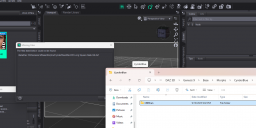
I am trying to load the "E3D Aria HD" but it displays an error message: The files listed below could not be found: /data/Daz 3D/Genesis 9/Base/Morphs/CynderBlue/Misc/CB Long Square Nails G9.dsf.
I tried the only thing I know which is stopping Daz Studio, uninstalling and reinstalling E3D Aria HD for Genesis 9 from the DAZ Install Manager, and starting Daz Studio and trying again, but the problem persists.
When I look in the File Explorer, it seems like I really don't have that file. In fact, I don't have the "Misc" directory at all in the "CynderBlue" directory.
And when I check for "Known Issues" at E3D Aria HD for Genesis 9 [Documentation Center] I don't see anything listed.
The "File List" at File List [Documentation Center] doesn't include anything from CynderBlue either. I am not sure whether it is normal that something from Exart3D references something in the CynderBlue directory.
Any ideas what I can do to fix the problem?
Thanks!

Daz 3D is part of 
Connect
DAZ Productions, Inc.
7533 S Center View Ct #4664
West Jordan, UT 84084
Licensing Agreement | Terms of Service | Privacy Policy | EULA
© 2026 Daz Productions Inc. All Rights Reserved.
Comments
Looks like an unintended file dependecy - possibly missed in testing because that product was installed on their system. Please use a Techncial Support ticket to report it..
Thanks for confirming, @Richard Haseltine. I have opened a ticket as you suggested!