(Resolved)How to repair deformed hair (Neve Hair) ?
 AsuCafe
Posts: 566
AsuCafe
Posts: 566
When I adjust the length of Thigh Length or Shin Length, hair gets distorted, but when I adjust Legs Length, it doesn't. How can I fix this?
hair from https://www.daz3d.com/neve-hair-for-genesis-3-and-8-females
shape from https://www.daz3d.com/shape-shift-bundle-for-genesis-8-female-s-and-male-s
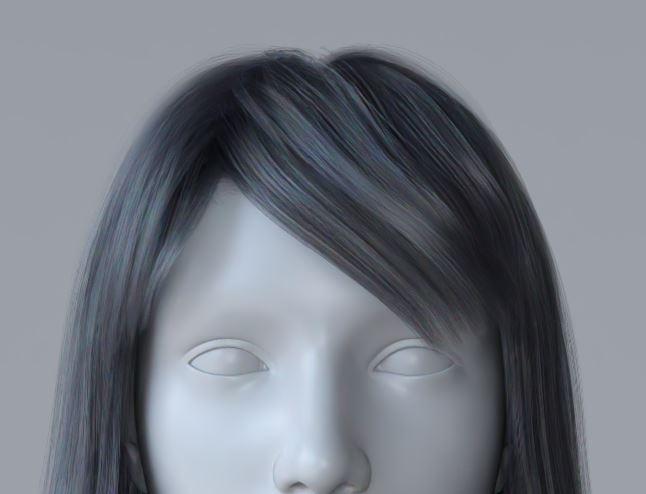
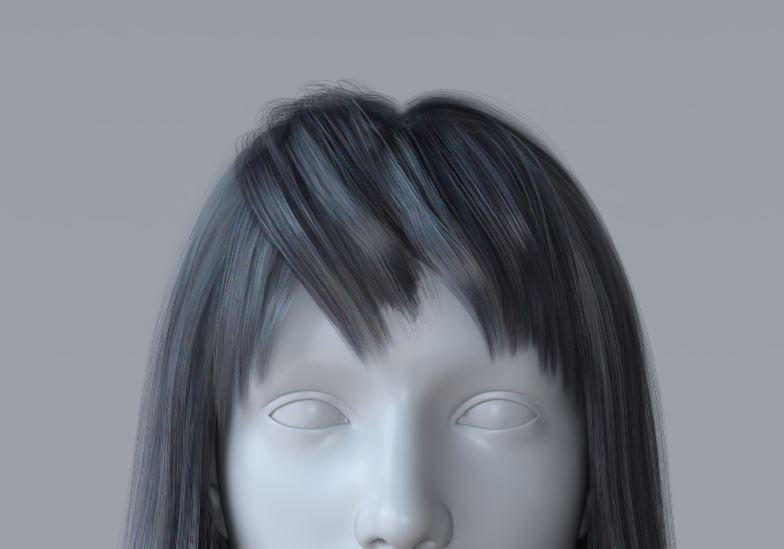
TTTTT1.JPG
646 x 494 - 27K
TTT2.JPG
784 x 549 - 32K
Post edited by AsuCafe on

Daz 3D is part of 
Connect
DAZ Productions, Inc.
7533 S Center View Ct #4664
West Jordan, UT 84084
Licensing Agreement | Terms of Service | Privacy Policy | EULA
© 2026 Daz Productions Inc. All Rights Reserved.
Comments
That's because the morphs of Thigh Length / Shin Length were ERC Freezed with the figure's Upper Face Rig... then the settings affect the Poses of this Neve Hair ~~ There could be a once and for all fix but the process would be pretty complex.
So, suggest you a much simpler way of fixing: DO NOT fit the hair to Genesis figure but just parent the hair to the figure's Head node:
1) Drag the Hair to the figure's Head in Viewport, hold the left mouse button till you see a popup menu, select Parent to ...: Head (screen shot 1)
2) With the Hair selected, in Parameters pane > Currently Used, you'll find Transforms values (screen shot 2). Zero them. (screen shot 3)
3) Dial the fringe Pose Preset 06 that you used in your screenshot, there won't be a wrong pose with morphs Thigh Length / Shin Length dialed. (screen shot 4)
The hair will also work well with figure poses / hair poses. Then simulate it as needed.
Thank you for your detailed answer. I never knew you could drag and drop directly to the parent node. I've learned a new trick, and the hair problem is solved. Thank you again.