Surfaces rendering white after applying surfaces (edit)
 Channing
Posts: 2
Channing
Posts: 2
I followed (or think I did) the intructions in the thread in the Daz Freebies forum ...
I quote from that thread:
Mattymanx said:
You need Daz Studio Beta 4.22.1.123 or higher
Nvidia vMaterials Collection ver 2.4.0
https://developer.nvidia.com/vmaterials
DS shader presets created by me using OmniFlux's script
https://mega.nz/file/G1ZmRCQZ#sovCjlRQLXbAnKWSOksGhf6vWqM1qLXJs8iuICuWUDU
OmniFlux's Script: - Please see screen shot
https://www.daz3d.com/forums/discussion/comment/8000791/#Comment_8000791
Instructions:
Let the installer install the vMats to their default location.
Install the DS presets in to DS.
Download and install OmniFlux's script. You need it to tell Daz Studio where the MDL references are. You do NOT need to run the script to create the shader presets. It works the same as the content database manage
Please test out the wood mats as they will call for textures. If you set the install path via the script correctly then DS should pull all the textures from that location.
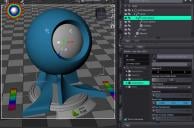
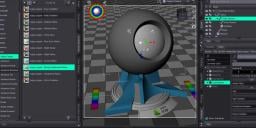
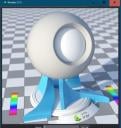
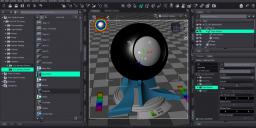
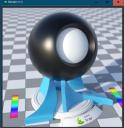
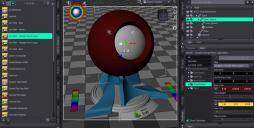
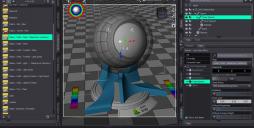
I can apply an vmaterial to a surface, and I can see the shader in the surface tab change to MDL (NVIDIA vMaterials) /type of material/. And then the properties of that surface change as well in the right half of the window. But, the actual surface turns gray in the viewport and then renders white. The object I'm looking at had a surface assigned as Iray Uber (MDL).
What am I missing here? I uninstalled Daz Studio completely and did a fresh install to see if that was the problem. It doesn't seem to be.
(EDIT: spot testing some other types of surfaces like applying a Uber glass shader and so on, results in white render, or the object turning invisible in the viewport, and rendering invisible. Clearly I've done something wrong across all surfaces.)
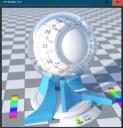
I've attached a series of images applying surfaces and then rendering them. This is just applying surfaces on after the other and then rendering. I think only the last two rendered correctly


Daz 3D is part of 
Connect
DAZ Productions, Inc.
7533 S Center View Ct #4664
West Jordan, UT 84084
Licensing Agreement | Terms of Service | Privacy Policy | EULA
© 2026 Daz Productions Inc. All Rights Reserved.