How to make models look high definition
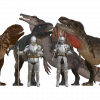
So as I have said in other discussions, I am still a noob in Daz Studio. In fact, I mostly use it to export the models to Blender, but I digress. I couldn't help but notice how some models I load in Daz Studio seem to have a lower resolution than in some in Store images. For example, the model I have used the most in Daz Studio is the Daz Dragon 3 and when I load it, it's textures seem low resolution if compared to the images seen here https://www.daz3d.com/1-click-pbrdragon and to the red dragon image seen here https://www.daz3d.com/hfs-legendary-shapes-hd-for-daz-dragon-3. Is there a way to make the textures of these models look HD before rendering an image? As in, exporting the model to blender with HD textures?

Daz 3D is part of 
Connect
DAZ Productions, Inc.
7533 S Center View Ct #4664
West Jordan, UT 84084
Licensing Agreement | Terms of Service | Privacy Policy | EULA
© 2026 Daz Productions Inc. All Rights Reserved.
Comments
Some examples of your own renders might help - in the absence of those, my first inclination would be to guess that it is down to the lighting.
Not without using the Iray DrawStyle, or maybe Filament. The basic drawstyles don't implement al the features of the Iray materials, though DS 2025 has increased what they do.