Inverted vertices
 irynakhymych
Posts: 32
irynakhymych
Posts: 32
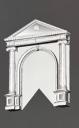
Hiya guys, I am having an issue with a model I bought on CGtrader. When I open the files (.blend, .dea .fbx and .obj) they all open normal in Blender. However, when I open them in Daz this is what happens. Anyone know why and how to fix it? I reached out to the creator but they don't know either and are looking into it, but I figured I would ask here as well.

IMG_3918.jpeg
5712 x 4284 - 6M
11.jpg
708 x 1152 - 254K
Post edited by irynakhymych on

Daz 3D is part of 
Connect
DAZ Productions, Inc.
7533 S Center View Ct #4664
West Jordan, UT 84084
Licensing Agreement | Terms of Service | Privacy Policy | EULA
© 2026 Daz Productions Inc. All Rights Reserved.
Comments
Lots of artifacts can be seen in your image... what file format did you import into DS... OBJ ?
DS only supports tris and quads topo, but no matter you choose to Triangulate OBJ in Blender when exporting or leave it to DS's OBJ importer to triangulate, you may get the artifacts.
Check this post : https://www.daz3d.com/forums/discussion/comment/9043001/#Comment_9043001
Also check the objects in Blender... their topology as well as some Modifiers can make things more complex ~~
It's the arches, I uploaded the specific arch picture. I did play around with the setting on export, after readin your linked comment, from Blender and the issue resolved itself so thanks!
Great ! NP ~