Cloth simulations not behaving.
 luispersaud
Posts: 7
luispersaud
Posts: 7
Using G9 model and the G9 Melody Skirt from Daz store, I cannot for the life of me, get this thing to sim(I dont super care if it looks perfect but every time it loads in, it stands straight out from the models hips, no matter her position), it keeps expanding into some crazy cloth monster and takes several hours every time I try. This time, completely ripping off the model and floating up into the air as if it were a ghost looking down at her. The even crazier part is when I hover over different parts of the skirt ghost, it shows as various body parts in the tooltip! Im not sure what Im doing wrong but this skirt is being a bit psycho and I just want to give it some meds so itll cooperate for my scene. Plays Halp, Chikahn Guud, Lelu Dallas Multipass.
P.S. Running R7 9800X3D with RTX5080 and with nothing else open, my pc seems to struggle fiercely with Daz Studio, are there specific settings I should be utilizing for optimum efficiency?
P.S.S. Thank you for reading and any help or critique you can offer, I appreciate it.

Daz 3D is part of 
Connect
DAZ Productions, Inc.
7533 S Center View Ct #4664
West Jordan, UT 84084
Licensing Agreement | Terms of Service | Privacy Policy | EULA
© 2026 Daz Productions Inc. All Rights Reserved.
Comments
There seemed no issue on my side ~~ Did you simulate with a Timeline or Start Bones From Memorized Pose option ?
I am VERY new to using this software so Ive not been using the timeline at all, and I left the simulation settings at default so I assume that means from memorized pose position if thats the default setting. Also, how does your software look so very different from mine? Thank you for looking into my issue, I truly appreciate it.
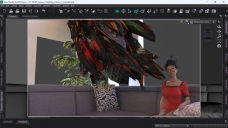
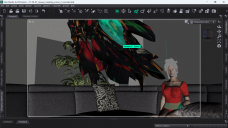
Video is of a sim I cut short after it completely came off the model. I have a much longer 2 hour+ video of me letting it simulate further and even after that time, I ended the video because the skirt was just getting even more distorted as it flew away.https://youtu.be/Dk5NF37ggMo?si=yr1GZraMpdBFT2o5
Messed with the timeline to try it that way and I think I *mostly* figured it out, except now the skirt is holding onto her bob as if a corner of the cloth is tucked in there and I have no idea why.
Okay, that's an issue of "explosion" when the skirt collides with other objects (because of the skirt's mesh density as well as the improper settings on it dynamic surface...). The case you have is a simulation with a sitting pose which is more challenging than others. Besides, the initial shape of this skirt is flared... which requires more settings ~~ You may refer to this thread : https://www.daz3d.com/forums/discussion/comment/9277481/#Comment_9277481
The trick is to simulate it from the figure's A-Pose to the target pose. You have to make the skirt drape firstIy before it collides with the sofa (by increasing the value in Simulation Settings > Inititialization Time, set it to 0.5 ~ 1.0). Then make the sofa slide in while the skirt is being simulated... so as to have a natural draping / colliding result.
I quickly made a test scene to show the settings. (screenshot 1) Pls check the attached DUF file. I used a cube as a sofa. You just give the similar settings on the Timeline to the Sofa you're using. I also added a helper (a cylinder) in between the figure's legs so as to avoid the skirk sunking in too much in there.
Be noted: remember to set Collision Offset of Skirt_Bottom surface to its default 0.20... otherwise this skirt will easily explode while colliding with other objects ~~ (highlighted in the screenshot 1) . Then after simulation, set the skirt's Collision Item to the Sofa to mitigate the poke-thru.