Daz3d fbx export to Clo3d
 kleysonr
Posts: 4
kleysonr
Posts: 4
Hi,
I'm creating a new avatar to be exported and imported in the Clo3d.
After export the fbx and import it on the Clo3d, I'm getting my avatar without the eyebrows.
Left image the avatar in Daz3d. Right image the avatar imported in the Clo3d without eyebrows.
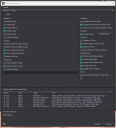
An my fbx export settings.
Any ideia ?

compar.jpeg
1069 x 416 - 98K
settings.png
771 x 849 - 92K
Post edited by Richard Haseltine on

Daz 3D is part of 
Connect
DAZ Productions, Inc.
7533 S Center View Ct #4664
West Jordan, UT 84084
Licensing Agreement | Terms of Service | Privacy Policy | EULA
© 2026 Daz Productions Inc. All Rights Reserved.
Comments
Moved to Technical help as it is (probably) a Marvellous Designer/Clo3D topic rather than a Daz Studio topic.
Which eyebrows were they? I would suspect it is an issue with sending fibres through FBX - one of the card-style eyebrows might work better. The other thing to check, especially if they are not fibre brows, is that it isn't missing opacity maps/settings. I don't know Clo 3D and don't have MD 12 installed to direct you to specific settings.
You have to go to Scene tab in CLO/MD, select Mesh of the Eyebrows, set its Opacity to 100% ~
Hi @crosswind,
My clo scene is different from yours (see the attached image). I'm not able to find the eyebrows.
Can you share yor Daz fbx export settings screen ? I posted my settings screen in the first post.
Are the settings different ?
I only have Marvelous Designer 2025 ... but CLO should be the same in terms of manipulating FBX import / settings ~~
I exported G9 figure with MSO Hana Eyebrows to FBX with the very same settings as yours. (screen shot 1).
Then tweaked the settings of Opacity (screen shot 2) before I had the eyebrows shown (screen shot 3).
I figured out that importing the .fbx file I get a "scene" of the avatar like yours.
In Clo3d there is an option to Auto Convert to Avatar, that read the fbx and convert it in a clo avatar. Using this option, I was getting the "scene" I sent before.
I found a workaround, double clicking the avatar to select all elements and then changing the opacity to 100%. After that I only have to fix some opacity in the eyes.
Thanks for your help. It helped me find the way.
Best Regards.
What's the option of Auto Convert to avatar ? in addition to Object Type ?
Can you post a screen shot if possible ?
you dont need eyebrows to do a cloth sim.
Also: if you are doing a pose transition animation in marvelous designer using FBX, that will not look good. The mesh will be slightly off compared to Daz Studio. Use sagan alembic exporter.
But if you just want a clo/MD avatar, then i guess your approach is fine.