Viewport Draw Anomoly
 krickerd
Posts: 225
krickerd
Posts: 225
Anyone know why texture shaded mode just shows black on a specific model while wireframe texture shaded actually shows the diffuse mat?

Viewport Draw Anomoly a.JPG
2301 x 1839 - 194K
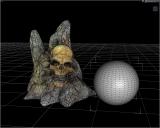
Viewport Draw Anomoly b.JPG
2300 x 1841 - 479K

Daz 3D is part of 
Connect
DAZ Productions, Inc.
7533 S Center View Ct #4664
West Jordan, UT 84084
Licensing Agreement | Terms of Service | Privacy Policy | EULA
© 2026 Daz Productions Inc. All Rights Reserved.
Comments
Your first image is in cartoon shaded.
No it's not. It's tex shaded. Cartoon shows the mat. Tex shaded is the only one it seems that does not. And only on this series of .obj so far.
Based on the icon in the viewport, it is in Cartoon shaded mode in the first image.
Texture shaded mode has a heavy stripe running through the middle of the icon, where as Cartoon shaded mode only has a gradient on the right side of the icon.
They look the same to me on my Studio
Do different layouts get differnt icons?
Smooth, Texture, and cartoon are all using the same icon as far as I can tell.
What version of studio are you using?
Are you using a default layout or custom?
Did you carry over a custom layout from a previous version?
When i go through all the default layouts in 4.24.03 the icons remain the same.
You might have a bugged install or broken setup, try switching to a default layout and see if the icons change.
If they don't, your install is probably bugged and may need to be reinstalled.
If they do, you'll probably need to rebuild your custom layout.
Could you post a screenshot of what yours look like so I can see the difference please?
The different layouts don't seem to be changing any icons in that list.
I'm not having any problems with either of the 4.24 versions and I've used this setup for years.
In the alpha they are different, but I expected them to be in that version
Here's a screenshot of mine in the alpha.
If you turn on Per Pixel Shading in Preferences > Interface..., some of the icons in DrawStyle will look the same in DS 4.x...
Odd ~~ if you toggle Ctrl + L, can you see any change in Viewport ?
No. It's not a preview lights problem. It only happens in texture shaded, no other styles. This is happening with 2 different products from the same Renderosity vendor which import as MDL format. Older products from this vendor don't have this problem. Maybe I should submit a bug?
It seems to me a product issue rather than DS issue... Which product are you using ?
Yes, you can always report the issue to the vendor as well as Daz if you'd like to.
The behavior happens with: https://www.renderosity.com/marketplace/products/158822/direstones and https://www.renderosity.com/marketplace/products/163954/wyldwood ; I do not have the issue with other similar products by this vendor.
Question, are you importing the OBJ or are you using the PP2 files under poser formats in studio?
what version of studio are you using?
and, what do you mean with MDL format?
I've run through about everything i can think of and can't manage to replicate your issue with the Dire Stones product. It's working just fine for me using the PP2 files in 4.24.03.
OP, you might want to check spelling of your thread title.