[Released] Bone Minion Batch Converter for Genesis 2 Poses [Commercial]
 RiverSoft Art
Posts: 6,968
RiverSoft Art
Posts: 6,968
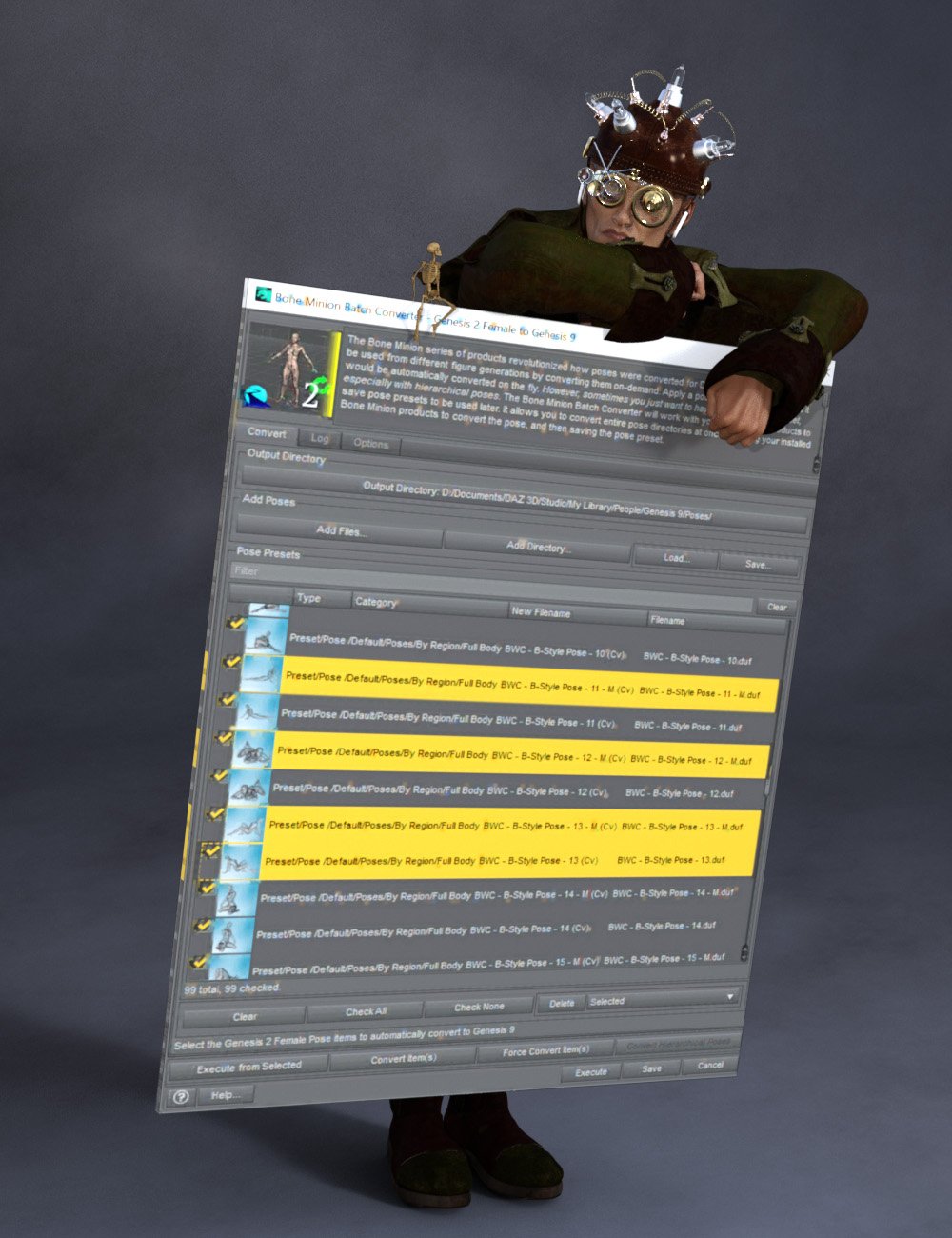 The Bone Minion series of products revolutionized how poses were converted for Daz Studio, enabling poses to be used from different figure generations by converting them on-demand. Apply a pose to the Bone Minion, and it would be automatically converted on the fly.
However, sometimes you just want to have and use a pose preset, especially with hierarchical poses.
The Bone Minion Batch Converter Genesis 2 will work with your bone minion products to save pose presets to be used later. It allows you to convert entire pose directories at once, by using your installed Bone Minion products to convert the pose, and then saving the pose preset.
Automatically convert your entire library of Genesis 2 poses using the Bone Minion Batch Converter!
The Bone Minion Batch Converter Genesis 2 script works with any installed Bone Minion for Genesis 2 Poses for XXX product to provide batch execution for automatically converting your Genesis 2 poses. Easily select the Poses presets in your library, select an output directory, and execute the script. Even better, icons and categories are copied from your original pose to the new pose presets.
Convert Full Poses, Partial Poses, even Hierarchical Poses to Pose Presets, that can be used on any machine, even ones without Bone Minion installed
Uses any Genesis 2 Bone Minion product installed (i.e., Bone Minion for Genesis 2 Poses for Genesis, Bone Minion for Genesis 2 Poses for Genesis 3, Bone Minion for Genesis 2 Poses for Genesis 9, etc.), even future products (i.e., if a Bone Minion for 2 Poses for Genesis 10 product comes out, the script should work with it.
Includes Bone Minion for Genesis 2 Poses for Genesis 3!
Copies icons from Genesis 2 Poses for a professional look
Copies Smart Content Products! Converted Poses will be organized into similar products as the original items. The converted product mirrors the original items' products, organizing multiple converted items into one converted product and even using the product image from the original products.
Converted Poses are Smart Content enabled!
Automatically convert your entire library of poses with one operation! (except for Hierarchical Poses, which need the props loaded first, but then you can convert all poses for those props with one step
INCLUDES Bone Minion for Genesis 2 Poses for Genesis 3 to provide conversion of Genesis 2 poses to Genesis 3.
The Bone Minion Batch Converter uses your existing Bone Minion for Genesis 2 for XXX products.
Without the correct Bone Minion products installed, the script cannot convert your Genesis 2 poses to the target figure generation.

Daz 3D is part of 
Connect
DAZ Productions, Inc.
7533 S Center View Ct #4664
West Jordan, UT 84084
Licensing Agreement | Terms of Service | Privacy Policy | EULA
© 2026 Daz Productions Inc. All Rights Reserved.
Comments
In the store
Oh this I bought instantly. This and Genesis will be so important, because G2 and G1 have a lot more experimental content that G3 and G8 don't have. With G9 once more daring to do more varied official characters.
The G2F conversion has been going on for 5 hours 58 minutes.
So thanks, once more, for a lifesaver utility ^^
You are welcome!
so what are the products you need to have for this to work?
"Uses any Genesis 2 Bone Minion product installed (i.e., Bone Minion for Genesis 2 Poses for Genesis, Bone Minion for Genesis 2 Poses for Genesis 3, Bone Minion for Genesis 2 Poses for Genesis 9, etc.), even future products (i.e., if a Bone Minion for 2 Poses for Genesis 10 product comes out, the script should work with it."
thank you very much
You're welcome!
I purchased some of your products and was finally able to test them yesterday. The Bone Minions work perfectly. I am having some issues with the Batch Converter. It simply does not convert batches. I can only convert a single pose at a time, which already saves a lot of work, but converting an entire pose folder would of course be much better. It also does not create icons, which is not a big problem since I can use the original images if I rename them accordingly.
I am not at my PC right now, so I do not know my DAZ version, I know it is not the newest, 4.5 I guess. Is there anything I need to enable first in order to convert a complete directory? I should mention that I convert the poses to V4 and then use a script for Poser to transfer these poses into Poser so I can apply them there to V4.
I only need a bit of help with converting a complete directory. Even if all poses in the directory are selected, it always converts only the first one or the one my mouse is hovering over.
edit: it is DAZ 4.23.0.1
hm... now I started again, I read about the Metadata, I disabled it and now it is working. Maybe this was the reason?