Can I upgrade this?
 Xyetzt
Posts: 27,583
Xyetzt
Posts: 27,583
Can I upgrade this?
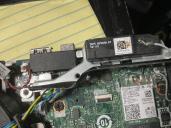
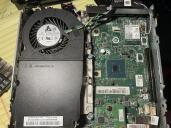
are there bigger hard drive storage for onerous size? What else can I upgrade?
I know that I need to reconnect the hdd before using the computer.
reconnecting
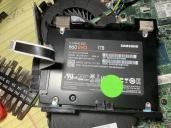
IMG_1692.jpeg
4032 x 3024 - 3M
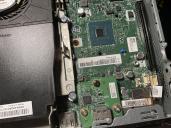
IMG_1697.jpeg
4032 x 3024 - 4M
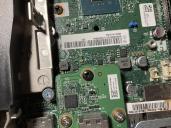
IMG_1698.jpeg
4032 x 3024 - 4M
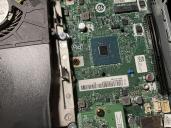
IMG_1696.jpeg
4032 x 3024 - 4M
IMG_1694.jpeg
4032 x 3024 - 3M

IMG_1688.jpeg
4032 x 3024 - 2M

IMG_1691.jpeg
4032 x 3024 - 2M
IMG_1693.jpeg
4032 x 3024 - 4M
Post edited by Xyetzt on

Daz 3D is part of 
Connect
DAZ Productions, Inc.
7533 S Center View Ct #4664
West Jordan, UT 84084
Licensing Agreement | Terms of Service | Privacy Policy | EULA
© 2026 Daz Productions Inc. All Rights Reserved.
Comments
I just got the 4 Terabyte version of that same SSD. That should be a relatively easy upgrade.
How do I reinstall the hard drive until I can get a job and save up enough for the new hard drive?
The pictures seem to be gone on your first post!
I think I remember a connector called SATA1 on the main board. put that ribbon from the SSD in there and push the locking clip down. I don't know how the SSD actually gets screwed in.
Thanks. I think I refreshed the pictures.
Thats better, I can see the pictures again. Do you have a model number for it?
The memory, CPU and GPU must all be under that shroud.
Here is the back. I can't remember how to put the sata cable back into motherboard.
I think the black part of the connector should flip up and the ribbon slides beneath it, then push down to lock it.
the two memory sticks are accessible by removing another panel from underneath
I found the bottom, but didn't take a picture.