[Solved] Everyday 2 Shirt for G8M is blocking bones selection, how to solve it?
 Elor
Posts: 4,102
Elor
Posts: 4,102
Hello
I'm speaking about this product:
https://www.daz3d.com/everyday-2-for-genesis-8-males
I'm trying to set a scene and when I wanted to select Michael 8.1 Left collar bone, to apply a pose on it and the left arm, the Everyday 2 shirt prevented me from selecting and having the cursor hovering over any part of the shirt will instead select Michael 8.1's hip bone as show on this screenshot (sorry, MacOS doesn't include the mouse cursor in screenshot, but it's around yellow tooltip, hovering over the left collar in both cases):
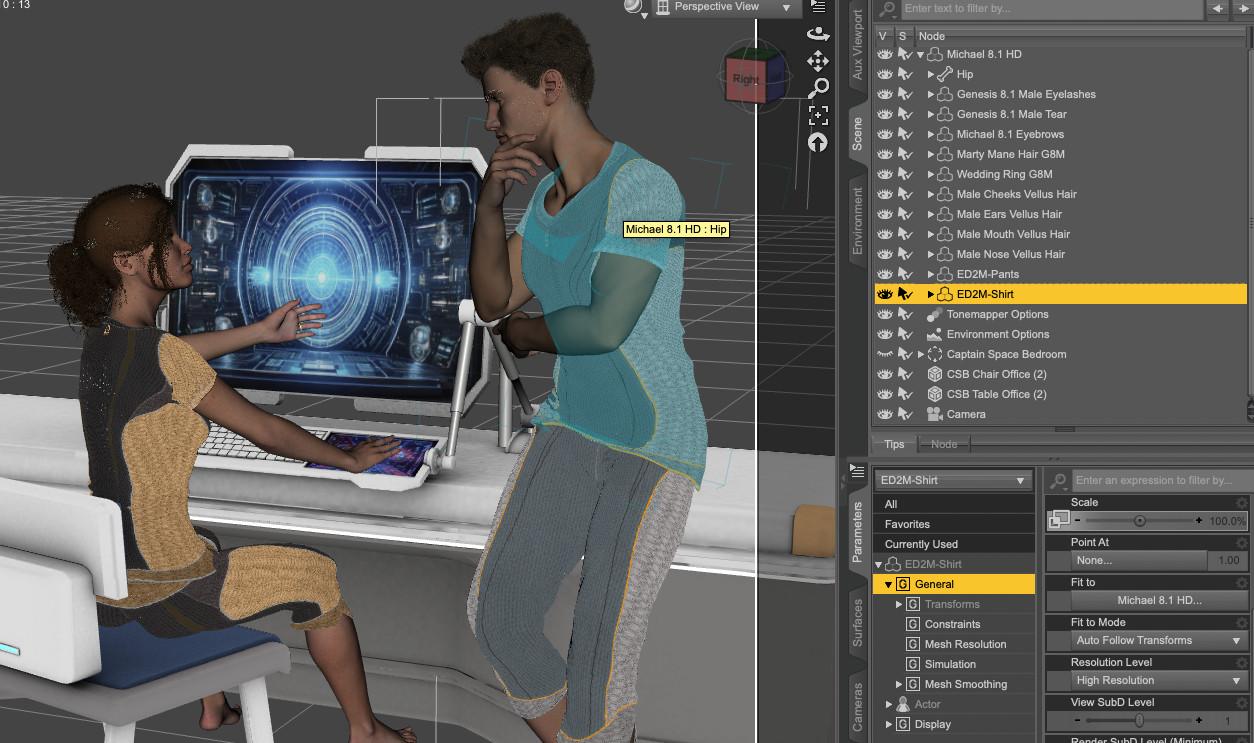
If I hide the shirt, I can then select the left collar as intended:
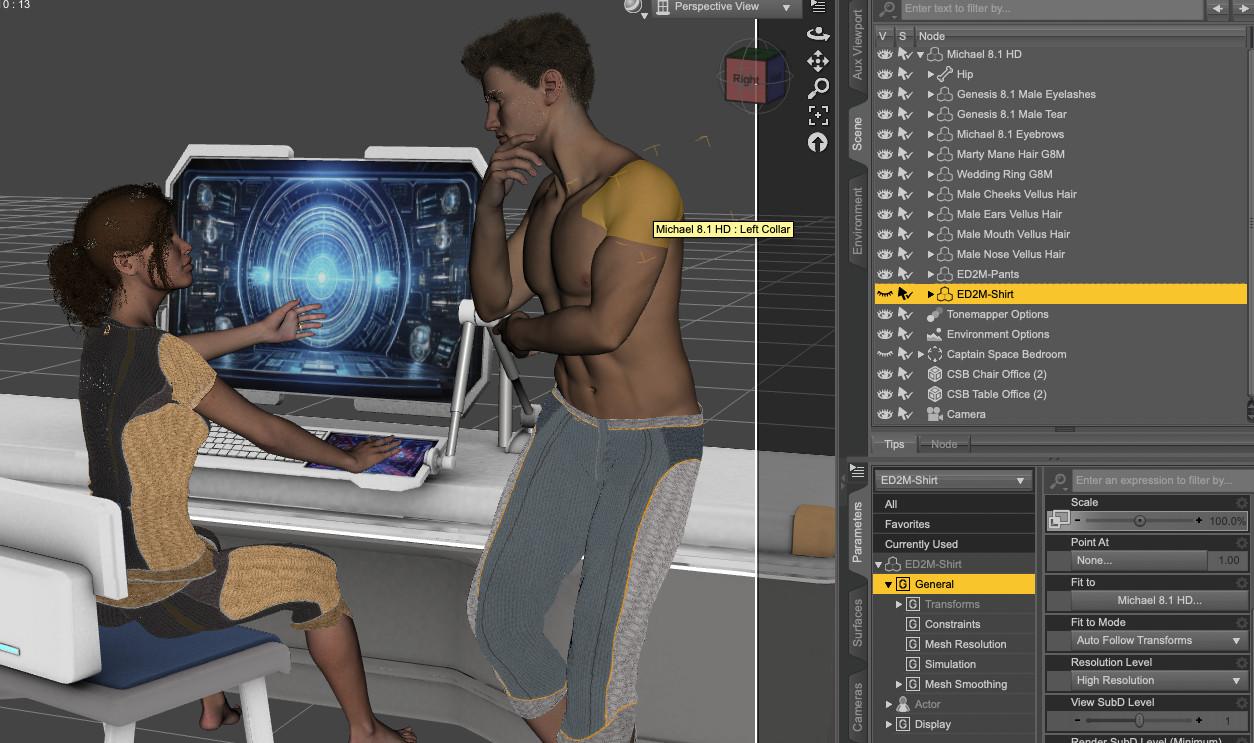
As far as I know, it's not the normal behavior for clothes (I checked, the G8F version doesn't exhibit the same behavior), but I have no idea how to fix it (outside of filing a ticket, but I'd like to be sure the problem is at least seen by other users), so if anyone knows how to solve it, I'm all ears :)

Daz 3D is part of 
Connect
DAZ Productions, Inc.
7533 S Center View Ct #4664
West Jordan, UT 84084
Licensing Agreement | Terms of Service | Privacy Policy | EULA
© 2026 Daz Productions Inc. All Rights Reserved.
Comments
The issue comes from a wrong setup of Selection Group in Joint Editor.
Select Hip bone under the shirt, with Joint Editor, in Tool Settings pane, set Selection Group to None. The issue will be gone.
Thank you :)