Cannot get Daz installer to download studio.
 sojournerj2mc
Posts: 0
sojournerj2mc
Posts: 0
in New Users
"the path specified in the "package archive" field on the "Downloads" page of the "settings" dialogue, is not currently available. make sure the drive is connected to your computer and that the computer recognizes the drive, then try again."
Did install on C: drive. Have tried downloading and deleting the whole app six times at this point. Have restarted several times too. Not sure how to get started.
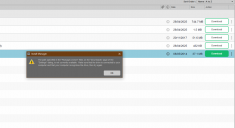
dawdle.png
1227 x 668 - 30K

Daz 3D is part of 
Connect
DAZ Productions, Inc.
7533 S Center View Ct #4664
West Jordan, UT 84084
Licensing Agreement | Terms of Service | Privacy Policy | EULA
© 2026 Daz Productions Inc. All Rights Reserved.
Comments
Click the gear icon in the upper right corner of DIM > Advance Setttings...> Downloads tab, check if the path you set in Package Archive is correct. If it's on an SSD, check if the SSD is stably connected to your PC / laptop...
As best I can understand, I have done things like this around eight times. Trying again this morning. Tried seeing if it would work on an old laptop, and it zipped right through to downloading. Would use the laptop, but it consistently crashes every few minutes, which is understandable for a twelve year old machine.
You can copy the downloads across from the old laptop to the folder set for DIM's downloads on the other machine. Then after restarting or refreshing DIM they should be in the Ready to Install tab.