darn lights control
 dondraw
Posts: 170
dondraw
Posts: 170
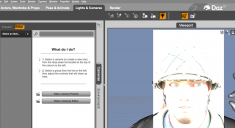
this scne is overlit in iray fiew, i searh for lights . no find. instrudtions say use headlamp only, and i cannot find that instruction on this page. i ask instructions where it is, and it doesn't reveal this to me. if i can turn off scene lights, only headlamp will show and that seems find now.
please advise, thanks.
don
Screenshot 2025-09-16 at 7.01.14 PM.png
2256 x 1228 - 659K

Daz 3D is part of 
Connect
DAZ Productions, Inc.
7533 S Center View Ct #4664
West Jordan, UT 84084
Licensing Agreement | Terms of Service | Privacy Policy | EULA
© 2026 Daz Productions Inc. All Rights Reserved.
Comments
The headlight is an attribute of the camera. Select the camera in the scene, go to the Parameter tab, and turn off the headlight of the camera (the three choices are on, off, and auto which works when you have other lights in the scene). You want off.
It is a global setting in the Editor tab of render Settings, under General - a camera can override it, but by default all cameras 9and views) will respect it.
thanks, folks. I got hopeful when i read your comments, but as i tried them, never saw the controls you mention.
my screencap shows what happened. strangely, when i clicked control buttons, the headlight disappeared for a second then returned. screencap below shows i did everything you spoke of and still light is "on". when i turned auto headlamp in render settings to 'never' it quckly slicked back to 'when no scene lights" but still light remined on??
and i had turned mac off and just restarted...
don
Render Settings are, by default, saved with the scene so reloading the scene saved with the headlamp On would reset the property
nope. not working. i wish one of you could be on my Mac and do it!
don
I will se if I can create a little visual tutorial today...
So I rendered an image for you:
with Exposure Setting (13) (Render Tab> Tone Mapping)
Then I rendered the same image with a high exposure value (40)
So if you have the headlight of the camera off and you have the the exposure at a reasonable level, your problem should be off.