I wonder how far Bryce could be pushed, ha-ha
 Past as Future
Posts: 230
Past as Future
Posts: 230
So I was glancing through some nostalgia discussion about Bryce 2 on the web, and this comment took my attention:
Firstly, yes - I agree that those Eric Wenger's (and others) demonstration scenes are indeed impressive. However, this line of thoughts made me thinking about "how far we all can go with Bryce?". I then remembered reading a post (I think it was written by KinemagiK) that Bryce handles structures made from 20 000 metaballs or something like that. Without giving it too much of a thought, I've launched Bryce and started replicating objects. Though I decided to use a simple sphere instead.
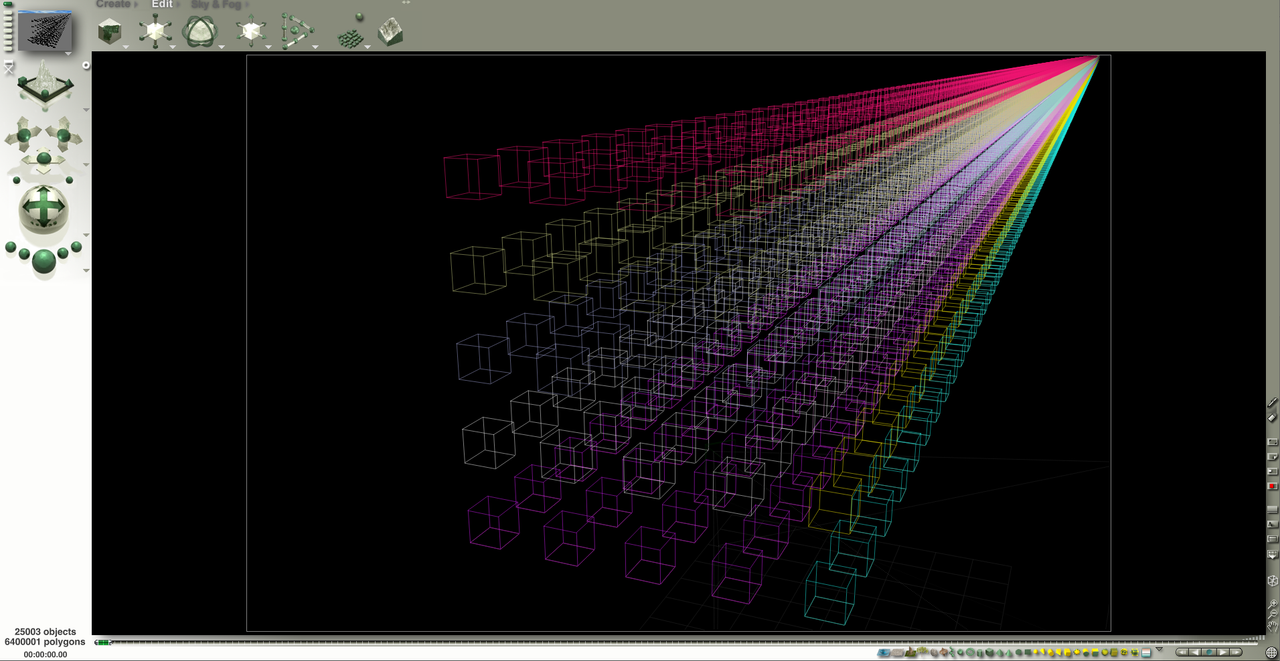
It was fine and easy up until I've got 5 000 spheres. Trying to double their amount led to Bryce freezing (maybe I could wait for an hour or something, but I lack the patience for it). However... I've decided to add "just" another thousand - and it worked, giving me 6 000 spheres. Then I tried to bite a bit larger piece and added 4 000 more - also worked. In the ended, I've managed to reach 25 000 spheres, alternating 1 000 and 4 000 spheres addition. I stopped after that as the more spheres I was adding, the more lag for actions like selecting/deselecting objects or changing sun position was being introduced.
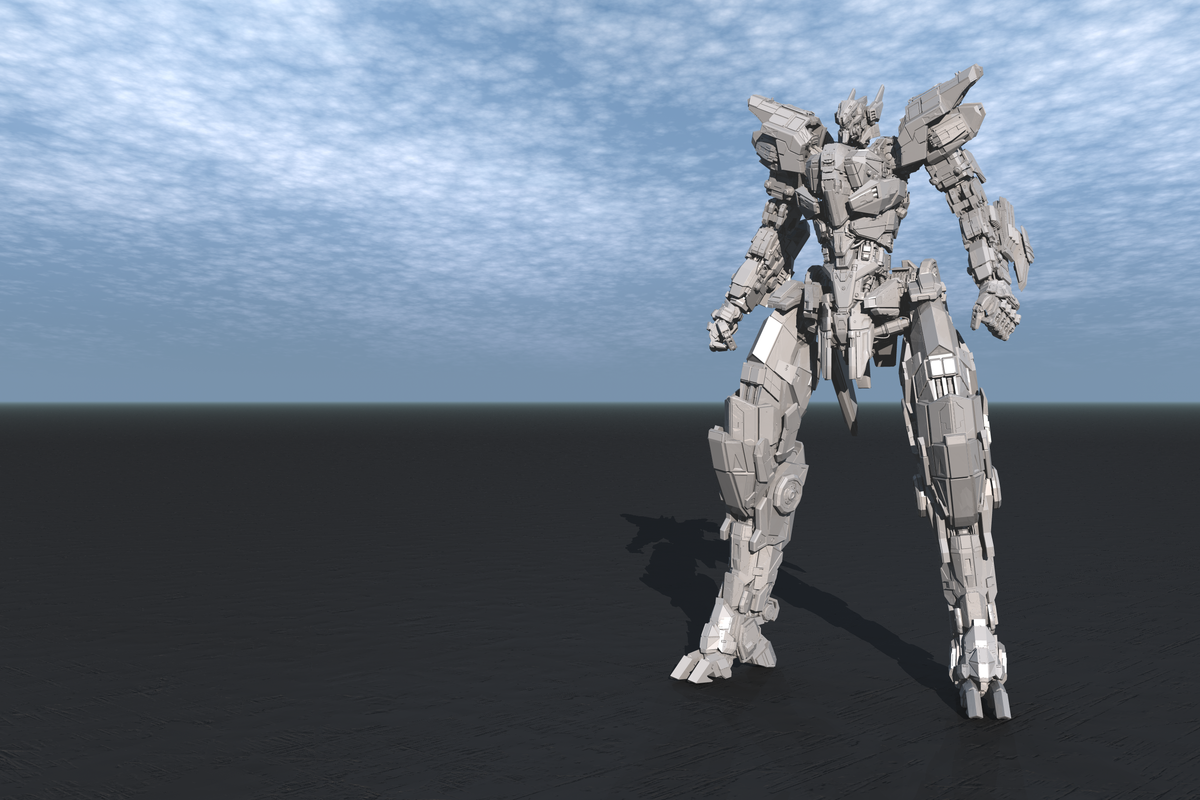
Well, that was about the objects. Now, how about imported models? Now, I think Bryce is pretty generous with them! For starters, I've loaded the "Lythos mecha" model (it's a freebie available at CGTrader, made by a pretty cool author called Megalord) which has around 2.4 million polys. You might want to open the image in a new tab if you'd like to appreciate the details in the model.
Then I added 10 more... which gives us around 26 million polys. Not bad, huh? Also I think they look pleasant with Bryce procedural materials.

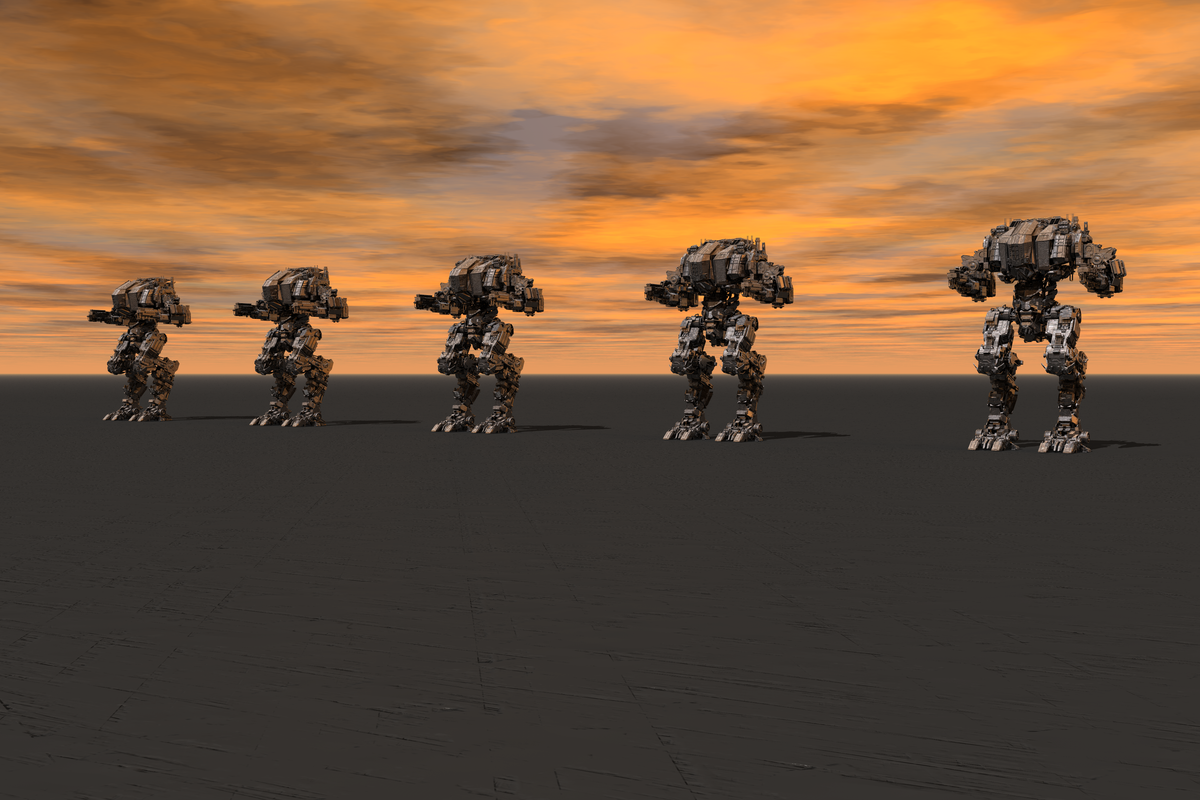
But hey, let's increase the challenge! Another freebie by Megalord, the amazing "Juggernaut" mech that has, like, 10 million polys itself. Wow. (Again, open fullsize to check the detail level). Had to wait, like, 7 minutes during import, but it loaded in the end!
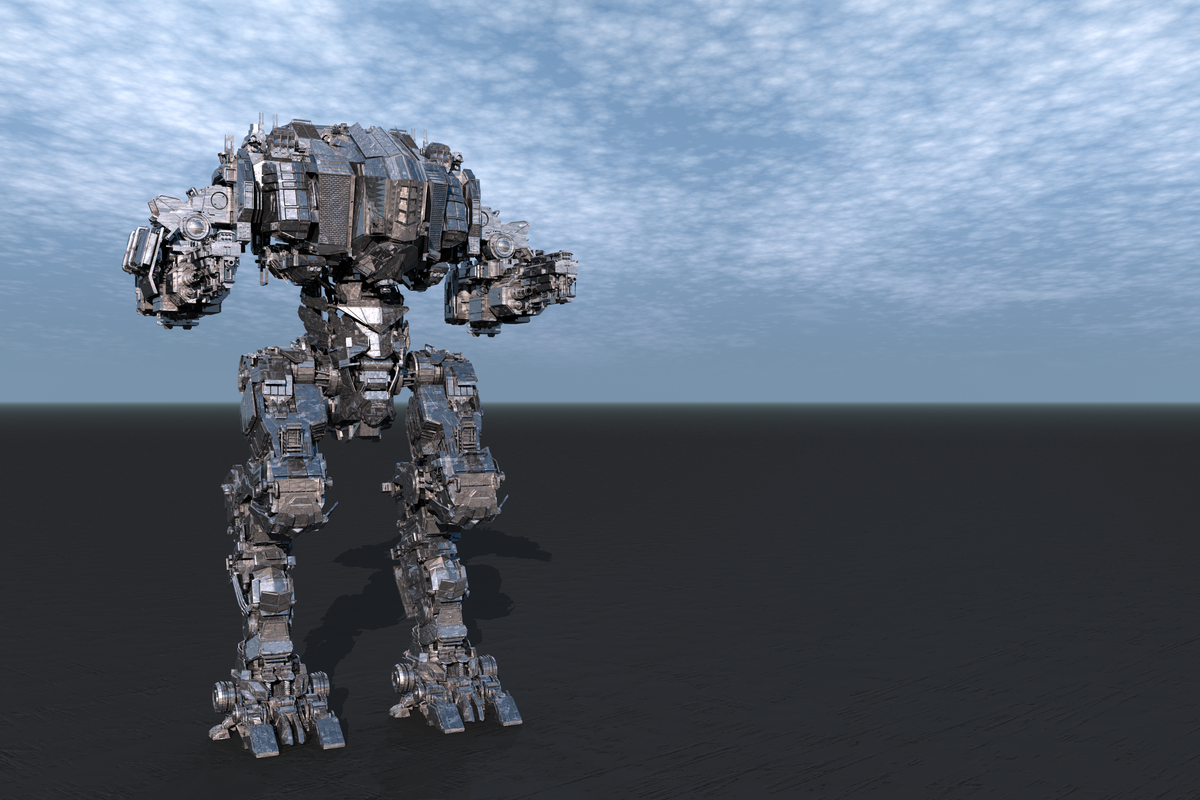
If "Lythos" model was taking, like, ~600 mb memory, then "Juggernaut" eats around ~1700 mb. Good to know we have instancing! I've stopped at 4 copies, which led to the amazing 50 million polys scene. Stopped after that as, like in experiment with spheres, simple interactions started getting more and more slow. Still, I think it's pretty impressive!
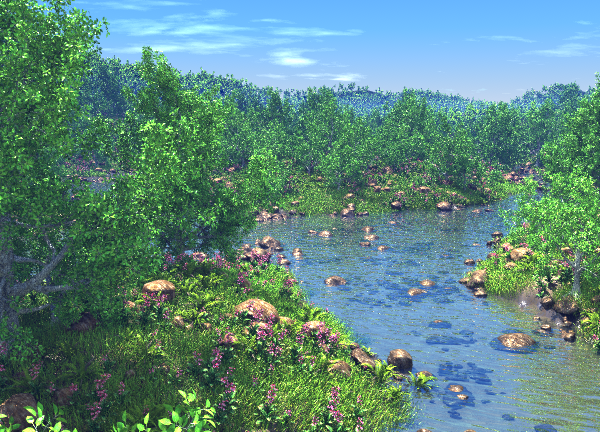
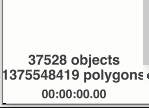
All this cool and what not, but... the initial "challenge" said the following: "billions of polys". 50 millions can't compare to that, for better or worse. I was ready to accept that, but... but... Rashad comes to rescue, and he did it before "nanites" were even announced :D Sorry, this is my attempt to joke, but.. Remember this amazing set of scenes? https://www.daz3d.com/forums/discussion/comment/2025691/ so I've opened (took quite a time as it used 3100 mb of memory during that) the amazing "MgScp Sunday Picnic EGFPLS Full" prepared by Rashad as part of his MegaScapes and Lighting tutorial and it says more then one billion polys there (and I think C-ram most likely had the similar polycount as well). So, yeah... I can now feel the satisfaction!


Daz 3D is part of 
Connect
DAZ Productions, Inc.
7533 S Center View Ct #4664
West Jordan, UT 84084
Licensing Agreement | Terms of Service | Privacy Policy | EULA
© 2026 Daz Productions Inc. All Rights Reserved.
Comments
Wow, this is really pushing Bryce to the limit. Since you haven't updated the theme, I'm guessing you finally managed to melt your computer's CPU
Interestingly, Bryce has always had pretty good polygon management for its day.
To pull off the MegaScape files LAA was required, and I also had to create vegetation tiles/plates/planes for the grass and flowers. Stones were not tiled, I needed them to remain more random so that the tile repetition wasnt visually obvious.
Anyhow the plates: For example, imagine you have a single blade of grass modeled in Wings 3d. The grass blade has exactly 12 polygons. You would think that you could instance this blade of grass literally millions of times and not hit a memory limit anywhere near close to the billion polygons in the MegaScape files, but alas this isnt true, as Past as Future realized when trying to double the number again in the first post. Even for low poly objects, there are limits on memory due to the unique matrix information (location, scale, rotation etc) that must be stored for each instance. Imagine an object list 2 million items long? Therefore it is sometimes better for general large scale landscapes with "repeating" ground level items, to consildate them whenever possible, and turn the multiple objects into a single "plate" object with consolidated UV's in an outside program, and then bring the plate/plane into Bryce. Apply instances based on the terrain normals with the mesh origin slightly below ground level, and as long as the terrain isnt too high poly and knotchy at scales smaller than the tiles/plates, the plates should land flat enough to appear natural. In this way, I was able to reach the billion polygon threshold.
So if you were to Group a bumch of those cubes together, export them and then reimport them as a single object, and then make instances on that larger initial mesh, you can get much more poly's before crashing or slowing to a crash equivalent.
Edited to add:
In the same breath as I state that higher polygon models can get you more polygons into the scene, the price that is paid is that Bryce gets less responsive, especially with meshes exceeding 1 million triangles. So somewhere in the middle, probably in the 1/2 million polygon range, where the polygon count is ideal for making lots of instanced polygons while still keeping scene navigation swift.
Generally this MegaScape approach isnt recommened for most projects, we don't often accept high level professional commissions like in the old days, we mostly use Bryce for fun these days. But for when you need something more detailed, and for some reason want to do it in Bryce (just because we love using it is a good enough reason haha!), you need exceptional planning and cleverness to get by.
Very cool Past As Future. If you don't mind me asking, what type of computer and OS are you running Bryce on? I have often pondered modern hardware vs older hardware question as it pertains to running Bryce. I do plan to install Bryce on VMS using older Windows OSs (like 32 bt versions of XP or 7) and using Linux as a host to see what results I get; right now I am using Windows 11.
Impressive work. I think the plate-approach by Rashad is too complicated for my playing with Bryce, though.