Work around for Video_TDR_Failure
 tam_c3df5332fc
Posts: 152
tam_c3df5332fc
Posts: 152
Hey everyone,
In case someone else has used WinDbg to read their "C:\Windows\MEMORY.DMP" and found after runing the analysis link, the following:
FAILURE_BUCKET_ID: 0x116_IMAGE_nvlddmkm.sysOS_VERSION: 10.0.19041.1BUILDLAB_STR: vb_releaseOSPLATFORM_TYPE: x64OSNAME: Windows 10FAILURE_ID_HASH: {c89bfe8c-ed39-f658-ef27-f2898997fdbd}One step before we continue, which is my work around to download the following:
461.09-desktop-win10-64bit-international-dch-whql.exeYou can download it from NVIDIA's site - https://www.nvidia.com/en-us/drivers/details/168778/
It is their driver from 2021. My logic is simple. I use to not have these issues when I first had this PC, so let us use the drivers that I had back then.
If you have read on the internet about this issue, then you have probably also read that you need to download DDU and run it in Safe Mode
1) hold shift button when you select restart
2) Troubleshoot > Advanced options > Startup Settings and click Restart
3) After your computer reboots, choose option 4 to boot into Safe Mode
Once I launched DDU, choose the delete and restart option, which should clear your computer of any NVIDIA drivers.
When you restart again and run the aforementioned 461.09 installer, be sure to check the checkbox for a clean install and choose "Custom" install
so that you can choose to only install the drivers
Since I have done these steps, I have had two render sessions of 109 frames each - EXR canvases - without any issues.
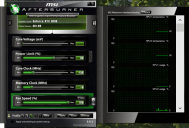
Also, I did NOT have to run MSIAfterburner - see attached image - and I did not have to disable my NVIDIA High Definition Audio under Sound, video and game controllers within the Device Manager
Proof is in the pudding - two 4K 109 frames rendering without a crash:

Daz 3D is part of 
Connect
DAZ Productions, Inc.
7533 S Center View Ct #4664
West Jordan, UT 84084
Licensing Agreement | Terms of Service | Privacy Policy | EULA
© 2026 Daz Productions Inc. All Rights Reserved.
Comments
Now we have 580.97 NSD installed... so any relevance there ?
Unless i'm missing something, this is kind of useless unless you're running an older verison of studio.
AFAIK, 461.09 wouldn't be supported past 4.15, which is roughly 4 years old at this point.
In my experience, if the driver isn't the minimum version listed in the highlights page for the Studio version, ti either just ignores it completely(doesn't show in the Hardware tab of the Render settings tab), or relegates it to display only(shows Display under the same tab).
I've got this exact problem with the alpha build, as i'm on server 2019(win 10) and the requisite driver is only available for server 2022(win 11) or newer.