D-Former Stops Working When Influence Weights Chosen.
 blackspiderd_9a2a705f66
Posts: 0
blackspiderd_9a2a705f66
Posts: 0
This is a very irritating issue that has persisted for two updates now.
When I add a d-former to ANYTHING, clothing, object, etc, it works just fine in Sphere mode. But Sphere is limited and janky, so I USED to use Weight Map all the time.
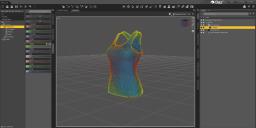
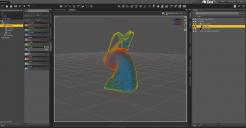
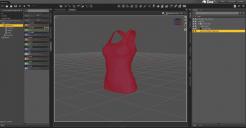
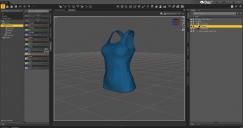
But now, when I switch to Weight Map (Sphere>Weight Map, add dForce Modfier Weight Node, paint area using Wight Brush) it stops affecting the object entirely. This happens on ALL objects.
Switching back to sphere instantly deforms the object again.
I have tried:
-Restarting the program.
-Loading ONLY ONE OBJECT in default pose.
-Applying the Weight Node first.
-Applying the Weight node AFTER D-Former.
-Clearing D-Force from the object.
-Adding D-Force TO the object.
-Adjusting Field size, position, rotation.
The moment I change it to Weight Map, the D-Former stops doing anything. I can see the painted zone when I switch to Weight Map Brush, but even leaving it in the default "everything is selected/red" the object does not change when the D-Former is moved.
What is going on?

Daz 3D is part of 
Connect
DAZ Productions, Inc.
7533 S Center View Ct #4664
West Jordan, UT 84084
Licensing Agreement | Terms of Service | Privacy Policy | EULA
© 2026 Daz Productions Inc. All Rights Reserved.
Comments
In your picture you have shown dForce modifier weight node. That don't apply to DFormers.
You need to select DFormer field, go to Weight map editor and in Tool Settings add Influence map.
Then you can modify the wieghtmap and it should work.
You need to firstly change Influence Mode on D-Former field from Sphere to Weight Map. Then switch to Node Weight Brush Tool (Alt Shift + W), then Add Map with a Inflence Weights ~~
dForce Modifier Weight Node has nothing to do with a D-Fomer ...