Night Scene help
 VIArts
Posts: 1,539
VIArts
Posts: 1,539
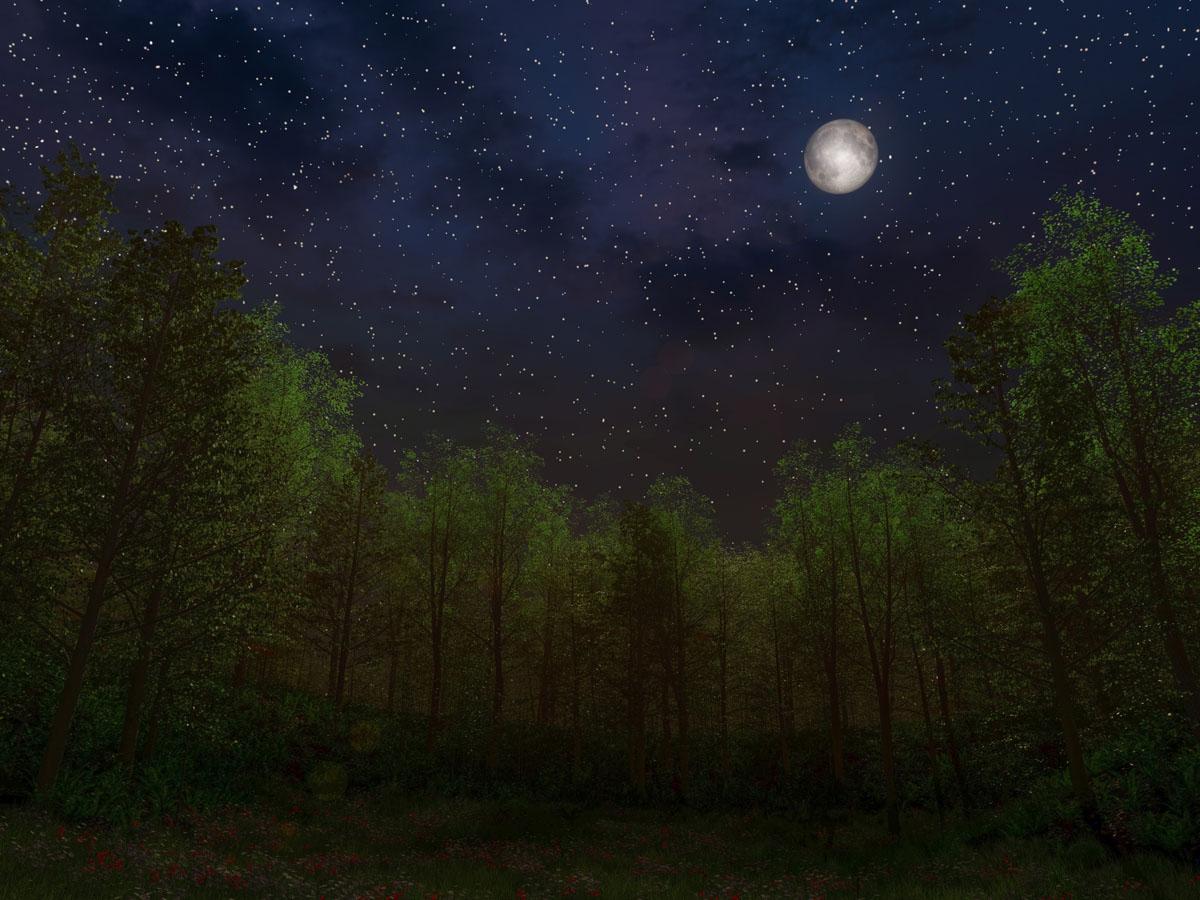
I'm using realistic sky in this render. Night time,but i didn't roll the ball all the way around because i don't want it pitch black.
look at the horizon behind the trees. it looks wrong. kinda like the sun is coming up inthe middle of the night. and it's...orange? that's what people with better ey es tell me and i know horizons ain't orange at night cuz i'm not that blind.
Turning on fog kinda fogs up the stars.
Any tips on how to fix?
11.JPG
1200 x 900 - 226K
Post edited by VIArts on

Daz 3D is part of 
Connect
DAZ Productions, Inc.
7533 S Center View Ct #4664
West Jordan, UT 84084
Licensing Agreement | Terms of Service | Privacy Policy | EULA
© 2026 Daz Productions Inc. All Rights Reserved.
Comments
looks like your lights are lighting up the cloud.. if it's the cloud you have selected in realistic sky then try turning the clouds off ..
if you have added the clouds to your scene then use the light settings to tick 'all objects except' then select the clouds from the selection window.
see if any of those help out... a screen shot of your Instance tab will help to see what you have in the scene.
no cloud objects, just this
I just did a quick render ... what did you use for stars?
click for bigga
here's my settings
i used StarBright. my moon light has a lens flare
I think you might be getting some sun on the horizon because in the attachments, you have not checked the box for night. The check box is towards the upper right of the menu just above the word 'Advanced.'
yep, that's the first thing I noticed...
Well, that's because it turns the whole sky com8pletely black and I don't want to do that. I need it at least really dark blue, so it can be edited in post to make it more ideal for printing.
here's my last print. looks good and better in person, except for the sun coming up back there
Print looks lovely
then adjust the firmamen and horizon in startbright!