Carrara Up and Running Again
 Diomede
Posts: 15,467
Diomede
Posts: 15,467
Follow up to discussion on my computer going kaputt. Has been replaced, although I will have to have the memory upgrade revisited (argh). I was good about backing up content but I still have to install a bunch of programs. Carrara is up and on the run. I have not yet installed various plugins.
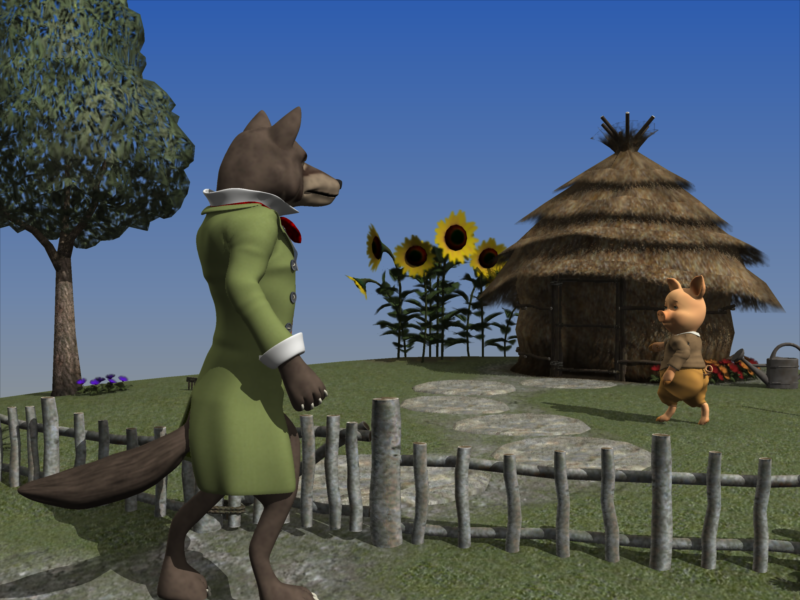
Carrara Up and Running 2.png
800 x 600 - 490K
Post edited by Diomede on

Daz 3D is part of 
Connect
DAZ Productions, Inc.
7533 S Center View Ct #4664
West Jordan, UT 84084
Licensing Agreement | Terms of Service | Privacy Policy | EULA
© 2026 Daz Productions Inc. All Rights Reserved.
Comments
Woohoo to being back in business !!!
Conga Rats
+ 1
Sounds good. I would have gone into withdrawal.
took some huffin and puffin but you got there
A test loading and rendering Carrara-specific content. I have to check my file locations. This is one of the preset cameras angles from Tim A's Carrara set Rustic Theater. When loading, it could not find several of the texture maps. But it did find some. Hmmmm? Mysterious. In any case, up and running. Another problem I am having is that Carrara freezes if I attempt to do a render preview in the Assemble room. Will check my poreferences, but will have to try to remember not to do that.
great news, I am on windows and, if it's an hep, I use a free programe called ' locate 32 'to find files - quick and dirty works good :) Locate32
good luck with the preview render gah, in preferences under open gl there is an option to untick 'diaplay lists' - wonder if that would help??
Bad news. Carrara is behaving inconsistently with catastrophic failures. Most recently I was rendering a scene that was 896x1152, only 1 Genesis 2 character, 1 hair, 1 clothing item, and 1 prop. The background was just the backdrop with a solid white color. The surface shader for the Genesis 2 figure did not have any SSS. The diffuse maps and bump maps were standard. I did not have any global illumination such as sky light or indirect light. Well, actually I did have a fake sky dome made with distant lights replicated on a half sphere. Only one other light. Carrara crashed mid render. My computer system simply shut down and rebooted automatically.
Sad state of affairs.
My sympathies. It's been a while, but I recall when I start my machine from "Sleep" (which is usually how I leave it), Carrara will crash pretty quick. I either just restart Carrara or reboot the machine, and all seems OK. Does not sound like your situation, though.
it's unfortunate Carrara doesn't have a log file
not that that is always helpful in DAZ studio when it frequently crashes
Did you try turning multithreading off? Is it an Intel or AMD CPU? You can try checking Windows Log files.
if after installing Windows 11 you find that the PC takes a while to load up Carrara or even some older SATA drives on a HDD caddy reader then you can go into Windows Security and turn off the option for Smart App Control... You may find this helps a load with load times especially when loading a scene or accessing your old drives via a caddy ect.
If you have bought a new PC with Windows 11 home you can upgrade legally to Windows 11 Pro for around $15US ... just ask CoPilot for help on that, it's easy as.
I got the @Diomede bug this week and bought a new PC and have done the above.
I haven't had any problems with Carrara and I didn't instal it, I just copied it over from the other machine along with the preference files folder ect with no problems rendering. Haven't got around to cubing anything yet was too busy playing Angry Birds lol....
Arrghhh - hope Carrara starts playing the game for you ......
Hope the Diomede bug is not contagious ......
OK now you or Stezza will need to render this Diomede bug
probably something by Sixus will do
Meh ditto post
bummer Ted, maybe retick display lists and see ???
diplopa post
PC Exchanged and Starting Over
I finally gave up on the previous replacement of my dead PC. Fortunately, I was within the warranty period and they exchanged it. Replacement acquired. Now I have to start installing everything all over again.
Fingers and toes crossed that everything works this time around ......
Sounds good, I think. Are you starting to feel like Sisyphus? Are you happy with the GPU? I'm trying to decide between a GPU for DS 4.24 or DS 2025, for those great Iray backgrounds for Carrara, like the attached.
Original DS Iray render attached, previous image was a convenient screen grab of a Carrara animation frame, so a little fuzzy.