
Daz 3D is part of 
Connect
DAZ Productions, Inc.
7533 S Center View Ct #4664
West Jordan, UT 84084
Licensing Agreement | Terms of Service | Privacy Policy | EULA
© 2026 Daz Productions Inc. All Rights Reserved.
Comments
Applied glass iray material preset to windows in the building in Daz Studio.
Tried to convert a full scene. It took much longer - around 30 minutes to convert.
Below is an iray render made in Daz Studio.
I'm trying to import the Hidden Alley from Polyhaven and so far, without success (I was able to import other smaller scenes like the Pawn Shop or the Blue Wall scenes).
I'm trying it on my Macbook Pro (M1 Pro with 32 GB of RAM), using Blender 4.5 LTS and the latest version of Daz Studio 4.24.
https://polyhaven.com/collections/hidden_alley
I tried to import the whole scene, Blender went up to 60GB of memory consumption, got non responsive and didn't finish copying textures into the directory I set. After killing the Blender process, I decided to start with a smaller selection of items (selecting only the plants) but then, it was Daz Studio that got stuck for a very long time at around 3%.
Was someone able to import that scene from Blender into Daz Studio?
Other questions:
The scene is just too big to be converted by the plugin.
I have noticed many times, that even if the scene loads just fine to Blender,
it does not means automatically that it will convert to Daz Studio by the plugin.
I really appreciate, that we can easily choose subset of the scene in Blender and transfer only it.
Just a thought - please try to export scene from Blender as FBX and import it directly to Daz Studio.
You will probably not get materials transferred nicely, but you can examine in Daz Studio how much RAM it will take.
You can skip my suggestion about FBX import to Daz Studio.
I have tried to import FBX of Hidden Alley and Daz Studio just crashed after a while.
Hidden Alley contains 404 texture files and Blender file size is 459 MB.
It is a huge asset, so I need to take another approach.
On my computer Blender with this file opened take 3156 MB.
Ok, I have exported just background buildings of Hidden Alley from Blender using a plugin.
Below are iray renders from Daz Studio:
Ok, I have exported just the other buildings of Hidden Alley from Blender using a plugin.
Below are iray render from Daz Studio.
It looks like not all materials are transferred.
Hi, anybody knows what this small digits in 2 rows during export to Daz Studio means?
Are there any way to get some information from them how far the conversion advance?
They are changing to the bigger ones giving impression of some kind of progression.
Ok, I have found it on the simpler items, it just counts up to 9760 and then Daz Studio starts up.
Thank you Artini, at least I know it's not a problem between my keyboard and my screen but the scene being too big to be dealt in one go.
You are welcome.
I have recently experimented with many scenes and noted, that I cannot export them in one go.
Still trying to find out what is the limit for my computer.
At least I know when this numbers displayed on the cursor position are far away from 9760
it is hopeless to wait for completion.
I've read in another thread that the "FAST" product got renamed, so it will likely reappear in the store with the new name soon.
https://www.daz3d.com/forums/discussion/739251/released-fast-animation-studio-tools-released-official-support-thread-commercial#latest
https://www.daz3d.com/forums/discussion/751836/is-fast-animation-studio-tools-a-daz-to-blender-pipeline-worth-it#latest
Help!
I just installed the plugin by using the video tutorials on YouTube. Loaded up a file in Blender and attempted an export. I got this set of error messages.
Anyone have any udeas? I'm using a Dell Laptop with an external drive where I store most of DAZ and Blender files. I can offer more specifics if needed.
Thanks in advance!
I'm having trouble exporting this environment using the Blender to Daz Studio plugin. I suspect the textures aren't being tranfered to Daz Studio properly. https://open3dlab.com/project/44cbfc1a-4e6f-4ad4-ab8f-3ff19c0fcf09/
Anyone wanting to have a go to see if the same happens to them as well?
I've attached some screenshots showing the original textures and the textures that were transfered to Daz.
Look again at the tutorials or move to another asset, that works with your configuration.
I've used the same method that were used for other environments that have exported successfully.
Could it be BTDSP can't handle the more complex Shader Nodes that is used with the newer environments?
Short answer is yes. Check in Blender, that the set uses Principled BSDF shaders.
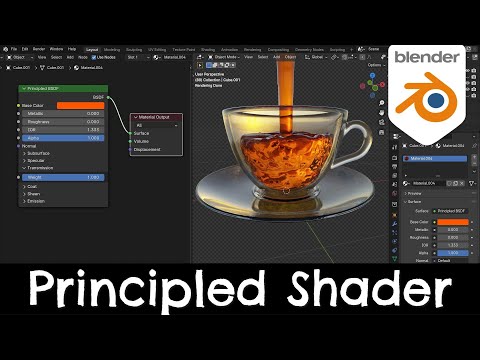
It is crucial and mentioned in the documentation from Matronius.
https://docs.blender.org/manual/en/latest/render/shader_nodes/shader/principled.html
Principled BSDF Shader | Blender 4.1 Tutorial
It works as normal in DS 4.24, but has anyone managed to get it working in DS6/2026?
No, it requires an update. I believe the PA is working on it.
Dear all, we are working on an updated version of the Blender to Daz Studio plugin, which will support Daz Studio 6 and Blender 5 or higher.
Thanks for your interest in the Blender to Daz Studio plugin and for your support!!!
If you have any specific queries, you can also email us at [email protected] or [email protected]
Best wishes,
Matronius
Great. I am still using Daz Studio 4.24.03, but looking forward to use your tool with Blender 5.
All the best for you.
@Matronius
The add-on on superhive where I bought it will get updated as well, correct ?
Of course, no worries!!! @crosswind
Of course, no worries!!!
Thank you !