duf file won't load?
 dondraw
Posts: 170
dondraw
Posts: 170
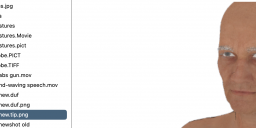
I have selected and saved a character weeks ago. Now that I have props for it, it won't load. i just get a blank screen. shot of dug png below.
Screenshot 2025-07-29 at 4.45.01 PM.png
1412 x 570 - 331K

Daz 3D is part of 
Connect
DAZ Productions, Inc.
7533 S Center View Ct #4664
West Jordan, UT 84084
Licensing Agreement | Terms of Service | Privacy Policy | EULA
© 2026 Daz Productions Inc. All Rights Reserved.
Comments
I just tried to load other files. NOTHING will load!? i selected viewport thinking something wrong there, and got twin versions of a character i saved recently, one with floor, one without, but why doesn't my main viewport load it?
dONdraw
How are you trying to load? In your screenshot you have the .tip.png file, an image, selected rather than the actual .duf file so if you try opening that it will use your default editor for PNG files.
I', duble clicking on the duf file. I did the png file to show that i have a real actor, saved. but nothing shows im my viewport, which does not look like a real viewport. what should i do to get real vport in there?
If Daz is mostly white and not working, this can happen if you update Daz whilst it was open.
Try closing Daz and re-installing through DIM.
Are you sure you haven't closed the Viewport? Window>Panes(Tabs)>Viewport
my bad. somehow i had logged into a different style and that was guling the v/port. now i'm on Hollywood blvd and i've got v/port!~ sorry, I'm still learning.
don
DS doesn't recall which layout you are using - when you select a layout it applies it, but then it just keeps saving out the state when you close DS and reloading that when you restart - so if you close the Viewport for any reason it will stay closed until you open it from Window>Panes(Tabs) or select a different layout. This is good for adjutsing things to suit your workflow (and you can save a layput once it is adjusted to suit - Window>Workspace>Save Layout) but it does mean unintended changes can stick around. Edit to add: If you are a Premier member the AutoSave does have options for saving the layout, among other things https://www.daz3d.com/forums/discussion/714286/daz-studio-4-24-0-x-highlights
gracias