G9 shaping glitch?
 paulawp (marahzen)
Posts: 1,811
paulawp (marahzen)
Posts: 1,811
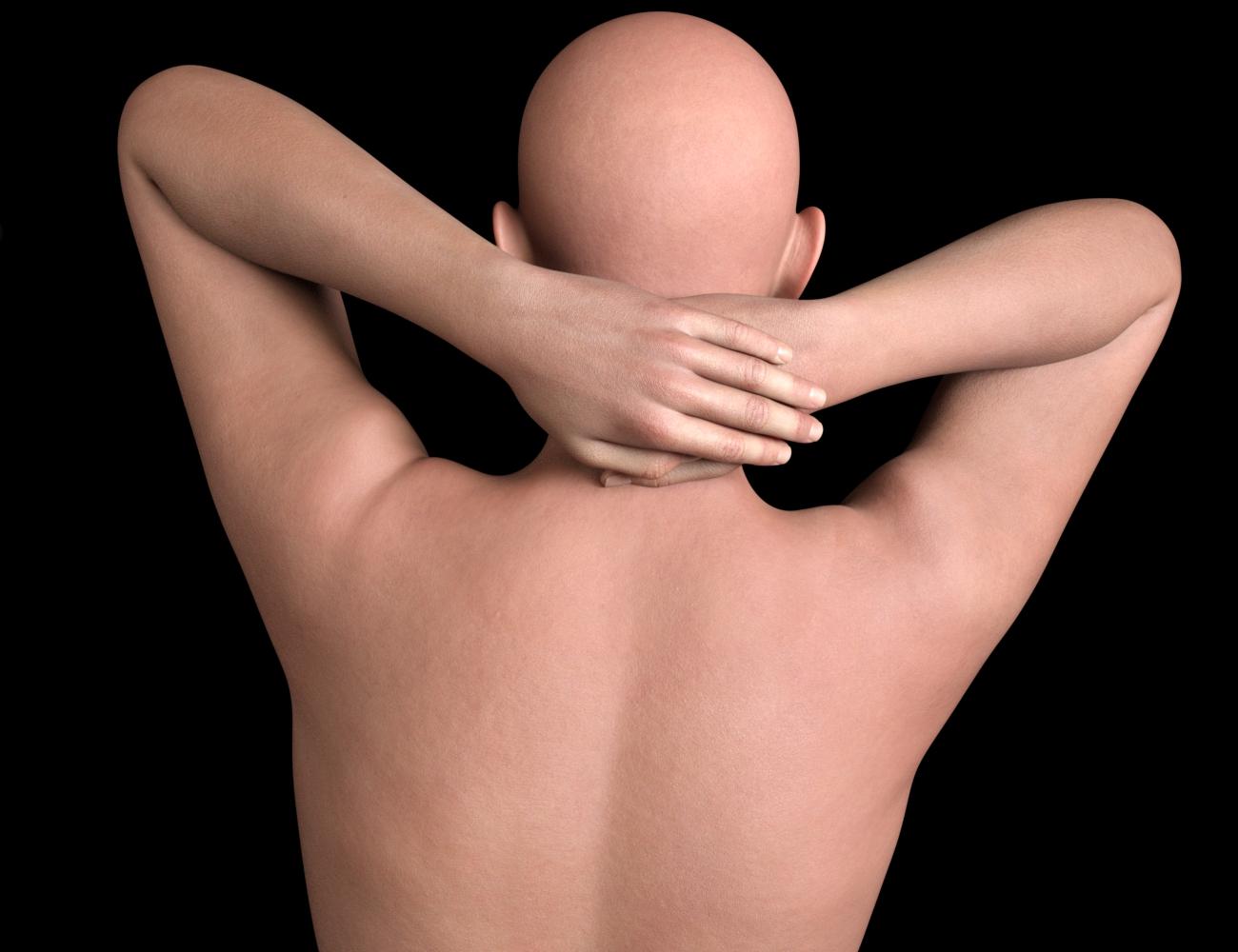
I get that there are some issues with bends with G9, but I don't recall anything like this weird bulge at the shoulders. I noticed it while product testing this weekend and initially thought it was due to some random dial-spinning on one particular test character, but it was still there after I removed every bit of shaping and here, you can see it on this stock G9 figure with no shapes dialed (just with a random skin applied). I've bought a lot of stuff for G9 so I'm wondering if there's some glitchy configuration from something I bought recently that doesn't show as "Currently Used." Ideas, anyone? Or do you all see this too with a somewhat exteme pose like this?


Daz 3D is part of 
Connect
DAZ Productions, Inc.
7533 S Center View Ct #4664
West Jordan, UT 84084
Licensing Agreement | Terms of Service | Privacy Policy | EULA
© 2026 Daz Productions Inc. All Rights Reserved.
Comments
Was 'Showing Hidden Properties' active when you looked for active morphs ?
Also check that you haven't turned off the joint corrections in the yellow dials.
I don't see such a shape on G9 on my side. More likely there's a corrective morph from a character related to Shoulder, which has no 2nd Stage Controller.
As Elor said, select G9, turn on Show Hidden Properties... in Parameters pane, select Currently Used, you may be able to find some weird xxxx_cbs_xxxx corrective morph dialed, except for the built-in corrective morphs that shown in below screenshot.
Thanks for the tips. I have found the guilty parties. On a stock G9 figure, there are numerous _cbs_ settings that are 0.0% until I apply any pose and then these character-related _cbs_ settings that should have nothing to do with a stock G9 figure show up. They're not so obvious with most other poses, but by chance I'd picked one to test where they were conspicuous and freakish, which called my attention to the problem.
I get that I could uninstall the characters and prevent this. If I wanted to fix them, how would I do that? I'm sure that's been asked like 5,000 times in Daz forum history, so if I know what I'm looking for, I could hunt for a thread that already talks about it.
Yeah, pls check this thread which showed almost the same issue... and how to fix it : https://www.daz3d.com/forums/discussion/comment/8936791/#Comment_8936791
In your case, just drag the culprit character's Body Morph ( xxx_bs_xxx ) to the 2nd Stage Controller of those xxx_cbs_xxx morph properties.
Then fill a support ticket as you wish.