Well I'll be... Even Dreamlight Has Joined the AI Bandwagon
 Nyghtfall3D
Posts: 817
Nyghtfall3D
Posts: 817
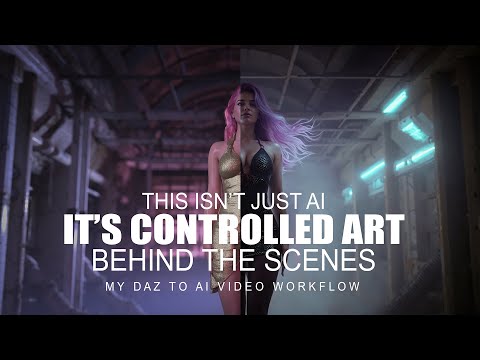
Dreamlight is one of Daz3D's top-selling PA's. I used to be a member of their website, and own a few of their old lighting and composition tutorials from way back when. I just saw this on my YT Recommended feed.
Incidentally, I joined their AI Art Club after watching the video below. I might not learn anything new, but I'm definitely interested in learning about Val's approach to enhancing Daz renders with AI, and $10/month is a great deal.
Post edited by Nyghtfall3D on

Daz 3D is part of 
Connect
DAZ Productions, Inc.
7533 S Center View Ct #4664
West Jordan, UT 84084
Licensing Agreement | Terms of Service | Privacy Policy | EULA
© 2026 Daz Productions Inc. All Rights Reserved.
Comments
I've learned a bunch of things over the years from Dreamlight. He really is creative with his approach so I have no problem with him using AI. I know I do this as a hobby and would love to have AI speed things up for me particularly in the animation process. If AI and Daz can work together in AI that would be a dream come true for me.
What is your impression of the "Club" so far? I'm considering it, but I don't know if I would get much out of it since I do everything on my own computer. What tools does he use for image enhancement and video creation? That is probably the most important thing for me, if I have the same/similar tools then it could be worth a month or two.
So far so good.
There are 13 tutorial videos in the club - 7 under Main Content, 6 under Bonus Content. I've had time to watch two so far and, as I predicted, I've yet to learn anything I didn't learn from on YT for free. Neverheless, listening to him discuss his approach and watching his results has been fascinating.
For Daz users looking for simple ways to add AI to their workflow, his approach could prove useful. The club is particularly aimed at artists who don't have high-end GPUs - namely 40x series cards. To that end, he doesn't use local installs of AI apps like Stable Diffusion and ComfyUI. He uses commercial WebUIs, including Magnific and Animate AI, to enhance and then animate Daz renders. His reasoning - as tied to the club's marketing - is that WebUIs are cheaper than buying a high-end GPU for the cost of what could otherwise be used as a down-payment on a used car.
Here's an outline of the club's syllabus:
Main Content
From Daz to Cinematic AI Videos - Overviev
Using Magnific AI for Making Daz Renders Cinematic
Using Artificial AI Studio to Animate
Using Topaz Video AI to Upscale to 4K and Create Slowmotion
Behind the Scenes of "The Price of Vanity"
4 Ways of Dealing with Image AI Errors
Dealing with Video AI Errors
Comparing Kling Via Artificial Studio Vs Kling AI Standalone
Bonus Content
Using AI Generated Art with Daz
Creating an AI Generated Background with a Daz Figure
Photoshop Magic: The Generative Fill
Using AI in Your Workflow
A New Way of Combining Daz and AI
Using Upscaling
Building Costumes in PS Using AI
The club also includes a "Rolodex" of links - some of which are affiliate links - to the apps used in the videos, including:
Image Software
Topaz Gigapixel AI
Magnific AI
Adobe Photoshop
Artificial Studio (A Web-based hub featuring several different types of AI apps)
Klng AI
Video Software
Topaz Video AI
Wondershare Filmore 14
Pictory AI
Artificial Studio
Kling AI
Speech, Music & Sound
Elevenlabs
Epidemic Sound
3D Models
Reality Capture
Meshy AI
Avatars
Synthesia
I just watched the video. there is nothing new in it that I haven't tried or been doing already with renders. If he really wanted to be helpful he would list the AI apps he is using since that is the most important part, which tools to use and how to use them.
I just skimmed through the rest of the videos and can now confirm there's nothing in the club that can't be learned for free on YT and simply adapted for use with Daz. What Dreamlight has done is taken hundreds of lessons taught for free by dozens of YouTubers over the last 3 years, condensed and packaged them into their own Daz-specific AI course for Daz users. There is nothing wrong with that, but, again, there's nothing in the curriculum that I don't already know how to do. Therefore, I've canceled my membership.
I'd like to see more focus on local tools too - after all, if you're looking for a group of artists who have already made the investment in GPUs - then Daz Studio users would seem to fit the bill.
Thanks for this, and the time it took to prepare all of the detailed information on the course. !! answered all of my questions, and some I hadn't thought of yet! One of my big questions was how he was getting the extended videos. That may be partially a function of using Animate AI, and creating slow motion clips using Topaz Video AI for generative frame interpolation.
I was also thinking from his comment about not needing a 40xx+ series GPU that he was using web based subscription services. Thanks for confirming that. I can definitely see the reasoning and some advantages for using a subscription based AI generative service. So far for me though, doing it all on my computer has been better for the learning process as I often will generate well over 100 images (usually also much more than one video) to get what I want. For images, I often use multiple SDXL checkpoints and FLUX at different stages (a drawing focused checkpoint to get the fanasy style I want, then "refine" that image with FLUX and/or realism focused SDXL chepoints), plus in painting and editing the images along the way to guide the whole process. I think this might be quite expensive using a commercial service.
Animation AI does look quite interesting, I might have to give it a test drive.
For extended videos, he animates several images, takes the best version of each animation, and splices them together with video editing software to create one long video.
You would be surprised, LOL AI, especially using Flux dev is more demanding than Iray and DS. I have a 4080 and using Flux in Foirge is painfully slow. If I have a big projuect, I will use an online virtual PC solution since I can have access to a better GPU
As for local tools, there are some. For image generation (uncensored) there is Fooocus and Forge. For AI animations (uncensored) there is WAN 2.1 and Framepack,
Thanks fo the information, I thought it might be something like this. I just got done with my first video using a similar process, except I only used one image as a starting point (an image that I used AI to generate as well). I think I'll do another one with the same character. I have some ideas for adding more variety to it by using some of the video frames as starting points. I also need to expand the image I used to show below the waist to help ensure better consistency in the clothing.
I know one thing for sure. Doing the video was a LOT more work than a lot of people think. The character took several hours to create, then of course the videos took a lot of trial and error to figure out the prompts I needed to use to get what I wanted. The video editing only took a little over a day. I used DaVinci Resolve 20, and I was able to get some really impressive frame interpolation when slowing down some of the clips. I was glad to see it did so well, no need for Topaz Video AI or any other solution.
After doing this, the most obvious thing to me is just how much more realistic everything is compared to DS renders. Smiles and facial expressions that look real, not creepy, joint movements that look real with proper musculature, oh, and skin that deforms as it should while the character moves. DAZ has a looong way to go.
I've been contemplating using an online virtual PC if I decide to get very serious. It would definitely make things a bit faster. Once you install everything, I'm guessing that they keep the configuration as long as your subscription is active?