Receiving this error when I try to load my Genesis Starter Essentials
 mayapreisler_63c8dfb8d9
Posts: 3
mayapreisler_63c8dfb8d9
Posts: 3
Hey friends,
Trying to load my Genesis Essentials and recieved the following error: "The store script for DAZ3D cannot be found. Cannot display additional information for the 14812 product." Screenshot attatched for reference. Both DAZ and Genesis Essentials have been updated and reinstalled.
Has anyone else encountered this or does anyone know how to fix it?
Thanks!
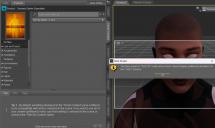
daz error.jpg
2526 x 1505 - 867K

Daz 3D is part of 
Connect
DAZ Productions, Inc.
7533 S Center View Ct #4664
West Jordan, UT 84084
Licensing Agreement | Terms of Service | Privacy Policy | EULA
© 2026 Daz Productions Inc. All Rights Reserved.
Comments
I don't have G1 essentials but did you install it via Daz Connect or DIM ?
That looks as if you clicked on the product image at top-left to open the readme, and for some reason it is failing.
The product readme page has been throwing a 500 internal server error for about a week or so, everytime i try to access it.
Probably why they're getting that error.
Works for me in both 2025 alpha and 4 General Release
Works for me as well.
mayapreisler_63c8dfb8d9 If you, as Richard said, clicked the product thumbnail rather than loaded G1 figure... then got that error, maybe you can check this path in File Browser: C:\Program Files\DAZ 3D\DAZStudio4\resources\stores
There has to be a script file: DAZ 3D.dse. If you have the file but the issue persits, perhaps there's something wrong within G1 package data. No sure ~
Ok, somethings weird here.
If i try to access the Product readme page, directly through a brower(Community>Help>Wiki), firefox or explorer, i get a 500 error no matter what i click on.
If i use the link, in smart content, it comes right up, and if i input the item number in the url,(http://docs.daz3d.com/doku.php/public/read_me/index/15652/start) it comes up.