Scrolling Issue in Light Lab: Windows 11 problem?
 Rashad Carter
Posts: 1,832
Rashad Carter
Posts: 1,832
Heya Commune!
Been working again more heavily in Bryce, and while I never am away from it for long, I still feel like I might be missing simple things.
Below is a wip, a rework of a scene I rendered many years ago.
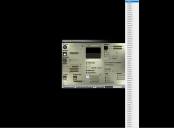
The problem is that when I try to exclude items from the influence of this particular light, the list extends off the page both above and below, and I cannot move up or down past the area already displayed. I feel confident I used to be able to scroll up and down the list no problem. I tried pressing the up and down arrows, I even tried pgUp and pgDown, yet the list doesnt change.
I also tried holding Shift, holding Cntrl, even holding Alt, yet the list doesnt move.
I'm wondering if its a Windows 11 issue, thouhg I very much hope its just a silly user error. Any feedback is appreciated. Thanks guys and gals!

Daz 3D is part of 
Connect
DAZ Productions, Inc.
7533 S Center View Ct #4664
West Jordan, UT 84084
Licensing Agreement | Terms of Service | Privacy Policy | EULA
© 2026 Daz Productions Inc. All Rights Reserved.
Comments
Nice to see you around Rashad, I'll let Horo or someone else answer your question as I'm still using Windows 7, just wanted to say Hi.
Hi Rashad, nice to see you here. I cannot help you here, I am still using Win 10 (and 7, and XP, and 2000).
Hi Rashad, good to hear from you. I also sometimes have lists too long to fit in the view, but have not experienced your problem. I can scroll up or down, as far as I remember. However, I will give it a try in some scene to see what happens. I am on Windows 11, by the way.
Can't help you with the issue you're having, but it's nice to see you again, Rashad!
I remember you as the Bryce Light Dome man.
Heya Comixiant! Long Time!
I'm still insane for the light domes! Hopefully you've had the chance to fall in love with them like I have. 3D Fills are amamzing too.
Thanks everyone for trying to help me out.
I can't seem to scroll any lengthy lists, Light Lab or otherwise. Almost certainly a Windows 11 issue.
Tried multiple mice devices, nothing.
Will have to use Bryce on my laptop, send scenes to desktop for rendering. Not fun, but nothing can stop me from Brycing1
All the best everyone. See ya 'round!
Just wanted to provide an update;
Somehow, some way... the scrolling issue is corrected. No clue what I did so sorry for anyone else this happens to. Just know that there is a solution. I can say that I manually adjusted very single mouse related setting, and something fixed it.
Don't worry, these kinds of problems happen from time to time everywhere. Sometimes they fix themselves, and other times you fiddle with the settings until the problem is fixed. I have Windows 11 and I haven't had your problem.
At one job, my data entry session crashed when I pasted a list of numbers from Excel. After more than three years, a dozen online support reviews, and a computer reformat, the problem continued (and only happened to me). After the reformat, I stopped calling support and left the place within a year. Some things simply can't be controlled.
Best regards.