Anyone help? frames are messed up?
 cosmicdawnseries
Posts: 264
cosmicdawnseries
Posts: 264
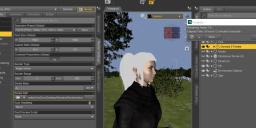
So I'm rendering this scene and the animation is supposed to only be 90 frames, but here it's saying 362, but when i lower it to 90 frames, it's only rendering half the scene, so it is 362. Have I messed with the settings and messed up somewhere?
daz3d.JPG
1867 x 798 - 155K

Daz 3D is part of 
Connect
DAZ Productions, Inc.
7533 S Center View Ct #4664
West Jordan, UT 84084
Licensing Agreement | Terms of Service | Privacy Policy | EULA
© 2026 Daz Productions Inc. All Rights Reserved.
Comments
What does the Timeline look like?
Here you go, but weirdly it's saying 99 frames when i got to frame 60
like here
Try to click on the Timeline tab and see what that says.
how many frames on the normal timeline (not AniMate) and how many frames per second
yes the timelime says 362 but how do i change it back to animte 2? iv never had this issue before?
Ahh ok, I've fixed it i believe my FPS was 120 :o thanks for help guys
I do this on purpose a lot
especially aniblocks baked to keyframes to interpolate dforce sims
Does it help with the Dforce animation?
not particularly but baking keyframes leads to jerky movements that don't Dforce well as there is a key on every frame so speeding up the aniblock before baking it results in less keyframes and more interpolation if you then increase the framerate to render the image series then play it back at 24 or 30fps
I find most animations too short and jerky in general to be honest so want to slow them down anyway
Yeah i need to improve on my animations they're very robotic xD but ty for help as always :)
I wasn't criticising yours, mine are really bad so I don't cast stone
just how the premade aniblocks behave when baked to keyframes a needed thing for Dforce
it's a DAZ studio issue
and some not all premade animations that are keyed on every frame, too fast and jerky
again not a user error
Oh no I know you wasn't xD Daz is really hard to animate in I do wish they would update it but I do love Daz and all the assets very easy to use just the animation could do with a update IMO