*SOLVED* Tool Option of Mesh Grabber Grayed Out
 n.aspros123
Posts: 340
n.aspros123
Posts: 340
When using Mesh Grabber in the latest version of DAZ Studio, the Rotate option in Tools section is greyed out? See Attachment.
I've tried manipulation of the other settings but it won't let me click the tick box to change it to yellow.
In Daz Studio 4.22. It is Not greyed out.
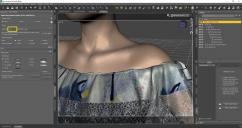
MG Rotate Greyed Out.JPG
1920 x 1016 - 388K
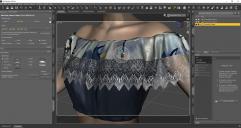
MG Rotate Greyed Out 2.JPG
1918 x 1018 - 259K
Post edited by n.aspros123 on

Daz 3D is part of 
Connect
DAZ Productions, Inc.
7533 S Center View Ct #4664
West Jordan, UT 84084
Licensing Agreement | Terms of Service | Privacy Policy | EULA
© 2026 Daz Productions Inc. All Rights Reserved.
Comments
Odd ~ I don't have such issue in 4.24 Public Build ... The Enable button on your side is also greyed out....
Can you check if the add-ons of Rotation / Mesh Editor are enabled in About Installed Plugins dialogue box ?
I have not installed the add ons for 4.24 but they are installed for 4.22. See shot of DIM
It's fixed now. I uninstalled the add ons and reinstalled them.
@crosswind