Leg holster identification
 sadiejfoxx
Posts: 34
sadiejfoxx
Posts: 34
in The Commons
Can anyone tel me where to get the leg holster from the promo image of Tactical Pants? 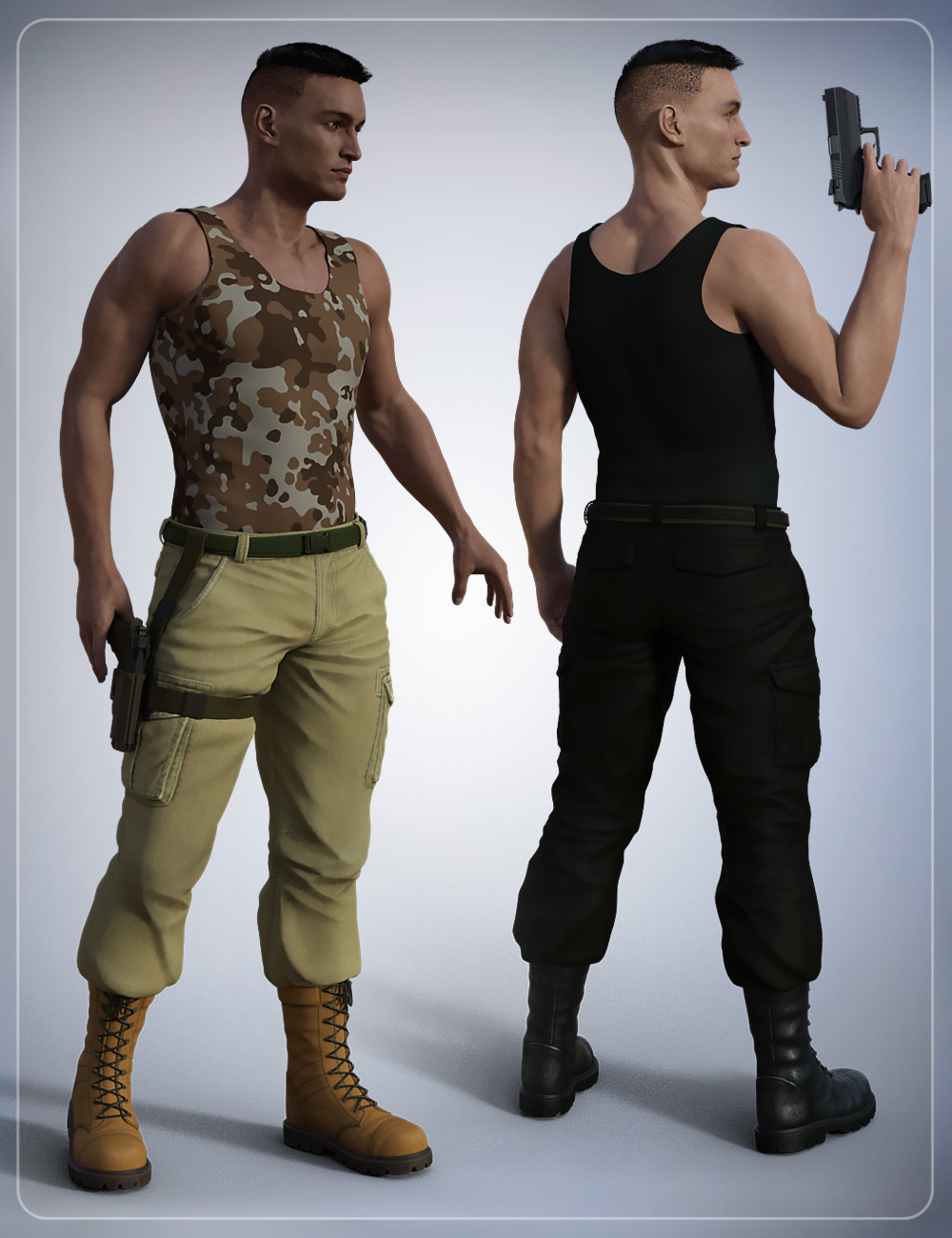

Daz 3D is part of 
Connect
DAZ Productions, Inc.
7533 S Center View Ct #4664
West Jordan, UT 84084
Licensing Agreement | Terms of Service | Privacy Policy | EULA
© 2026 Daz Productions Inc. All Rights Reserved.
Comments
No. As stated in the "Other products used section" on that product page, it is one of Smay's own products, Tactical Gun for Genesis 3 Males.
However, said product is no longer for sale, but it is mentioned in the description archived on the old read-me page: http://docs.daz3d.com/doku.php/public/read_me/index/32093/start
I suspect it's Smay & Velemudr's Tactical Gun for Genesis 3, which unfortunately appears to be no longer available in the store, all of Velemudr's products are listed as inactive suggesting they left.
I feel that the above comments about it being one of Velemudr's is probably right. As a very similar substitute that is available, the freebie by Fredel is a commercial grade item and worth more than you pay. It can be re-coloured to suit.
Regards,
Richard
Too bad it is for non-commercial use only.
Smay has a couple of products (which are available) that come with "lots of other belts" but do include a leg-holster (and you don't have to fit all of the other belts) - like this: https://www.daz3d.com/tactical-belts-for-genesis-3-and-8-females
Where would I find this Fredel?
Thank you. Unfortunately I only need the one holster as the pants only fit it to one side. And my character only carries one. I wish I knew how to modify pants or create custom accessories.
Thanks for all the help
You might be able to use the geometry editor to hide the parts you don't want.
I've not used it at all really, but there is a thread here that gives a bit of a start on how to use it here: https://www.daz3d.com/forums/discussion/146436/geometry-editor-tool-tutorial-anywhere? I'd select the facets I didn't want on the other side and apply a new surface to them, then make that surface transparent/hidden. That way the facets would still be there to correct any errors if I managed to select the wrong ones and needed to restore them to the main model.
Have to confess the main reason I've not used geometry editor much is because in these situations I export an obj model, edit it to delete unwanted facets in a modeller and then re-import and convert to a piece of clothing again. The way to do this is to:
Sounds long winded, and it is, but then you'll have your own unique harness which can be saved as a library part or simply fitted to your character.
Regards,
Richard
On these settings, you won't transfer any corrective morphs, which are an important part of the rigging.
Even with the right settings, you won't transfer any custom control links (and quite a lot of clothes have custom control links, I find).
If you want to edit clothes to hide parts of them, the magic you want is conditional grafts.
These will retain all correctives, compatibilities, HD morphs, etc.
You shouldn't need to take it to an external editor if all you want to do is hide faces.
(And I really wish conditional grafts could be applied to props as well as figures so that I didn't need to save edited standalone copies of them to hide some parts).
Definitely looks better. Learn something new every day. Thanks.
Regards,
Richard