Any idea why these update installations are failing?
 crashworship
Posts: 248
crashworship
Posts: 248
UltraScenery2 and Typi3D updates.
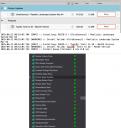
These are shown in DIM as updates and download fine. They're both items I've had and used successfully. I can still use UltraScenery2 and the plug-in shows as being installed and active but the update in DIM repeatedly fails. Typi3D is a more recent purchase and initially worked without issue. I recently did a complete wipe and re-installation of my Mac OS which corrected some other issues not related to Daz or Studio. When I set about the arduous task of updating my Studio library, installed on an external SDS drive, these two items were, so far, the only problems. The log file, shown in the attached image file, just says an install failure but doesn't give and indication of why it failed.
Any ideas on why this would be an issue would be greatly appreciated.
Mac OS: Sequoia 15.5. Studio version: 4.24.0.3.

Daz 3D is part of 
Connect
DAZ Productions, Inc.
7533 S Center View Ct #4664
West Jordan, UT 84084
Licensing Agreement | Terms of Service | Privacy Policy | EULA
© 2026 Daz Productions Inc. All Rights Reserved.
Comments
Try again a bit later. Sometimes the server that it is on is busy or something. I have that happen now and then but I try the next day and it, typically, works.
Yeah, that was my first thought. This first cropped up a few weeks ago. Every time I use DIM, I try again. It's persistent. I've tied checking my OS permissions but Studio and DIM have a clear path, and other products with plug-ins installed fine. So, at this point, I'm at a loss.
If they are persistent there is a work around that I can try to walk you through.
Go to your product page in your accounts, search for the items, download the zip. Find out where your zips from DIM are normally placed. Place the freshly downloaded zip in that spot. Open DIM, finish the install. It should be in the middle area (I think it is called "Ready to install").
Hope that helps.
What does the DIM helper log show? These are both plugins that install in the Studio directory.
Alright. I'll give that a try. Thanks.
The components that are faiiling install can only be downloaded with DIM - the actual plugin.
Click the gear icon in DIM, then select 'Show Helper Log' to see why these are not installing.
That worked, Thanks. Problem solved.