Does DAZ work with buckle on shoes or sandals on follow the node?
 kevdawgsutton57
Posts: 46
kevdawgsutton57
Posts: 46
I was trying to do a follow nodes on the shoes; however, I ran into some problems. Like the buckle move around from the strap or if the buckle isn't staying in one place. I separate the buckle from the strap and import it as OBJ geometry. Any more suggestions? :(
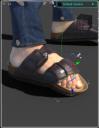
Daz3D_deform.JPG
556 x 718 - 37K
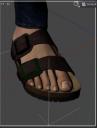
DAZ_processing_bucket.JPG
552 x 726 - 30K
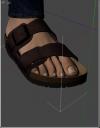
DAZ_bucket_remove_face_group.JPG
553 x 710 - 28K
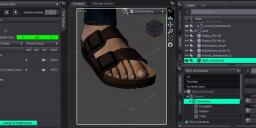
rToes_obj_lowerbuckle.JPG
1883 x 779 - 141K
Post edited by kevdawgsutton57 on

Daz 3D is part of 
Connect
DAZ Productions, Inc.
7533 S Center View Ct #4664
West Jordan, UT 84084
Licensing Agreement | Terms of Service | Privacy Policy | EULA
© 2026 Daz Productions Inc. All Rights Reserved.
Comments
I am not following the question, you don't appear to have Rigid Follow Nodes at all.
What are you selecting for the node geometry?
I followed this tutorial a while back and it was very helpful in setting up rigid follow nodes properly. However, getting it work on that strap which deforms like that will be a challenge.