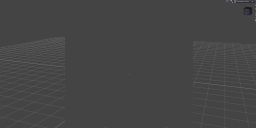
Gray rectangle in middle of scene in iray view
 DeirdreS
Posts: 20
DeirdreS
Posts: 20
Hi again:
I am tearing my hair out trying to get rid of the gray area in the middle of the view port, as in attached screen cap*.
It only happens in iray view. It's like this in the 4.24 release as well as 2025 alpha.
*I see now that the screen capture has not uploaded so I will keep on trying.. .
I probably turned something on inadvertently.
So far, to fix it, I deleted my custom default new scene, deleted custom workspace and went back to City Limits Lite, and updated my nvidia studio driver from 572.83 to 576.02.
Would really appreciate any advice, as I had hoped to do great things this rainy weekend!

Daz 3D is part of 
Connect
DAZ Productions, Inc.
7533 S Center View Ct #4664
West Jordan, UT 84084
Licensing Agreement | Terms of Service | Privacy Policy | EULA
© 2026 Daz Productions Inc. All Rights Reserved.
Comments
You are in Iray preview mode. And since you have nothing in your scene, it just shows a grey box. On the upper right side of your viewport there is a little icon, click it and change it to textured view. Using your example image it's the part circled in red:
Or if you do have objects in your scene, maybe you don't have any light, or have insufficient light, in the scene to make them show up. Or maybe your Perspective View is not pointed at the right place.
Thank you, I usually work in Filament so I guess I just forgot. I appreciate you quick response!