Can't get dforce to work

Hello,

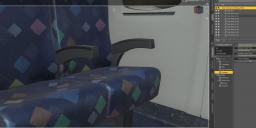
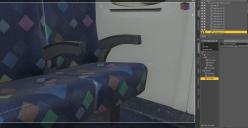
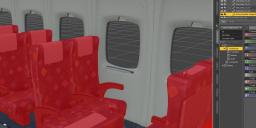
The seats do not work with dForce dress, no matter what I do.

  • I tried applying Object → Geometry → Add Dynamic Surface, but it doesn’t apply to the seat. I didn’t get the Simulation tab on the seat afterward.

  • I also tried adding a weight map to the seats, but no luck.

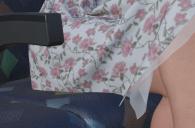
However, all seats are parented to "Shinkansen seating", which does allow me to add a dForce dynamic surface and weight map. But I still get this clipping issue with the dress.

Help me, please!

Thank you!
 

clipping.jpg
1135 x 744 - 82K
seating.jpg
2023 x 952 - 198K
Seats.jpg
1867 x 962 - 180K
weight.jpg
1807 x 759 - 124K

Comments

  • Richard HaseltineRichard Haseltine Posts: 108,327

    Are the seats instances? Is so you will need to replace the one the character is sitting on with a real one - at least while you run the simulation, you can always leave the instance in place and set the real seat to off for Visible in Render to keep memory consumption down.

    In any event, unless you want something to deform you don't aply the dynamic surface modifier - if you want non-default values apply the Static Surface modifier, otherwise just make sure it is actual geometry and selected.

  • nimonsinimonsi Posts: 65
    edited April 2025

    Are the seats instances? no, i guess (i don't totally understand what it is, seats are all glued together, i cant move them individually, only in bulk).

    You mean i need to place a cube or something under the seat (i mean it worked, but i want seat to work)? 

     I put static surface, but still the same issue 

    It's actually a geometry i selected it through geometry editor it shoud be the way to make them work 


    geometry.jpg
    1044 x 878 - 140K
    Clipboard_04-26-2025_02.jpg
    2015 x 943 - 220K
    Post edited by nimonsi on
  • felisfelis Posts: 5,847

    You can't dForce an instance, as it is a copy of the original.

    Therefore you must duplicate the original and put it in as the seat the character sits on.

  • nimonsinimonsi Posts: 65

    felis said:

    You can't dForce an instance, as it is a copy of the original.

    Therefore you must duplicate the original and put it in as the seat the character sits on.

    Anyway i can find the original ? they glued together, i can select back seat and base seat any of them, but i don't know which one is original ?

    instance.jpg
    918 x 615 - 62K
    instance2.jpg
    726 x 615 - 49K
  • CES3DCES3D Posts: 228

    What outcome are you ultimately hoping for?

    If you only want to prevent the dress from clipping into the seat:
    You don't need to add a Dynamic Surface to the seat. The seat can remain a static object.
    Please set the character's initial position to a location where the dress will not clip into the seat at the start of the simulation.

    If you want the seat to deform and conform to the character's buttocks and thighs:
    It would be better to use something like a D-Former or a Smoothing Modifier.
    If you add a Dynamic Surface to the seat, the seat itself will fall according to gravity.
    You could set a negative value for gravity to float the seat upwards and conform it to the character's buttocks and thighs, but I think the shape of the seat would become awkward.

    In any case, I don't think it's a good idea to add a Dynamic Surface to the seat in this scene.

  • nimonsinimonsi Posts: 65

    CES3D said:

    What outcome are you ultimately hoping for?

    If you only want to prevent the dress from clipping into the seat:
    You don't need to add a Dynamic Surface to the seat. The seat can remain a static object.
    Please set the character's initial position to a location where the dress will not clip into the seat at the start of the simulation.

    If you want the seat to deform and conform to the character's buttocks and thighs:
    It would be better to use something like a D-Former or a Smoothing Modifier.
    If you add a Dynamic Surface to the seat, the seat itself will fall according to gravity.
    You could set a negative value for gravity to float the seat upwards and conform it to the character's buttocks and thighs, but I think the shape of the seat would become awkward.

    In any case, I don't think it's a good idea to add a Dynamic Surface to the seat in this scene.

    Yes, want the seat to deform and conform to the character's buttocks, i tried static and it still not working, when im trying smooth modifier i get an error

    smooth.jpg
    351 x 278 - 9K
  • felisfelis Posts: 5,847

    That error is essentially the same - instances can't behave on its own, they will be a copy of the original.

    I don't think I have that product (can't find it in store). But look in the scene tab. There should the chair be once, and the instances will be as a group.

  • CES3DCES3D Posts: 228

    nimonsi said:

    CES3D said:

    What outcome are you ultimately hoping for?

    If you only want to prevent the dress from clipping into the seat:
    You don't need to add a Dynamic Surface to the seat. The seat can remain a static object.
    Please set the character's initial position to a location where the dress will not clip into the seat at the start of the simulation.

    If you want the seat to deform and conform to the character's buttocks and thighs:
    It would be better to use something like a D-Former or a Smoothing Modifier.
    If you add a Dynamic Surface to the seat, the seat itself will fall according to gravity.
    You could set a negative value for gravity to float the seat upwards and conform it to the character's buttocks and thighs, but I think the shape of the seat would become awkward.

    In any case, I don't think it's a good idea to add a Dynamic Surface to the seat in this scene.

    Yes, want the seat to deform and conform to the character's buttocks, i tried static and it still not working, when im trying smooth modifier i get an error

    Even if it's not an instance but a real object, if that error is occurring, a Smoothing Modifier might already be added to the seat.
    Could you check if there's a property group called "Mesh Smoothing" under the seat's Parameters > General?
    If so, please assign the character to Mesh Smoothing > Collision > Collision Item.
    This should make the seat deform according to the character's buttocks.
    However, if the seat's mesh is too coarse, it might not look very conformed to the character's body shape. Conversely, if the mesh is too fine, it might fit the character's body shape too closely.

    If that error is occurring even though a Smoothing Modifier hasn't been added to the seat yet, I'm not quite sure what the cause is.


  • nimonsinimonsi Posts: 65

    felis said:

    That error is essentially the same - instances can't behave on its own, they will be a copy of the original.

    I don't think I have that product (can't find it in store). But look in the scene tab. There should the chair be once, and the instances will be as a group.

    That's how they look like (all in one place under Shinkansen Seating_225640) The highlighted (in yellow) one is the main seat if i move it it moves all seats 

    looks.jpg
    363 x 466 - 28K
  • nimonsinimonsi Posts: 65

    CES3D said:

    nimonsi said:

    CES3D said:

    What outcome are you ultimately hoping for?

    If you only want to prevent the dress from clipping into the seat:
    You don't need to add a Dynamic Surface to the seat. The seat can remain a static object.
    Please set the character's initial position to a location where the dress will not clip into the seat at the start of the simulation.

    If you want the seat to deform and conform to the character's buttocks and thighs:
    It would be better to use something like a D-Former or a Smoothing Modifier.
    If you add a Dynamic Surface to the seat, the seat itself will fall according to gravity.
    You could set a negative value for gravity to float the seat upwards and conform it to the character's buttocks and thighs, but I think the shape of the seat would become awkward.

    In any case, I don't think it's a good idea to add a Dynamic Surface to the seat in this scene.

    Yes, want the seat to deform and conform to the character's buttocks, i tried static and it still not working, when im trying smooth modifier i get an error

    Even if it's not an instance but a real object, if that error is occurring, a Smoothing Modifier might already be added to the seat.
    Could you check if there's a property group called "Mesh Smoothing" under the seat's Parameters > General?
    If so, please assign the character to Mesh Smoothing > Collision > Collision Item.
    This should make the seat deform according to the character's buttocks.
    However, if the seat's mesh is too coarse, it might not look very conformed to the character's body shape. Conversely, if the mesh is too fine, it might fit the character's body shape too closely.

    If that error is occurring even though a Smoothing Modifier hasn't been added to the seat yet, I'm not quite sure what the cause is.

    I can only add mesh smoothing to Shinkansen Seating_225640 (highlighted in yellow on screenshot) i can't add it to seat i want or any other seat, and it's not working still even if i pu collinsion item to it (i tried character and dress , no luck )

    mesh smoothing.jpg
    361 x 774 - 46K
  • nimonsinimonsi Posts: 65
    edited April 2025

    At the moment there is only one solution to this (it's so stupid) laugh

    reshenie.jpg
    1289 x 866 - 107K
    Post edited by nimonsi on
  • CES3DCES3D Posts: 228

    nimonsi said:

    CES3D said:

    nimonsi said:

    CES3D said:

    What outcome are you ultimately hoping for?

    If you only want to prevent the dress from clipping into the seat:
    You don't need to add a Dynamic Surface to the seat. The seat can remain a static object.
    Please set the character's initial position to a location where the dress will not clip into the seat at the start of the simulation.

    If you want the seat to deform and conform to the character's buttocks and thighs:
    It would be better to use something like a D-Former or a Smoothing Modifier.
    If you add a Dynamic Surface to the seat, the seat itself will fall according to gravity.
    You could set a negative value for gravity to float the seat upwards and conform it to the character's buttocks and thighs, but I think the shape of the seat would become awkward.

    In any case, I don't think it's a good idea to add a Dynamic Surface to the seat in this scene.

    Yes, want the seat to deform and conform to the character's buttocks, i tried static and it still not working, when im trying smooth modifier i get an error

    Even if it's not an instance but a real object, if that error is occurring, a Smoothing Modifier might already be added to the seat.
    Could you check if there's a property group called "Mesh Smoothing" under the seat's Parameters > General?
    If so, please assign the character to Mesh Smoothing > Collision > Collision Item.
    This should make the seat deform according to the character's buttocks.
    However, if the seat's mesh is too coarse, it might not look very conformed to the character's body shape. Conversely, if the mesh is too fine, it might fit the character's body shape too closely.

    If that error is occurring even though a Smoothing Modifier hasn't been added to the seat yet, I'm not quite sure what the cause is.

    I can only add mesh smoothing to Shinkansen Seating_225640 (highlighted in yellow on screenshot) i can't add it to seat i want or any other seat, and it's not working still even if i pu collinsion item to it (i tried character and dress , no luck )

    Yes, the individual seat nodes are bone nodes and not objects, so the Smoothing Modifier would be added to the object "Shinkansen Seating_225640". That's correct.
    If you set the character as the Collision Item for "Shinkansen Seating_225640", I would expect the seat to deform according to the character's body shape. But that didn't happen, right?
    Is the character seated in a way that they are slightly sinking into the seat? If not, the seat won't deform. 

  • nimonsinimonsi Posts: 65
    edited April 2025

    CES3D said:

    nimonsi said:

    CES3D said:

    nimonsi said:

    CES3D said:

    What outcome are you ultimately hoping for?

    If you only want to prevent the dress from clipping into the seat:
    You don't need to add a Dynamic Surface to the seat. The seat can remain a static object.
    Please set the character's initial position to a location where the dress will not clip into the seat at the start of the simulation.

    If you want the seat to deform and conform to the character's buttocks and thighs:
    It would be better to use something like a D-Former or a Smoothing Modifier.
    If you add a Dynamic Surface to the seat, the seat itself will fall according to gravity.
    You could set a negative value for gravity to float the seat upwards and conform it to the character's buttocks and thighs, but I think the shape of the seat would become awkward.

    In any case, I don't think it's a good idea to add a Dynamic Surface to the seat in this scene.

    Yes, want the seat to deform and conform to the character's buttocks, i tried static and it still not working, when im trying smooth modifier i get an error

    Even if it's not an instance but a real object, if that error is occurring, a Smoothing Modifier might already be added to the seat.
    Could you check if there's a property group called "Mesh Smoothing" under the seat's Parameters > General?
    If so, please assign the character to Mesh Smoothing > Collision > Collision Item.
    This should make the seat deform according to the character's buttocks.
    However, if the seat's mesh is too coarse, it might not look very conformed to the character's body shape. Conversely, if the mesh is too fine, it might fit the character's body shape too closely.

    If that error is occurring even though a Smoothing Modifier hasn't been added to the seat yet, I'm not quite sure what the cause is.

    I can only add mesh smoothing to Shinkansen Seating_225640 (highlighted in yellow on screenshot) i can't add it to seat i want or any other seat, and it's not working still even if i pu collinsion item to it (i tried character and dress , no luck )

    Yes, the individual seat nodes are bone nodes and not objects, so the Smoothing Modifier would be added to the object "Shinkansen Seating_225640". That's correct.
    If you set the character as the Collision Item for "Shinkansen Seating_225640", I would expect the seat to deform according to the character's body shape. But that didn't happen, right?
    Is the character seated in a way that they are slightly sinking into the seat? If not, the seat won't deform. 

    im ok with seat not deforming, i want dress to collide with a seat and now it's behaves like there is no seat at all (i added smooth modifier and dForce static to Shinkansen Seating_225640)

    dress.jpg
    1592 x 903 - 137K
    Post edited by nimonsi on
  • nimonsinimonsi Posts: 65
    edited April 2025

    I just put the dress over the seat and simulate it, it's just fall through seat like there was nothing (i added static dForce to Shinkansen Seating_225640)

    dress1.jpg
    1360 x 837 - 79K
    Post edited by nimonsi on
  • CES3DCES3D Posts: 228

    If it's okay for the seat not to deform, you don't need to add Smoothing to the seat.
    You also don't need to add dForce to the seat. The seat can remain its original static object.
    In that state, if you place a dForce dress a short distance above the seat and run the simulation, the dForce dress should fall onto the seat.

    When you actually simulate with the dForce dress on the character, please position the character so that the dForce dress is not clipping into the seat at the start of the simulation.

  • crosswindcrosswind Posts: 9,613

    nimonsi said:

    I just put the dress over the seat and simulate it, it's just fall through seat like there was nothing (i added static dForce to Shinkansen Seating_225640)

    Firstly, you need to select Shinkansen Seating_225640, in Parameters pane, make sure Visibile in Simulation is turned On. (ss1)

    Secondly, with a dForce modifier + Weight node on the seats, and a Timeline simulation, Gravity = 0, you'll get a natural collision as well as the sunken seat when the figure sits down. (ss 2 ~ 3)

    You also can go for two times' simuation, firstly for the seat, with Gravity = 0, then keep the deformed shape on the seat (Freeze Simulation or export / import as a morph). Then simulate again with Gravity = 1, to have more draping on the clothing.

    SNAG-2025-4-27-002.png
    2560 x 1392 - 2M
    SNAG-2025-4-27-005.png
    2560 x 1392 - 2M
    SNAG-2025-4-27-006.png
    2560 x 1392 - 2M
  • nimonsinimonsi Posts: 65
    edited April 2025

    crosswind said:

    nimonsi said:

    I just put the dress over the seat and simulate it, it's just fall through seat like there was nothing (i added static dForce to Shinkansen Seating_225640)

    Firstly, you need to select Shinkansen Seating_225640, in Parameters pane, make sure Visibile in Simulation is turned On. (ss1)

    Secondly, with a dForce modifier + Weight node on the seats, and a Timeline simulation, Gravity = 0, you'll get a natural collision as well as the sunken seat when the figure sits down. (ss 2 ~ 3)

    You also can go for two times' simuation, firstly for the seat, with Gravity = 0, then keep the deformed shape on the seat (Freeze Simulation or export / import as a morph). Then simulate again with Gravity = 1, to have more draping on the clothing.

    Oh my god!!! Visible in Simulation ON is helped!!!

    I knew it was something very easy 

    THANK YOU SO MUCH!!! heart

    What the site is it i can't give a like or heart to someone who helped me or tried to help ? crying

    Post edited by nimonsi on
Sign In or Register to comment.