
Daz 3D is part of 
Connect
DAZ Productions, Inc.
7533 S Center View Ct #4664
West Jordan, UT 84084
Licensing Agreement | Terms of Service | Privacy Policy | EULA
© 2026 Daz Productions Inc. All Rights Reserved.
Comments
Sorry for the delay Totte, was eating a late lunch. I found the log and have the pdf for you. I hope this helps. I was using the emmissive shader that is in Default Resources for DAZ Studio on two plane primitives I had created. One smaller and above the larger one. Originally I had a sphere and large plane while I was working with Dreamlight's tutorials and it was thought the sphere might be the issue. But no. I created a clean scene, and new planes. I have your Emission Profile Master but never thought to use it.
Although his tutorials are for older versions of D|S it is interesting to see how DS6.25 has evolved and I think I am learning it better now.
Thank you for your help,
Mary
The crash happens after you select something from a popup menu ( which is isnt possible to see ) and then DS is reacting to that change, and crash interally in QtCore. So what did you select, an .ies file? Is that file OK?
It did it on two different .ies files, one I had used in 2025, and the other I got today and was able to use in DS4.24 without issue. And yes, the Surfaces tab, I clicked on the primitive, applied the emissive shader, then went back to the Surfaces tab and on Emission Profile, there is a drop down 'None' and 'Browse' when I clicked Browse I selected the .ies file from where I have it stored outside of Daz Studio and it is at that point as I accept it that D|S crashes in DS6.25. In a few moments the crash log shows up and I reopen the program.
In DS4.24 it just takes me back to the Surfaces tab to continue my work.
So, it sounds like the ies file its broken then if it doesnt load in DS 4 either, but Studio 6 should not crash. If that is the case ( as I interpreted it), file a bug report and attach the broken .ies tile to the report.
It can be so simple that the Iray in DS 6 (I havent checked that yet ), can use more of the .ies settings in the .ies, and if those parts are broken, it crashes ( but it should then have crashed in Iray, not in widge update. I can soon do a small test, your question inspired me to make a better IES builder for DS 6 ( that also can / should / might find errors in broken/incompatible .ies files. I think Iray only can handle Type C .ies profiles still.
No, I didn't have any problem using the .ies files in DS 4.
And the new .ies file I downloaded today, I sent to my Windows 11 computer and used it without issue on DS 6. I joined and downloaded that file from IES-Library, this is the link for that file.
@felis put me onto that source as he has been able to use their products on DS 6.
What is the significance of all these repeated warnings in the DS6 Beta log? I don't know what is triggering them. There are multiple repeats per second.
2026-09-04 00:11:59.285 [WARNING] :: Unknown uniform type or value: QVariant(Invalid) Please check your QParameters
2026-09-04 00:11:59.285 [WARNING] :: Unknown uniform type or value: QVariant(Invalid) Please check your QParameters
2026-09-04 00:11:59.285 [WARNING] :: Unknown uniform type or value: QVariant(Invalid) Please check your QParameters
2026-09-04 00:11:59.285 [WARNING] :: Unknown uniform type or value: QVariant(Invalid) Please check your QParameters
2026-09-04 00:12:30.313 [WARNING] :: Unknown uniform type or value: QVariant(Invalid) Please check your QParameters
2026-09-04 00:12:30.314 [WARNING] :: Unknown uniform type or value: QVariant(Invalid) Please check your QParameters
2026-09-04 00:12:30.314 [WARNING] :: Unknown uniform type or value: QVariant(Invalid) Please check your QParameters
2026-09-04 00:12:30.314 [WARNING] :: Unknown uniform type or value: QVariant(Invalid) Please check your QParameters
@memcneil70: OK, I gave this .ies problem a look through, and I see now that the promo that was rendered in DS 6, the EPM lights were setup in DS 4 as EMP doesnt work in DS 6. SO You are abdsolutely right, DS 6 crashes when you set an .ies from the surface tab, but .ies renders OK if set other ways.
I file a bugreport and contribute you as the original finder. I've tested both in release and betas of DS 6, crashes are very consistent and the same.
EPM = Emission Profile Master
What is EMP?
Sorry, EPM ( I think autofuckup went in ) Emission Profile Master
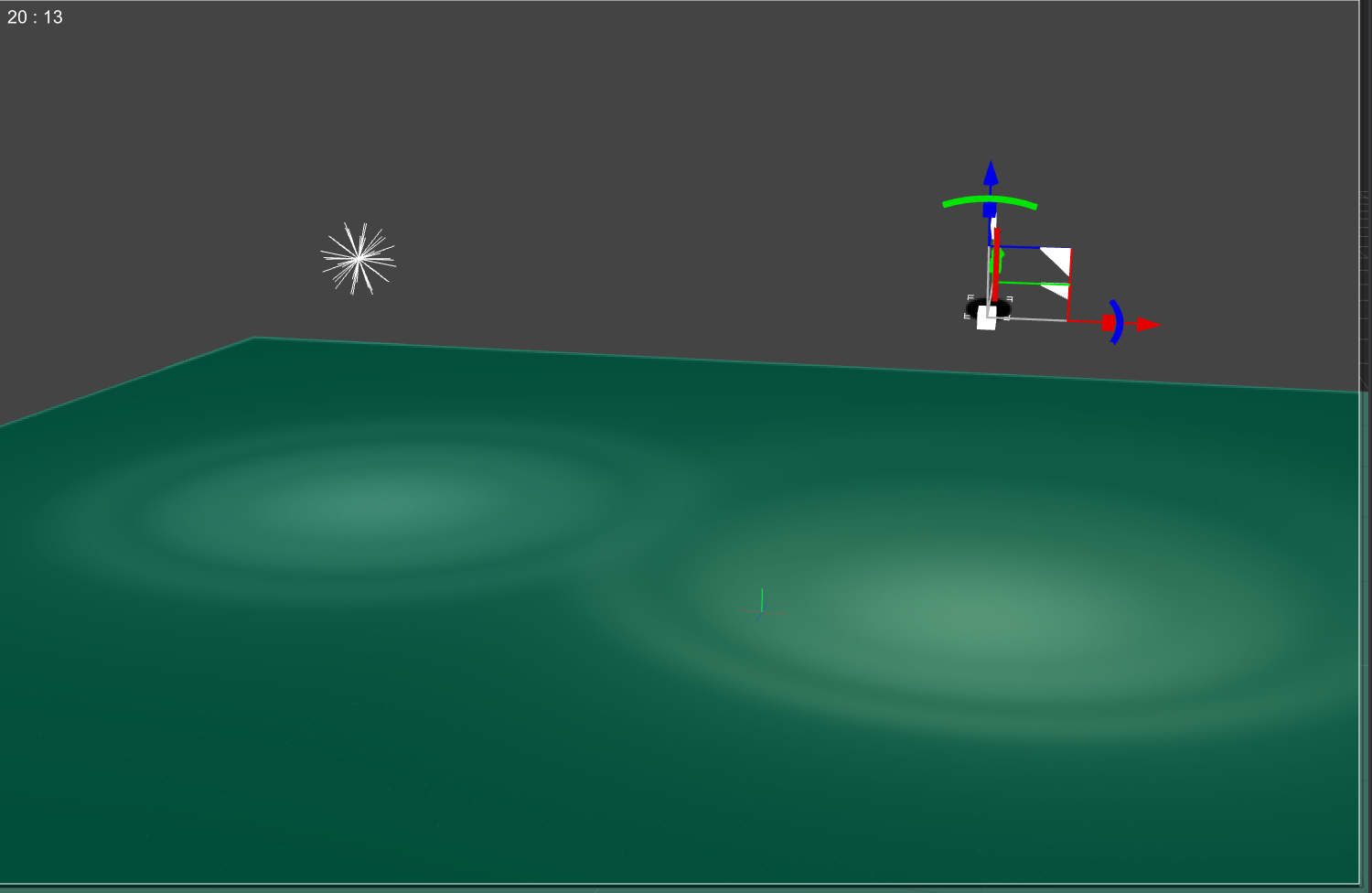
Btw, I did a quick test to install .ies profiles in DS 6 using code, and it works like a charm, borth for lights and the old EPM props,
Thank you Totte. That is generous of you. I was lost totally and turned to the experts here. I am going to continue to use DS6 Beta to try out other older tutorials and see what I come up with. And it is a great exploring method. I will post if I see any other issues after I have tried them also in DS 4.24 and in my Windows 11 versions.
I asked about the "Unknown uniform type or value: QVariant(Invalid) Please check your QParameters" WARNING messages in the log, but got no reply so far. Now I have more information about at least one apparent cause of the WARNING;
It seems that simply having Genesis 9 loaded in the viewport and one of his bones selected (or any figure I've tried with a bone selected) causes this WARNING to be displayed over and over and over... I got 26 of these same WARNING messages in 17 seconds! Isn't this excessive? The messages are written to the log when DS is not even the active application, so it must be due to something going on in the background. They are logged to my Daz Studio log while am busy here typing in Firefox. Please, Daz, care enough about your Beta testers to reply to our feedback.
What are qparameters? What am I supposed to check and/or modify to eliminate these WARNING messages?
2026-09-04 22:39:11.849 [WARNING] :: Unknown uniform type or value: QVariant(Invalid) Please check your QParameters
2026-09-04 22:39:11.849 [WARNING] :: Unknown uniform type or value: QVariant(Invalid) Please check your QParameters
2026-09-04 22:39:11.849 [WARNING] :: Unknown uniform type or value: QVariant(Invalid) Please check your QParameters
2026-09-04 22:39:11.849 [WARNING] :: Unknown uniform type or value: QVariant(Invalid) Please check your QParameters
2026-09-04 22:39:13.119 [WARNING] :: Unknown uniform type or value: QVariant(Invalid) Please check your QParameters
2026-09-04 22:39:13.119 [WARNING] :: Unknown uniform type or value: QVariant(Invalid) Please check your QParameters
2026-09-04 22:39:13.119 [WARNING] :: Unknown uniform type or value: QVariant(Invalid) Please check your QParameters
2026-09-04 22:39:13.120 [WARNING] :: Unknown uniform type or value: QVariant(Invalid) Please check your QParameters
2026-09-04 22:39:21.969 [WARNING] :: Unknown uniform type or value: QVariant(Invalid) Please check your QParameters
2026-09-04 22:39:21.969 [WARNING] :: Unknown uniform type or value: QVariant(Invalid) Please check your QParameters
2026-09-04 22:39:21.971 [WARNING] :: Unknown uniform type or value: QVariant(Invalid) Please check your QParameters
2026-09-04 22:39:21.972 [WARNING] :: Unknown uniform type or value: QVariant(Invalid) Please check your QParameters
2026-09-04 22:39:27.420 [WARNING] :: Unknown uniform type or value: QVariant(Invalid) Please check your QParameters
2026-09-04 22:39:27.420 [WARNING] :: Unknown uniform type or value: QVariant(Invalid) Please check your QParameters
2026-09-04 22:39:27.420 [WARNING] :: Unknown uniform type or value: QVariant(Invalid) Please check your QParameters
2026-09-04 22:39:27.420 [WARNING] :: Unknown uniform type or value: QVariant(Invalid) Please check your QParameters
2026-09-04 22:39:27.455 [WARNING] :: Unknown uniform type or value: QVariant(Invalid) Please check your QParameters
2026-09-04 22:39:27.455 [WARNING] :: Unknown uniform type or value: QVariant(Invalid) Please check your QParameters
2026-09-04 22:39:27.455 [WARNING] :: Unknown uniform type or value: QVariant(Invalid) Please check your QParameters
2026-09-04 22:39:27.455 [WARNING] :: Unknown uniform type or value: QVariant(Invalid) Please check your QParameters
2026-09-04 22:39:28.028 [WARNING] :: Unknown uniform type or value: QVariant(Invalid) Please check your QParameters
2026-09-04 22:39:28.028 [WARNING] :: Unknown uniform type or value: QVariant(Invalid) Please check your QParameters
2026-09-04 22:39:28.028 [WARNING] :: Unknown uniform type or value: QVariant(Invalid) Please check your QParameters
2026-09-04 22:39:28.028 [WARNING] :: Unknown uniform type or value: QVariant(Invalid) Please check your QParameters
2026-09-04 22:39:28.460 [WARNING] :: Unknown uniform type or value: QVariant(Invalid) Please check your QParameters
2026-09-04 22:39:28.460 [WARNING] :: Unknown uniform type or value: QVariant(Invalid) Please check your QParameters
QParameters belongs to Qt3D, to do with rendering. I get these in between Iray info lines so I think it's some Iray thing. Check if they stop when Iray is not rendering.
So now I used the navigation cube to move my viewport view around, and I got 103 of these WARNING messages in 1 second. This seems ridiculous to me. Does nobody else see this in the log? It is pretty hard to find any useful information in the log with all this.
2026-09-04 22:54:52.053 [WARNING] :: Unknown uniform type or value: QVariant(Invalid) Please check your QParameters
2026-09-04 22:54:52.053 [WARNING] :: Unknown uniform type or value: QVariant(Invalid) Please check your QParameters
2026-09-04 22:54:52.053 [WARNING] :: Unknown uniform type or value: QVariant(Invalid) Please check your QParameters
2026-09-04 22:54:52.085 [WARNING] :: Unknown uniform type or value: QVariant(Invalid) Please check your QParameters
2026-09-04 22:54:52.085 [WARNING] :: Unknown uniform type or value: QVariant(Invalid) Please check your QParameters
2026-09-04 22:54:52.085 [WARNING] :: Unknown uniform type or value: QVariant(Invalid) Please check your QParameters
2026-09-04 22:54:52.086 [WARNING] :: Unknown uniform type or value: QVariant(Invalid) Please check your QParameters
2026-09-04 22:54:52.120 [WARNING] :: Unknown uniform type or value: QVariant(Invalid) Please check your QParameters
2026-09-04 22:54:52.120 [WARNING] :: Unknown uniform type or value: QVariant(Invalid) Please check your QParameters
2026-09-04 22:54:52.120 [WARNING] :: Unknown uniform type or value: QVariant(Invalid) Please check your QParameters
2026-09-04 22:54:52.120 [WARNING] :: Unknown uniform type or value: QVariant(Invalid) Please check your QParameters
2026-09-04 22:54:52.152 [WARNING] :: Unknown uniform type or value: QVariant(Invalid) Please check your QParameters
2026-09-04 22:54:52.152 [WARNING] :: Unknown uniform type or value: QVariant(Invalid) Please check your QParameters
2026-09-04 22:54:52.152 [WARNING] :: Unknown uniform type or value: QVariant(Invalid) Please check your QParameters
2026-09-04 22:54:52.152 [WARNING] :: Unknown uniform type or value: QVariant(Invalid) Please check your QParameters
2026-09-04 22:54:52.186 [WARNING] :: Unknown uniform type or value: QVariant(Invalid) Please check your QParameters
2026-09-04 22:54:52.186 [WARNING] :: Unknown uniform type or value: QVariant(Invalid) Please check your QParameters
2026-09-04 22:54:52.186 [WARNING] :: Unknown uniform type or value: QVariant(Invalid) Please check your QParameters
2026-09-04 22:54:52.186 [WARNING] :: Unknown uniform type or value: QVariant(Invalid) Please check your QParameters
2026-09-04 22:54:52.220 [WARNING] :: Unknown uniform type or value: QVariant(Invalid) Please check your QParameters
2026-09-04 22:54:52.220 [WARNING] :: Unknown uniform type or value: QVariant(Invalid) Please check your QParameters
2026-09-04 22:54:52.220 [WARNING] :: Unknown uniform type or value: QVariant(Invalid) Please check your QParameters
2026-09-04 22:54:52.220 [WARNING] :: Unknown uniform type or value: QVariant(Invalid) Please check your QParameters
2026-09-04 22:54:52.253 [WARNING] :: Unknown uniform type or value: QVariant(Invalid) Please check your QParameters
2026-09-04 22:54:52.253 [WARNING] :: Unknown uniform type or value: QVariant(Invalid) Please check your QParameters
2026-09-04 22:54:52.253 [WARNING] :: Unknown uniform type or value: QVariant(Invalid) Please check your QParameters
2026-09-04 22:54:52.253 [WARNING] :: Unknown uniform type or value: QVariant(Invalid) Please check your QParameters
2026-09-04 22:54:52.286 [WARNING] :: Unknown uniform type or value: QVariant(Invalid) Please check your QParameters
2026-09-04 22:54:52.286 [WARNING] :: Unknown uniform type or value: QVariant(Invalid) Please check your QParameters
2026-09-04 22:54:52.286 [WARNING] :: Unknown uniform type or value: QVariant(Invalid) Please check your QParameters
2026-09-04 22:54:52.286 [WARNING] :: Unknown uniform type or value: QVariant(Invalid) Please check your QParameters
2026-09-04 22:54:52.319 [WARNING] :: Unknown uniform type or value: QVariant(Invalid) Please check your QParameters
2026-09-04 22:54:52.319 [WARNING] :: Unknown uniform type or value: QVariant(Invalid) Please check your QParameters
2026-09-04 22:54:52.319 [WARNING] :: Unknown uniform type or value: QVariant(Invalid) Please check your QParameters
2026-09-04 22:54:52.319 [WARNING] :: Unknown uniform type or value: QVariant(Invalid) Please check your QParameters
2026-09-04 22:54:52.352 [WARNING] :: Unknown uniform type or value: QVariant(Invalid) Please check your QParameters
2026-09-04 22:54:52.352 [WARNING] :: Unknown uniform type or value: QVariant(Invalid) Please check your QParameters
2026-09-04 22:54:52.352 [WARNING] :: Unknown uniform type or value: QVariant(Invalid) Please check your QParameters
2026-09-04 22:54:52.352 [WARNING] :: Unknown uniform type or value: QVariant(Invalid) Please check your QParameters
2026-09-04 22:54:52.386 [WARNING] :: Unknown uniform type or value: QVariant(Invalid) Please check your QParameters
2026-09-04 22:54:52.386 [WARNING] :: Unknown uniform type or value: QVariant(Invalid) Please check your QParameters
2026-09-04 22:54:52.387 [WARNING] :: Unknown uniform type or value: QVariant(Invalid) Please check your QParameters
2026-09-04 22:54:52.387 [WARNING] :: Unknown uniform type or value: QVariant(Invalid) Please check your QParameters
2026-09-04 22:54:52.421 [WARNING] :: Unknown uniform type or value: QVariant(Invalid) Please check your QParameters
2026-09-04 22:54:52.421 [WARNING] :: Unknown uniform type or value: QVariant(Invalid) Please check your QParameters
2026-09-04 22:54:52.421 [WARNING] :: Unknown uniform type or value: QVariant(Invalid) Please check your QParameters
2026-09-04 22:54:52.422 [WARNING] :: Unknown uniform type or value: QVariant(Invalid) Please check your QParameters
2026-09-04 22:54:52.452 [WARNING] :: Unknown uniform type or value: QVariant(Invalid) Please check your QParameters
2026-09-04 22:54:52.452 [WARNING] :: Unknown uniform type or value: QVariant(Invalid) Please check your QParameters
2026-09-04 22:54:52.452 [WARNING] :: Unknown uniform type or value: QVariant(Invalid) Please check your QParameters
2026-09-04 22:54:52.452 [WARNING] :: Unknown uniform type or value: QVariant(Invalid) Please check your QParameters
2026-09-04 22:54:52.500 [WARNING] :: Unknown uniform type or value: QVariant(Invalid) Please check your QParameters
2026-09-04 22:54:52.500 [WARNING] :: Unknown uniform type or value: QVariant(Invalid) Please check your QParameters
2026-09-04 22:54:52.500 [WARNING] :: Unknown uniform type or value: QVariant(Invalid) Please check your QParameters
2026-09-04 22:54:52.500 [WARNING] :: Unknown uniform type or value: QVariant(Invalid) Please check your QParameters
2026-09-04 22:54:52.523 [WARNING] :: Unknown uniform type or value: QVariant(Invalid) Please check your QParameters
2026-09-04 22:54:52.525 [WARNING] :: Unknown uniform type or value: QVariant(Invalid) Please check your QParameters
2026-09-04 22:54:52.525 [WARNING] :: Unknown uniform type or value: QVariant(Invalid) Please check your QParameters
2026-09-04 22:54:52.525 [WARNING] :: Unknown uniform type or value: QVariant(Invalid) Please check your QParameters
2026-09-04 22:54:52.553 [WARNING] :: Unknown uniform type or value: QVariant(Invalid) Please check your QParameters
2026-09-04 22:54:52.553 [WARNING] :: Unknown uniform type or value: QVariant(Invalid) Please check your QParameters
2026-09-04 22:54:52.553 [WARNING] :: Unknown uniform type or value: QVariant(Invalid) Please check your QParameters
2026-09-04 22:54:52.553 [WARNING] :: Unknown uniform type or value: QVariant(Invalid) Please check your QParameters
2026-09-04 22:54:52.585 [WARNING] :: Unknown uniform type or value: QVariant(Invalid) Please check your QParameters
2026-09-04 22:54:52.585 [WARNING] :: Unknown uniform type or value: QVariant(Invalid) Please check your QParameters
2026-09-04 22:54:52.587 [WARNING] :: Unknown uniform type or value: QVariant(Invalid) Please check your QParameters
2026-09-04 22:54:52.587 [WARNING] :: Unknown uniform type or value: QVariant(Invalid) Please check your QParameters
2026-09-04 22:54:52.619 [WARNING] :: Unknown uniform type or value: QVariant(Invalid) Please check your QParameters
2026-09-04 22:54:52.619 [WARNING] :: Unknown uniform type or value: QVariant(Invalid) Please check your QParameters
2026-09-04 22:54:52.619 [WARNING] :: Unknown uniform type or value: QVariant(Invalid) Please check your QParameters
2026-09-04 22:54:52.619 [WARNING] :: Unknown uniform type or value: QVariant(Invalid) Please check your QParameters
2026-09-04 22:54:52.674 [WARNING] :: Unknown uniform type or value: QVariant(Invalid) Please check your QParameters
2026-09-04 22:54:52.675 [WARNING] :: Unknown uniform type or value: QVariant(Invalid) Please check your QParameters
2026-09-04 22:54:52.675 [WARNING] :: Unknown uniform type or value: QVariant(Invalid) Please check your QParameters
2026-09-04 22:54:52.675 [WARNING] :: Unknown uniform type or value: QVariant(Invalid) Please check your QParameters
2026-09-04 22:54:52.720 [WARNING] :: Unknown uniform type or value: QVariant(Invalid) Please check your QParameters
2026-09-04 22:54:52.721 [WARNING] :: Unknown uniform type or value: QVariant(Invalid) Please check your QParameters
2026-09-04 22:54:52.721 [WARNING] :: Unknown uniform type or value: QVariant(Invalid) Please check your QParameters
2026-09-04 22:54:52.721 [WARNING] :: Unknown uniform type or value: QVariant(Invalid) Please check your QParameters
2026-09-04 22:54:52.753 [WARNING] :: Unknown uniform type or value: QVariant(Invalid) Please check your QParameters
2026-09-04 22:54:52.753 [WARNING] :: Unknown uniform type or value: QVariant(Invalid) Please check your QParameters
2026-09-04 22:54:52.753 [WARNING] :: Unknown uniform type or value: QVariant(Invalid) Please check your QParameters
2026-09-04 22:54:52.753 [WARNING] :: Unknown uniform type or value: QVariant(Invalid) Please check your QParameters
2026-09-04 22:54:52.787 [WARNING] :: Unknown uniform type or value: QVariant(Invalid) Please check your QParameters
2026-09-04 22:54:52.787 [WARNING] :: Unknown uniform type or value: QVariant(Invalid) Please check your QParameters
2026-09-04 22:54:52.787 [WARNING] :: Unknown uniform type or value: QVariant(Invalid) Please check your QParameters
2026-09-04 22:54:52.787 [WARNING] :: Unknown uniform type or value: QVariant(Invalid) Please check your QParameters
2026-09-04 22:54:52.819 [WARNING] :: Unknown uniform type or value: QVariant(Invalid) Please check your QParameters
2026-09-04 22:54:52.819 [WARNING] :: Unknown uniform type or value: QVariant(Invalid) Please check your QParameters
2026-09-04 22:54:52.819 [WARNING] :: Unknown uniform type or value: QVariant(Invalid) Please check your QParameters
2026-09-04 22:54:52.819 [WARNING] :: Unknown uniform type or value: QVariant(Invalid) Please check your QParameters
2026-09-04 22:54:52.879 [WARNING] :: Unknown uniform type or value: QVariant(Invalid) Please check your QParameters
2026-09-04 22:54:52.879 [WARNING] :: Unknown uniform type or value: QVariant(Invalid) Please check your QParameters
2026-09-04 22:54:52.879 [WARNING] :: Unknown uniform type or value: QVariant(Invalid) Please check your QParameters
2026-09-04 22:54:52.879 [WARNING] :: Unknown uniform type or value: QVariant(Invalid) Please check your QParameters
2026-09-04 22:54:52.922 [WARNING] :: Unknown uniform type or value: QVariant(Invalid) Please check your QParameters
2026-09-04 22:54:52.923 [WARNING] :: Unknown uniform type or value: QVariant(Invalid) Please check your QParameters
2026-09-04 22:54:52.923 [WARNING] :: Unknown uniform type or value: QVariant(Invalid) Please check your QParameters
2026-09-04 22:54:52.923 [WARNING] :: Unknown uniform type or value: QVariant(Invalid) Please check your QParameters
2026-09-04 22:54:52.958 [WARNING] :: Unknown uniform type or value: QVariant(Invalid) Please check your QParameters
2026-09-04 22:54:52.958 [WARNING] :: Unknown uniform type or value: QVariant(Invalid) Please check your QParameters
2026-09-04 22:54:52.958 [WARNING] :: Unknown uniform type or value: QVariant(Invalid) Please check your QParameters
2026-09-04 22:54:52.958 [WARNING] :: Unknown uniform type or value: QVariant(Invalid) Please check your QParameters
Thank you for replying!! My viewport was in Texture Shaded mode and I was not rendering.
Hmm yeah then same problem when rendering in regular viewport. All these viewports are technically renderers. Warnings are usually harmless but when they flood the log like that it can't be good.This is some shader thing. You could maybe test if an empty viewport does it too. Or a figure without textures or something.
Keep the good suggestions coming. So far I've only seen it with a figure with a bone selected. An empty viewport or a dumb prop does not cause the WARNING, as far as I've seen.
I was using the base Genesis 9 figure with the plain gray texture. His body has no texture maps. but some of his parented anatomy, like eyelashes do have texture maps.
So, I loaded Genesis 9 Dev Load instead. That is just the G9 body (not texture maps) with no parented anatomy. I can select a bone and mover the viewport around with the cube and the WARNING does NOT occur!
Oops, but now it isn't happening with regular Genesis 9 either. I've evidenlty changed something while experimenting. I have to figure out what.
I tested with a G9 Base, a Victoria 9 but couldn't reproduce this issue. I don't know what causes these but can only guess ~~
Have you installed any plugins for DS 6 recently ?
Thank you for your testing and response!
Plugins are my current hypothesis, too. I have disabled many plugins during this investigation. I am now in the process of re-enabling them in small batches until I can make the problem come back. Then I should be able to verify if a plugin is the problem, or (harder to track down) whether it is a conflict between some plugins. I do a lot of testing of PA plugins before release. It quite possible that one of them has a problem that I have just found. The fact that I have to close and restart DS6 Beta every time I enable or disable a plugin, makes this testing slow going. The worst case is if I cannot recreate the problem, and that something else changed in my environment that I don't know about, or that something I changed and changed back made a difference.
Not seeing it either with several G9 (one at a time) - but in any case the logging routine shouldn't be flooding the log with duplicate entries.
Many many thanks to @bluejaunte and @crosswind for caring and offering suggestions to resolve the source of this WARNING "Unknown uniform type or value: QVariant(Invalid) Please check your QParameters".
I have tracked it down to an unreleased PA plugin that I have for testing. I will inform the PA about the issue. I won't name the plugin here, becasue it is unreleased and won't affect other DS6 users who aren't testing it at this time. Hopefully the issue can be fixed before release.
Thank you for testing, too. I imagine the logging routine logs whatever is sent to it. The resolution of the timestamp is only a millisecond, so if the source is loggging faster than that, they probably aren't really duplicates entries. I'd guess the problem is at the source doing the logging, rather than he logging routine duplicating log entries, but I have no evidence to substantiate that guess. I agree, if the logging routine is so overwhelmed that it is duplicating entries, it should not do that.
This sounds interesting. I don't see those warning any more but recently updated a PA test plugin to the release version... Hmmm.
This may have been asked, and I apologize for not scouring the 80+ some pages to look for it, but please tell me there are plans in future releases to add a "Legacy Global Hotkeys" toggle in Preferences to allow shortcuts to bypass active-pane boundaries and operate globally as they did in DS4+. This active pane boundaries thing is just stupid and completely breaks workflow. Sure some users like this feature, but we should have a choice.
I updated my DS 6 to the latest a few times hoping it had been implemented, and immediately downgraded it back to .910, and will continue to use .910 because it doesn't have this silly feature.
PLEASE PLEASE PLEASE add a toggle option!!
~Wolfie~
Submit it as a Feature Request, same link where you report PA bugs.
I still use DS4 because of this. But it's not clear at this point if this is a bug or intended design. I think Richard said he doesn't have this issue?
DLSS 5 on daz3d ?
I wasn't seeing the issue as decribed, but I as having to have the Viewport be focussed for keyboard navigation to work (I rarelly use it).
Do you mean is DLS used in Daz Studio 6? In whichc se the answer is not unless it works automatically without needing aplication support, and I am not sure how it would be useful since the final aim is to render.
If it is intended design it's questionable for two reasons. First reason obviously already been discussed, I press a shortcut and nothing happens. Terrible workflow killer But the other reason is that it did not work like that in DS4. Making such a fundamental change from one version to the next makes no sense. Make it optional, and default to off.