Paramaters and Camera, Select an item, tab problem
 Knuckles The RedLion
Posts: 18
Knuckles The RedLion
Posts: 18
Hello I'm having an issue.
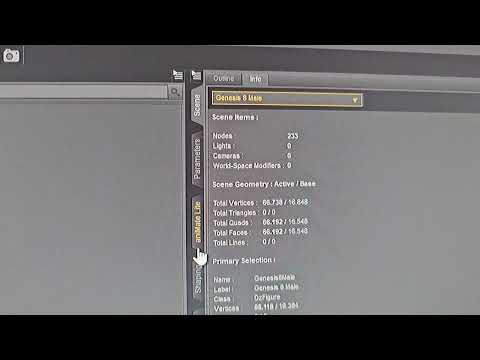
I couldn't choose the items. its both same camera and parameters tab. Menu is opening but when the cursor moves the menu close itself
I've tried reinstall graphic drivers, Daz itself (4.23), resetting settings.
whats wrong??
Post edited by Knuckles The RedLion on

Daz 3D is part of 
Connect
DAZ Productions, Inc.
7533 S Center View Ct #4664
West Jordan, UT 84084
Licensing Agreement | Terms of Service | Privacy Policy | EULA
© 2026 Daz Productions Inc. All Rights Reserved.
Comments
What is the video meant to show? Please take the time to actually describe what is happening, and what you expect to happen, if you want people to be able to help you. Do you have anything in your scene - settings panes (Parameters and cxameras included) require a target item to be seelcted in order to give anything but the placeholder info.
In parameters and/or camera tab. the item selection menu closing itself when the cursor moves. so I couldnt chose items from menu
Assuming this is Windows, if your system has a GPU on the CPU as well as a regualr nVidia (or AMD) GPU - which is DS using (for nVidia, check the nVidia Control Panel launched from a right-click on the desktop)? Is your mouse (or other pointing device) using the default Windows drivers or its own drivers?
My System is w10, desktop case. with dual monitor settings. I'm using RTX 3090.
My Razer mouse using its own drivers
What is the CPU?
11th intel i7 11700k
everything was good till saturday. there was mo update or someting. I ve tired differen keyboard and mouse too.
this is getting annoying
That does have a GPU of its own according to https://www.intel.com/content/www/us/en/products/sku/212047/intel-core-i711700k-processor-16m-cache-up-to-5-00-ghz/specifications.html , so open the nVidia Control Panel (or possibly the geForce experience if you installed that) and chgeck that DS is set to use the nVidia GPU for display, not the Intel. An update could very well switch this.
My Dual monitor system are over RTX 3090 card.
intel onbard card is disabled