EMERGENCY: DAZ Won't Load
 kmw
Posts: 71
kmw
Posts: 71
Yesterday, DAZ Premier crashed. I try to open and ... nothing. If I Alt/Tab, I get the attached image.
I reinstalled with DIM. Same results.
Anybody know what the heck's going on?
kmw
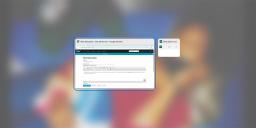
Untitled-1.jpg
1280 x 563 - 102K

Daz 3D is part of 
Connect
DAZ Productions, Inc.
7533 S Center View Ct #4664
West Jordan, UT 84084
Licensing Agreement | Terms of Service | Privacy Policy | EULA
© 2026 Daz Productions Inc. All Rights Reserved.
Comments
Can you select the small Daz Studio icon?
Where? I've used the icon on my toolbar, the app icon in Settings, and the Open Studio in DAZCentral. Same results.
And thanks for helping.
In your screenshot the one to the right says Daz Studio 4.23, so I asumed that it just must have been very minimized.
If you start DS, is it then active in Task Manager?
Yes.
Oh, let me add something I just discovered:
I've been using Task Manager to close the small DAZ window. Twice I clicked several times on the "X" in the window and was asked if I wanted to save the open window in DAZ (which I couldn't see). I say "Yes" or "No" and it goes through the motions without me ever seeing the DAZ screen and closes DAZ.
Weird.
I aasume you have an DS icon in the task bar.
What happens if you click the icon and then press F11?
Same difference.
This is baffling the crap outta me!
Could it be the same problem as in this thread maybe? https://www.daz3d.com/forums/discussion/comment/8965991/#Comment_8965991
You could try downloading http://docs.daz3d.com/doku.php/public/software/dazstudio/4/referenceguide/scripting/api_reference/samples/specific_ui/screen_size_fhd/start and then double-click it to have DS launch and run the script - that should give you a window you can interact with to set it the way you want.
That thread did indeed provide a solution. I don't know if it'll be permanent but I'm glad I can get back to rendering.
Thank you all and thank you, Leana!
kmw