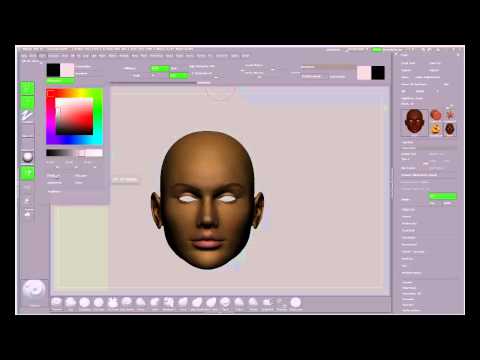
How do I import in previously made textures in ZBrush?
 RAMWolff
Posts: 10,393
RAMWolff
Posts: 10,393
Hi,
I have a character I need to do some seam checking on and a good normal map export for but I can not for the life of me remember how to import in the maps I made for her into ZBrush (I made them in Photoshop). It's as per usual it's a multi mapped character so there is a face, limbs, legs and torso maps so I know all this has to be done separately but not sure what steps I need to get each part imported.
I really wish that ZBrush coders would make this easier like a drag and drop sort of thing. Be easier and more elegant than all this confusing trouble.
Thanks so much
Rich

Daz 3D is part of 
Connect
DAZ Productions, Inc.
7533 S Center View Ct #4664
West Jordan, UT 84084
Licensing Agreement | Terms of Service | Privacy Policy | EULA
© 2026 Daz Productions Inc. All Rights Reserved.
Comments
Hi Ram,
Dylan has a video on this over at youtube...sorry don't have the link handy but you can do it through the texture tab. Import them into the tab, then use ctrl click to just show a uvgroup. And you apply it buy clicking on the texture. Depending on how you have zbrush set up you may need to flip the texture. If you model doesn't have uv groups go to poly groups and group by uv islands....this is from memory but it should be close.
Pen
Hey Pen.
Hope your doing well hon.
If you have the link handy or find it please post for me? I'd really love to add that to my "Content Creation" playlist at YouTube.
What is Dylan's full handle on YouTube if you know it I can search his offerings on my own...
Hugs,
Rich
As I recall you load the texture as Pendraia says, then use the Texture to Polypaint button to apply it to the model (essentially the reverse of exporting a PolyPaint as a texture file).
Thanks Richard
Pen, is this the vid: