Problem with shaders on old Wolfie Hair
 Wonderland
Posts: 7,137
Wonderland
Posts: 7,137
So I got a bunch of old Wofiehair for V4 super cheap thinking I could FilaToon them but not only do the FilaToon shaders not work, I. Can't even get the iRay shaders to work. I get a pop up saying "This script has been executed outside of the expected environment." What does that mean??? This is the hair used: https://www.daz3d.com/tesha-hair
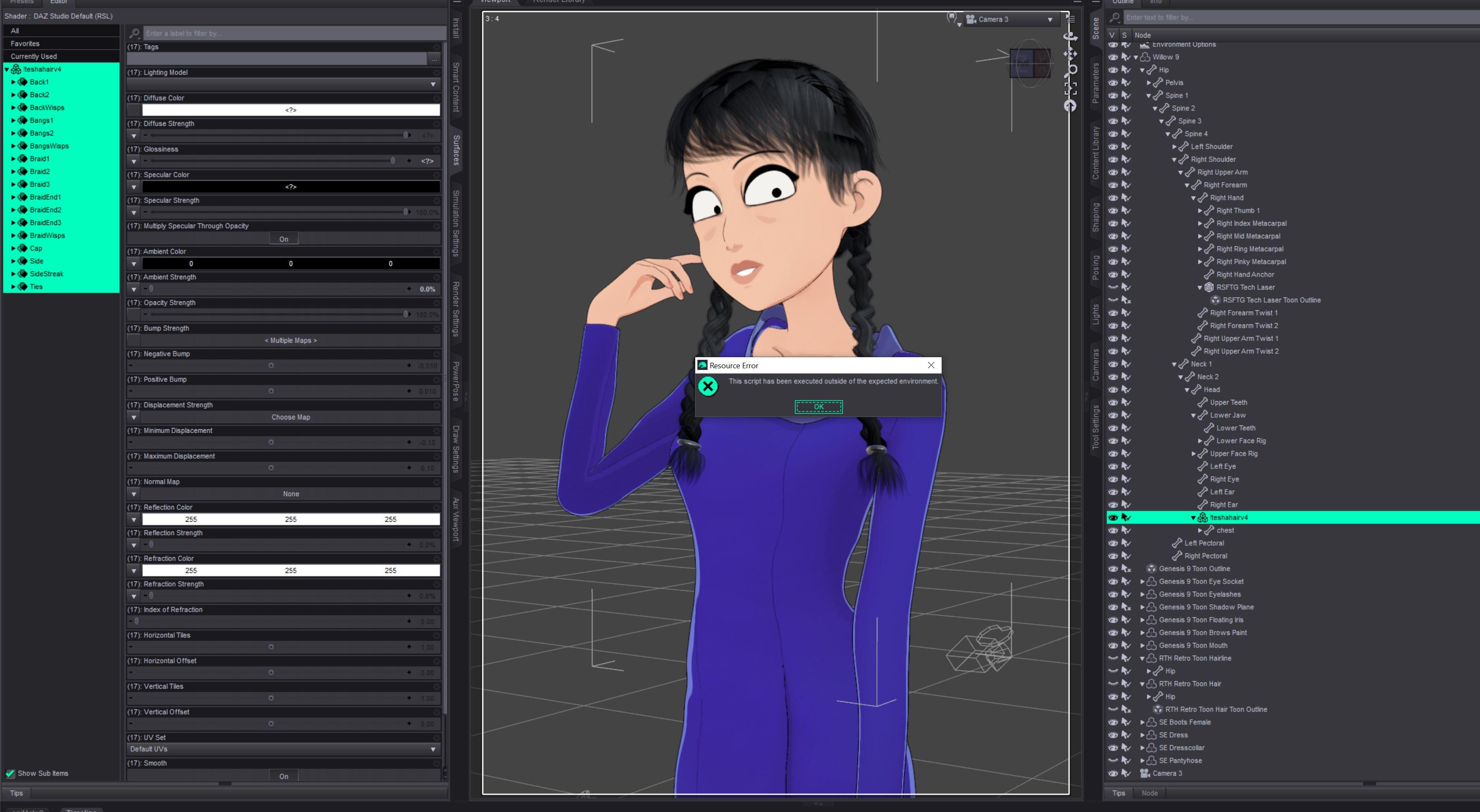
Propschick Hair Test.jpeg
3472 x 1905 - 466K
Post edited by Wonderland on

Daz 3D is part of 
Connect
DAZ Productions, Inc.
7533 S Center View Ct #4664
West Jordan, UT 84084
Licensing Agreement | Terms of Service | Privacy Policy | EULA
© 2026 Daz Productions Inc. All Rights Reserved.
Comments
Which script did you use... V3D Filatoon Converter ?
The regular toon shader for hair and I also tried the regular iRay uber shader but neither worked. I have the V3D product, I'll try it, but weird I can;t even convert to IRay!
It lets me use DG Toon Style shader which looks good in iRay but terrible in Filament and I still get the pop up from there when I try to add the FilaToon hair shader. I'll try the V3D converter and see if that works.
Nope. That product just froze Daz and I have to force quit it.
I don't have that hair but some from SWAM for V4... I found no issue when loading Filatoon - Hair or Iray UBer shader on the the hair surfaces.
But it's odd ~~ why you had an error message ralated to Script ... as there should be no script run when applying a shader ~~
Don't have that hair but tried with another Wolfie hair for V4 "Tarah Hair V4", converts fine to both Iray (Uber Base) and Filament. First render is with filament base shader, no outline. Second is with the filament Hair preset.
I'm wondering if the problem is that I'm loading it on Willow that is already FilaToon. I'm getting the same problem with a 3DU Sadie hair parented (not fitted) to Willow. It won't let me change the shader to FilaToon or iRay while Willow is in the scene. I'm going to see what happens if I delete her and just use the hair.
OK it seems like the problem is having Willow (or maybe any FilaToon character?) in the scene. When I closed out DS, then added just the hair with no character, I could get the FilaToon shader to work. This is so crazy. I guess I now have to save all FilaTooned hair as scene subsets? Do all hairs have this problem when loaded on Willow? Or to a character that is already Filatooned? So much to figure out.
No problems here with the G9 Base Anime figure and the Tarah Hair V4. So either it's the Willow character or your system that is having an issue, I think.
I couldn't reproduce the issue with Willow 9 plus a V4 hair (also tried with other V4 hairs) and the items I could see from your screenshot. I don't think the culprit is Willow 9 and other items in New Release.... maybe some other cause on your side.
I am having this issue currently with !Uber Base shader and any product I have saved as a custom action/script such as pose zero for Genesis 8 and so on. I have noticed in the past that when I save custom actions that came packaged as an actual script and they are not compatible with a current build of Daz Studio, such as "Eye Clock", they usually do nothing at all when clicked, no error messages. So no idea why this "This script has been executed outside of the expected environment" occurs.