Kissable product causing textures to wash out (Nevermind)
 Blacky13
Posts: 73
Blacky13
Posts: 73
EDIT: Turns out the Kissable product is made for PBRSkin and the skin that I had setup was using the Uber shader.
Hey there!
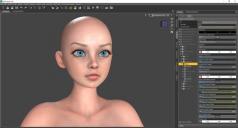
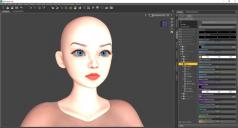
So I've tried to load the 'Kissable' product on a character that I'm setting up that uses high res textures, SSS maps, Normal maps, specular maps, and displacement maps. When I load the Kissable product, it causes the head texture to go bright white, and washed out.
I'm thinking it's because it's loading in the 'Makeup' channel, and that it's replacing or disabling some maps but I'm having a hard time nailing down how to fix it.
Do any of you woinderful and smart Daz users have any suggestions as to how I can fix this?
Thanks in advance!

Daz 3D is part of 
Connect
DAZ Productions, Inc.
7533 S Center View Ct #4664
West Jordan, UT 84084
Licensing Agreement | Terms of Service | Privacy Policy | EULA
© 2026 Daz Productions Inc. All Rights Reserved.
Comments
Bit late to the party but I only noticed now that 3D Arena "moved" Kissable to Daz3D.
I was always having issues with this product and G9 characters and now thanks to your discovery about PBRskin, I have finally solved such a long-time problem. Thanks Blacky for looking into this.
EDIT: just noticed that while I was confirming how to find out what is PBR and not, I realized that in the Previous Store, 3D Arena never mentioned the PBRskin part and on Daz3D Store, its mentioned on the store page.
Now I need to figure out how to find out if the G9 figure I have is using PBR or Uber. took a year-ish break from the Daz hobby and now nearly forgotten everything.
Load the character, and select it. In surface tab select 'skin' or one of the skin surfaces. It will then stand on the top of the Surface pane, if Iray Uber or PBR-Skin.