Is this the way to adjust earring?
 stevejinta
Posts: 27
stevejinta
Posts: 27
Hello DAZ,
I had been fixed this issue by moving an ear long time ago, but now, it occurs again and this time, adjusting an ear does not help much
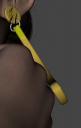
First picture is the position of the Left earring before render
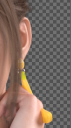
Second picture is when render is finished (earring mislocated)
So, I looked around the forum and the answer is SUB-D, after a few tested
The method :
1. turn figure resolution to base
2. adjust the earring to wanted position
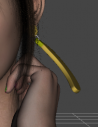
3. turn figure resolution to high resolution (third picture)
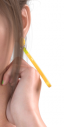
4. Rendered (fourth picture)
Please, let me know if there is another ways or how you guys doing?

Daz 3D is part of 
Connect
DAZ Productions, Inc.
7533 S Center View Ct #4664
West Jordan, UT 84084
Licensing Agreement | Terms of Service | Privacy Policy | EULA
© 2026 Daz Productions Inc. All Rights Reserved.
Comments
I would say that should be the issue comes from the earring's parent - that Rigid Follow Node... You can drag the earing figure from the rigid follow node to Left Ear node and try tweaking it again.
To me, the rigid follow node for this earring is not really necessary let alone whether it was correctly set or not...
In my exp., if a rigid follow node is unproperly set, there'll be such a similar issue... i.e. the children under the rigid follow node will be "misplaced" when redering with SubD...