Michael 4 not working....help
 TheCastellan
Posts: 711
TheCastellan
Posts: 711
in The Commons
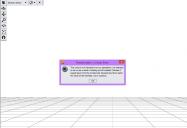
I can't get M4 to open, I keep getting an error message. I uninstalled and tried again, same thing. I get the same thing with Stephanie 4 as well.
HLEP!!!!
error.jpg
1031 x 705 - 86K

Daz 3D is part of 
Connect
DAZ Productions, Inc.
7533 S Center View Ct #4664
West Jordan, UT 84084
Licensing Agreement | Terms of Service | Privacy Policy | EULA
© 2026 Daz Productions Inc. All Rights Reserved.
Comments
You are trying to run the Michael 4.dsb file that should be in \Runtiem\Libraries\Character\People along with the Michael 4.cr2. The script is run automatically when you double-click the Poser format Michael 4.CR2, running it directly (without the CR2) will not work.
Forgive me for sounding stupid, but what do I do? Can you list each step, specifically, to remedy this?
I noticed something about my Daz3, here. On my previous compy, everything was neat, organized, etc. On this current, one, everything's an unorganized jumble. For example....V4, Girl4, etc are in figures>daz people, etc.
but some, like M4 and S4 (which can't be opened at all) are in content>runetime>liberaries>character>daz people....
What's going on here, and is there someway I can re organize all this without wiping everything out and starting from scratch all over again? o.O
It might help if you tell us which Daz Studio version you are using, it looks like a very old version when looking at your screen shot.
You manually unzipped - the Content folder from the zip should not be there, if you are a Windows user select everything in it, ctrl-x to cut, go to the parent folder (My Daz 3D Library of whatever) and ctrl-v to paste - you should be asked if you want to merge folders, say yes; if asked about overwriting files you can probably safely say no.
Daz 3. I a mthinking of using DS4, perhaps. But I am dreading reinstalling everything....gonna be a looooong week >_<;;
Merged threads as they were ultimately on the same issue.
Installing DS4 would not require you to reinstall your content, just point DS4 to the content duirectories you are using in 3.
M4 and the other older characters work just fine in DS4, the biggest issue you are likely to have with an upgrade will be that certain shaders and plug ins will not work in the newer version. I have no idea what percentage of people are on DS4 and above, but I suspect it is 95% at least. I am sure you have good reasons to remain on an older version, but it will severely restrict the number of people that can help you on the forums, except naturally "old" hands like Richard.
?????????
Just right-click on the DAZ Studio Formats or Poser Formats headings in the Content Library pane, select Add ... Directory (Base or Runtime respectively), and select the content directory you used in DS3.