Hair problem.
 HorusRa
Posts: 1,665
HorusRa
Posts: 1,665
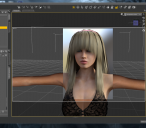
Whats wrong with this hair, on top mostly? The squarish polygonal, right angle bend look. Is this a sub-D thing? I added sub-d to it and it did help but didn't completely resolve it. I applied 'smoothing modifier' to it before hand, that helped slightly, but nothing did away with it. I see no shaping options with the hair that would have anything to correct this. Thinking maybe someone with more hair technical expertise than me may know. Iray. UHT hair shaders for Iray does not solve the problem. Starting to wonder if it is for the most part an Iray thing, because it does render better in 3Delight, as I didn't notice the squarish angles really.

Daz 3D is part of 
Connect
DAZ Productions, Inc.
7533 S Center View Ct #4664
West Jordan, UT 84084
Licensing Agreement | Terms of Service | Privacy Policy | EULA
© 2026 Daz Productions Inc. All Rights Reserved.
Comments
If there's a displacement map...remove it.
Also try bumping up the SubD level (no need if removing the displacement map works).
Theres no Displacement map. There was a bump, I turned it all the way down, that seemed to do nothing at all. As far as sub-d, I converted to sub-d as thats the only option I found for subdividing. That then makes 'view subD level' and 'Render SubD Level (minimum)' appear in my Parameter tab under the hair. I turned 'View subD level' up to 2, thats as far as it goes without turning off limits. It didn't help. I also then proceeded to turn 'Render SubD Level (minimum)' up to the 2 level limit, DS or my machine didn't like that and DS stalled out and finally became unresponsive. Are one of these two options the SubD level you're talking about? If no I can't find it.
sub-d render level it the one that matters
ok thanks. I turned it up one digit at a time, nada. When I got to 3, the DS render progress box for a second said "not responding,' so I'm a bit afraid to go to 4. Does 'View subD level' have to be turned up as well? I'm thinking any higher than where it was at is going to halt DS and require a force shut-down as it did earlier.
What Fisty said...
Can you post a wiretextured screenshot?
It's really looking like the crown is just a couple of big squares, instead of several...
Doesn't look like large squares, but here ya go. One before smoothing/subD and one after. First pic is before smoothing and subD, 2nd is after.
smooth shaded
I'm going to surmise that the pa who designed it did not create the hair straps quite properly, hence they are over-lapping improperly and pa did not subdivide the hair straps enough, or failing that did not adjust/smooth the vertices along the leading edges of the bang straps where they bend quite enough. I'm seeing another purchaser is also reporting subdivision issues as well.
What hair is it?
Carling Hair over @ Rendo. It is for Poser but evidently has been reported to work in DS. One reviewer over there also feels there is some vertice and subdivision problems. I've never used the hair, bought it sometime ago and because it's not a smart item, it got lost in the shuffle so to speak, I forgot about it. Anyway, I've been meaning to leave reviews on stuff I have purchased there, so thats why I was messing with it,...this was the first I've ever fooled with it.