Is something missing in "SY Mysterious Magic VDB"?
 Drogo Nazhur
Posts: 1,340
Drogo Nazhur
Posts: 1,340
I recently purchased "SY Mysterious Magic VDB" [ https://www.daz3d.com/sy-mysterious-magic-vdb ] and I am trying to create a scene simliar to this one from the package ...
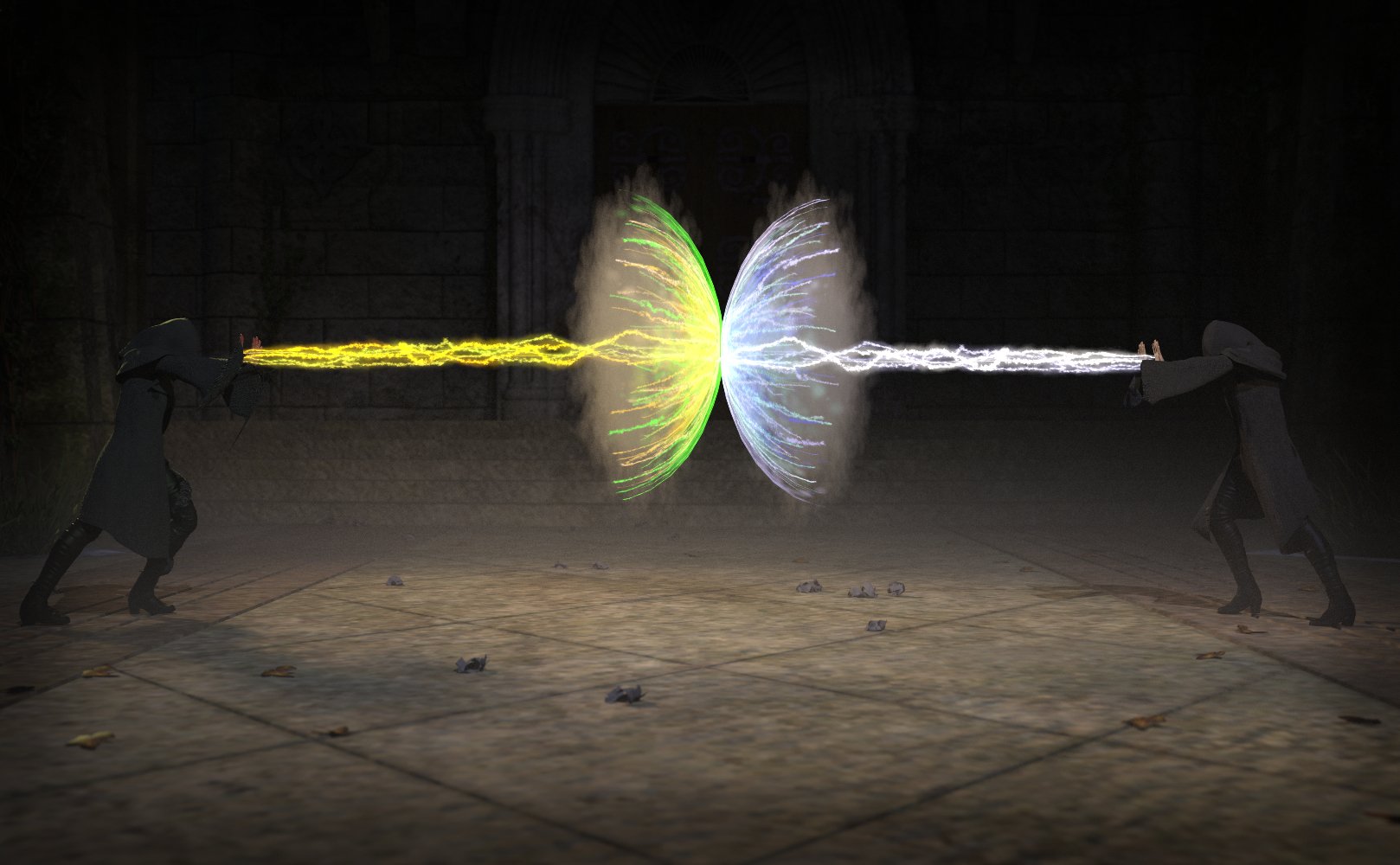
... I found the textures for the ribbon ...
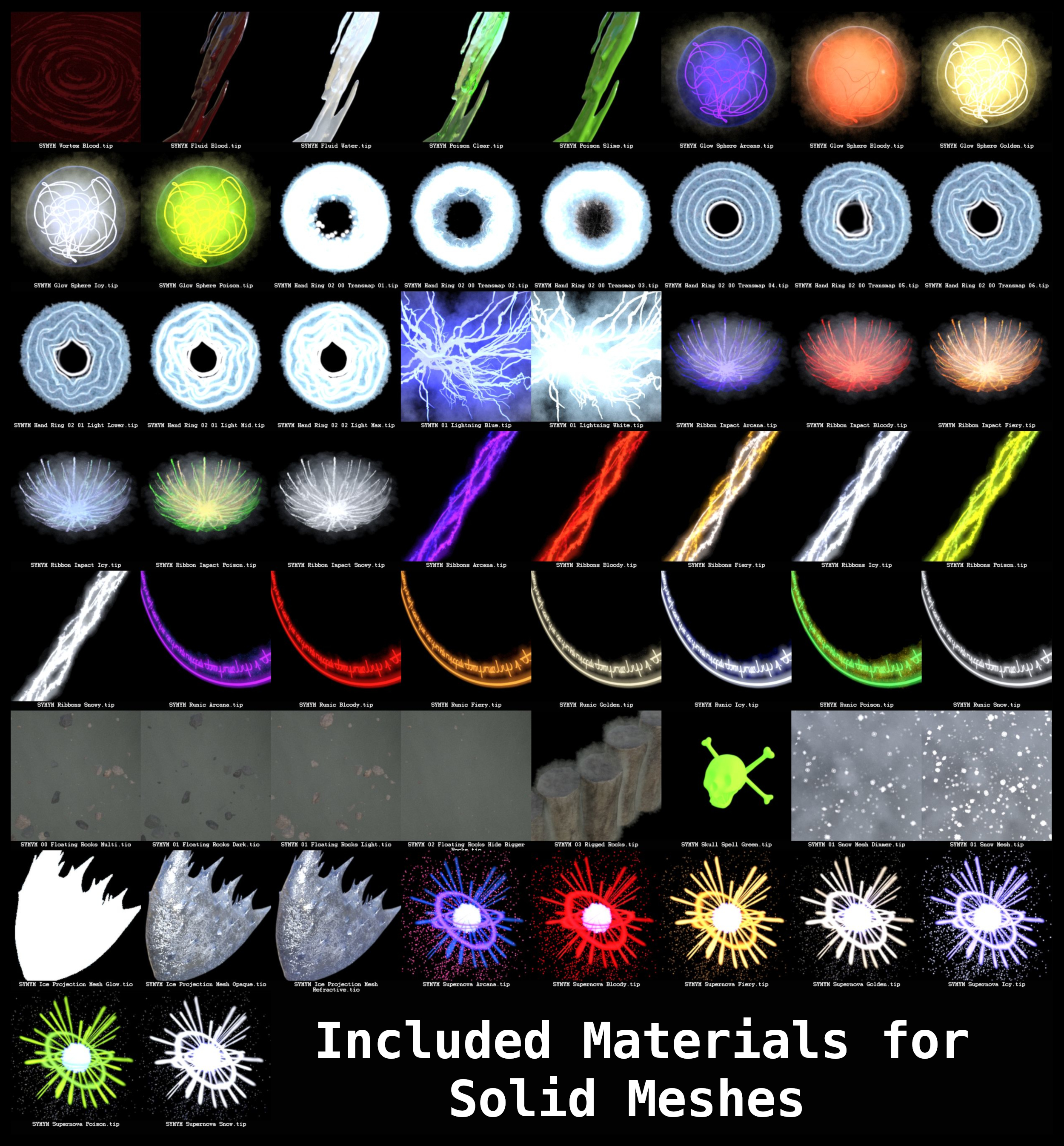
... but the actual ribbon does not seem to be included. Why include ribbon textures if there is nothing that they can be applied to? Or does something else have to be purchased? If so, it is not mentioned and what is the other package needed? Can anyone PLEASE help me out with this?

Daz 3D is part of 
Connect
DAZ Productions, Inc.
7533 S Center View Ct #4664
West Jordan, UT 84084
Licensing Agreement | Terms of Service | Privacy Policy | EULA
© 2026 Daz Productions Inc. All Rights Reserved.
Comments
According to file list there is this
/Props/SickleYield/Mysterious Magics VDB/00 Magic/SYMYM Rigged Ribbons.duf
thank you
I'm also having trouble with this product. For one, it doesn't show up in the product library. I was able to find it under Props, but it can't back-track to the products list.
Also, I don't know if it's missing, lost, or intentional, but I can't find any poses for the Rigged Fluids. They've got dials to shake them around, but no presets that I can find. Can't be sure though because it's not in the product library.
Using SYMYM.
When I load in the snowburst 02 prop, it shows up as a solid block. When I try to apply an effect to it, nothing happens. What am I doing wrong?
Log says:
2025-09-22 15:15:15.844 [INFO] :: Begin asset load (merge): /Props/SickleYield/Mysterious Magics VDB/00 Magic/SYMYM Colored Smoke 01.duf
2025-09-22 15:15:15.854 [INFO] :: Determining missing assets...
2025-09-22 15:15:15.861 [WARNING] :: \src\sdksource\cloud\dzcloudtasknotifier.cpp(203): Invalid reason for encrypted file: "F:/MAIN/Applications/Data/DAZ 3D/CENTRAL/data/cloud/1_91829/data/sickleyield2023/mystmagic/symym aura frame/symym atmosphere cube.dsf.enc"
2025-09-22 15:15:15.861 [WARNING] :: \src\sdksource\cloud\dzcloudtasknotifier.cpp(203): Invalid file header for encrypted file: "F:/MAIN/Applications/Data/DAZ 3D/CENTRAL/data/cloud/1_91829/data/sickleyield2023/mystmagic/symym aura frame/symym atmosphere cube.dsf.enc"
2025-09-22 15:15:15.861 [ERROR] :: Open Stream Error - No stream for CloudFile: F:/MAIN/Applications/Data/DAZ 3D/CENTRAL/data/cloud/1_91829/data/sickleyield2023/mystmagic/symym aura frame/symym atmosphere cube.dsf.enc
Log says: (this is apparently symptomatic of the above)
2025-09-22 14:41:16.433 [WARNING] :: \src\sdksource\fileinput\dzassetdaz.cpp(6679): Shape for material instance not found.
2025-09-22 14:41:16.433 [WARNING] :: \src\sdksource\fileinput\dzassetdaz.cpp(2323): Material not created: Snow01-1!
2025-09-22 14:41:16.433 [WARNING] :: \src\sdksource\fileinput\dzassetdaz.cpp(6679): Shape for material instance not found.
2025-09-22 14:41:16.433 [WARNING] :: \src\sdksource\fileinput\dzassetdaz.cpp(2323): Material not created: Snow03-1!
2025-09-22 14:41:16.433 [WARNING] :: \src\sdksource\fileinput\dzassetdaz.cpp(6679): Shape for material instance not found.
2025-09-22 14:41:16.433 [WARNING] :: \src\sdksource\fileinput\dzassetdaz.cpp(2323): Material not created: Snow02-1!
2025-09-22 14:41:16.433 [WARNING] :: \src\sdksource\fileinput\dzassetdaz.cpp(6679): Shape for material instance not found.
2025-09-22 14:41:16.433 [WARNING] :: \src\sdksource\fileinput\dzassetdaz.cpp(2323): Material not created: Volume!
EDIT: I have restarted my system, uninstalled and reinstalled this product and still no joy.
How did you instal? Which product - it is a base product, not just a texture set? It sounds as if the basic aset definitions (the .dsf files) are not being found by the instances (live clones) that make up the objects in the scene you are loading.
@Richard Haseltine - from the log entry it looks like it was installed with connect. Also, I don't see any effects included for the snowbursts but the colors can be changed in the Surfaces tab. There are two packages showing in DIM - sku 91829, package ID 1 and 2. Not sure how Connect handles that.
That wasn't there when I replied - it looks as if some files did not decrypt on installation.
I had installed using DIM, quite some time ago. Just tried to use it in a scene today and got this garbage.
Deinstalled, re-installed using DazConnect. Then the files wouldn't install at all -- got an error dialog "could not open file".
What would cause a decryption error?!?
(re 2 installers: nope, was wrong, page only shows one.)
You should Uninstall the product via Daz Connect in Smart Content. Then Uninstall in DIM as well. Delete the product package in Ready to Install. Then re-download two product packages in DIM > Ready to Download. Tick Display Hidden if you cannot see two packages. Then install after downloading.
@crosswind, hi! I had done all that yesterday to no avail; this morning I JUST did this: uninstall via DC, uninstall via DIM, remove package files via DIM, then _physically removed the SKU folder in data/cloud_, reinstalled via DIM and everything now looks as it should. Don't know why I was getting so much grief from this one but it's sorted now! Richard Hazeltine (can't seem to @-tag you) and @crosswind, thank you both! Have a blessed day!