Am I being brushed off by Support?
 SpottedKitty
Posts: 7,232
SpottedKitty
Posts: 7,232
Okay, set your wayback machines to last December, and this thread, where I wondered if anyone elese was seeing the same problem I was — after I log in, I never see new items in the store, and frequently still see items showing that I bought the day before, until I hard-refresh the browser.
I put in a help ticket, and waited.
And waited.
Back in June, I was told,
The web team is still working on a fix that does not effect other browsers.
Then finally, the other day, I was told,
Non of our other users are experiencing this error. You may want to check your router firewall and contact your ISP if the issue continues. There is nothing on our end that we can change to fix the issue.
So, I'm asking again — is anyone else still seeing this? Did anyone else report it in a help ticket?

Daz 3D is part of 
Connect
DAZ Productions, Inc.
7533 S Center View Ct #4664
West Jordan, UT 84084
Licensing Agreement | Terms of Service | Privacy Policy | EULA
© 2026 Daz Productions Inc. All Rights Reserved.
Comments
Occasionally there's a goofy page cach issue but not necessarily with our browsers ... can be with wherever it is the store pages are cached too. Also when we log in, the system has our time zone ... it could be that certain items are to appear at certain times but that's a total guess. I did notice one day that their clocks in here were TOTALLY ascrew ... that is until one logged in. Last night it told me an item which should have been launched Oct 1 AFAIK, was finally out and free ... that is until I went to buy it. Suddenly the price jumped, no purchase made. Had it been released 1 Oct or thereabouts, it would have been mine for free; but as it was no, membership has lapsed ... and well ...
Is there a reaason why you have to use Firefox? If it's a personal preference, I understand, but perhaps for this site switch to Chrome or another browser?
I don't see anything like this in FireFox.
Some of us are wondering whether things like this, and the login loop are happening mostly to people who are on the boundary of 2 CloudFlare servers. If the data is sometimes being sent from one and then the other. I hadn't been having the Login loop thing at all, then it suddenly started, Seems that there is now a 2nd UK CloudFlare server, and I am basically equi-distant from them both, so could receive from either.
It happens to me if I look between 2am and 2:30 am est..but thats just the store refresh. Other than during that time I does fine refreshing.
Edit to add I use firefox..
Personal preference, I suppose, I never really used any other browser than Firefox since I swore off (and, of course, at) IE many years ago. It does everything I want it to, and every other website on the entire Internet that I regularly visit generally behaves well. It's just when I come here to DAZ.
At this point I'd just like to know what's going on — the reply I got back in June said "we're working on it", then it's "no-one else is seeing this, check your end". From the same person. Is it a canned reply, or am I talking to someone who can't scroll up in the conversation thread to remind themselves what they already told me...?
Now that's interesting. Do you know where the second server is? Whenever I see an actual CloudFlare error page, it's always said I'm hooked up to the London server. Some of my other regular haunts have also begun to use CloudFlare in the last six months or so, and on the rare occasions I have glitches from them (yes, it's almost always DAZ) I see the same thing, always London.
Thhe 2nd server is in Manchester. I am apparently 175 miles from London and 172 miles from Manchester, according to google
It only came on line last week officially, apparently, but was testing for the month previously, which about ties in with when my log in problem started.
Greetings,
I always have to do a refresh before new items show up; I don't have to do anything special (so not necessarily a 'hard' refresh), but yeah. Every night. It's been like that since the new store came online, though.
It may have something to do with me looking at the store _immediately_ after the new items come up, though. :) I'm an addict, like that...
-- Morgan
it happens to me in any browser. I just refresh it and move about my day. this one is hard to track down when it doesn't happen to everyone. The logging you out isssue is another store though.
Sometimes I have wondered the same thing. I open a support ticket back on July 20 2015 then I got a reply back saying they were processing my ticket and then never heard a word back. and this is Oct. Its hard to tell if I was brushed off or not. it could be Daz is just mad at me for my opinons and just put me in the category of we will get to you when we feel like it. or maybe they don't know how to fix the bug. or it could even be that they just lost my ticket all together. Anywaye the product i bought still has a bug and the ticket still waiting to be resolved. 4 months later.
I will try to think positive and think that this is just a over sight. But you have to wonder sometimes.
I took a screen shot of my support ticket for proof ,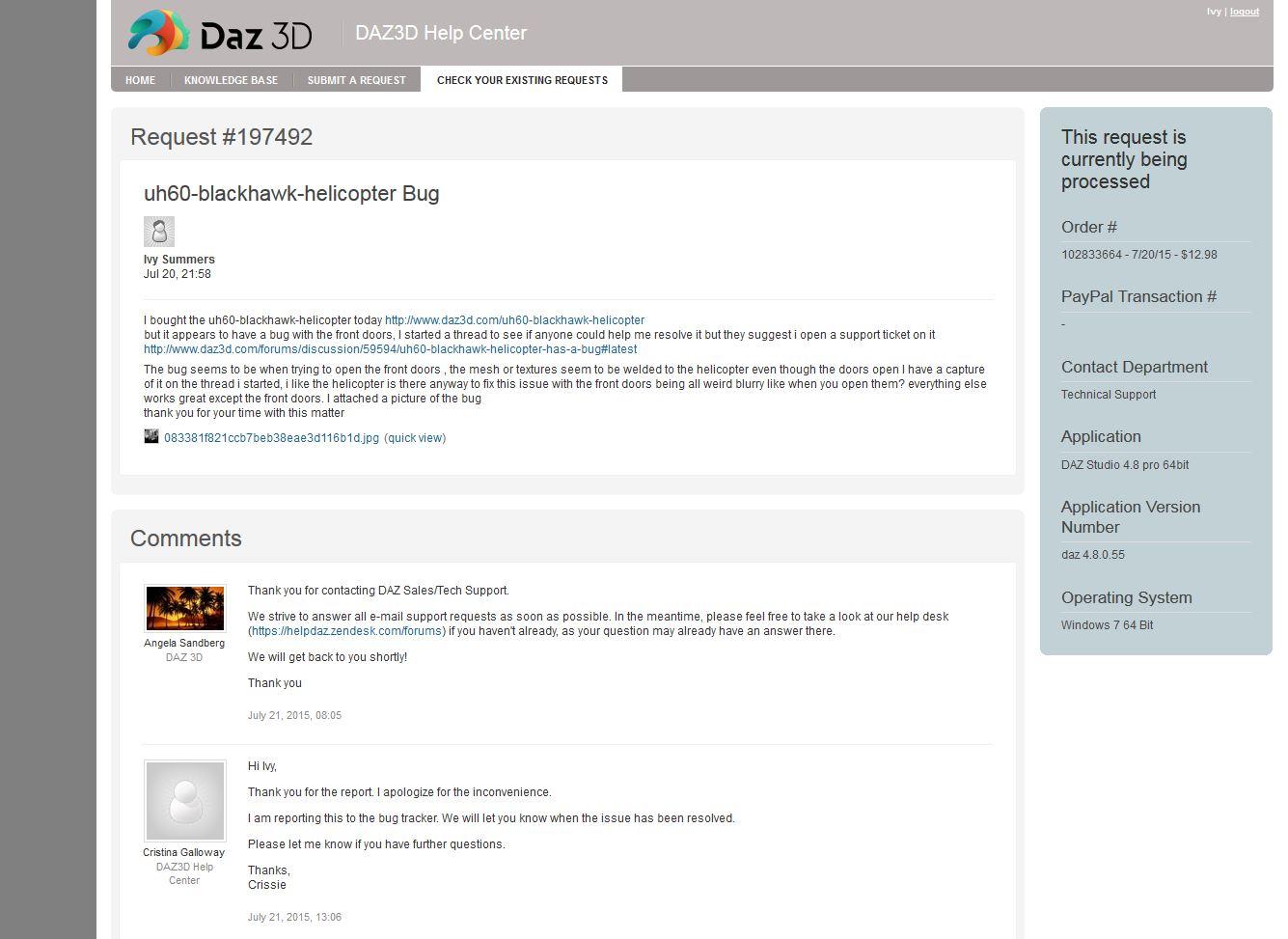
I always have to refresh to see new items. I'm on Seamonkey
Among my eclectic resumé is three years working for a local Internet Service Provider ('00-'03) and part of my job was tech support.
Assuming this issue occurs other than at or around DAZ midnight, what you describe sounds to me like a browser cache issue. When you visit a page already in the cache, your browser pulls the files from the cache to speed up loading the page. They all do it, though the file criteria might vary between the different browsers. I've seen files get updated that didn't change the file size, even though the content changed, (common with ecommerce sites.) If your browser only looks at the file size, it may treat the file as unchanged and load it from the cache.
There used to be a setting in Options to force FF to not use the cache, (very handy for developers,) but they've since removed it, (or buried so deep it's impossible to find.)
As far as I know, the easiest fix is to hit ctrl+F5 and reload the page. (F5 or ctrl+r will not force the download of cached files.)
I believe the reason you see this problem with the DAZ store is because the underlying code doesn't use product name, but product IDs. When a file is updated, it's still the same size as the cached file because the number of characters per ID is the same, even if the numbers are different. If you frequented a lot of ecommerce sites, I'm sure you'd see this same issue on many of them. I've seen it quite often on osCommerce-based sites.
Of course, it could be something else. But this is where I'd look first.
Nothing to do with the store update time, I see it whenever I log in for the day, which is usually early to late afternoon DAZ time.
Interesting info about a possible cache glitch. Now that I think about it, I do see semi-regular glitches in other sites I visit — not ecommerce sites, but manually updated web comics. I didn't think of them as related, because I know those are cache glitches; whatever's happening in the DAZ store is... weird and confusing.
Just a question, do you use ccleaner regularly? If not, you should try it. Not sure about firefox, as I moved to chrome when firefox started using really high RAM on my machine last year. I regularly see hundreds of megabits of data in my browser cache that gets cleaned when I run CC, not sure if firefox caches as heavily as chrome.
I'm using Firefox and never had the refresh problem, but I get all kind of errors using an elderly IE browser...
In regards to old tickets - I also have a couple of support tickets running for several months now... what I do is I keep asking at certain intervals if anything has happened in regards to solving the problem. Tickets sometimes "fall off" the "oh, I still have to solve this" line, and then you need to revive them. Or, just keep reopening them if the support hasn't understood you properly. Human communication is prone to error. :)
I get the same thing here at DAZ. But not in the forums. I also get it at Rendo since the latest interface update--have to simple refresh any time I visit. Don't have the 'problem' at Hivewire and not sure at RDNA because they don't update all that often.
It's the same on my pc (Firefox) as the Kindle (Silk) However since the Kindle accesses via wifi to my cable connection, the IP is the same.
At DAZ a simple refresh isn't enough, but if I go to the 'shop' page (Instead of what's new) it all shows up.
At DAZ on the Kindle a simple refresh does the job.
Same problem here. I use Firefox and/or Chrome, for browsing.
S.K.
p.s. I am in the UK.
I have to do it daily as well since the new store, IE 11, Firefox and Chrome at work and Firefox (Nightly and Cyberfox) I use at home. I am closer to Manchester than to London but I haven't noticed any difference with the Manchester CloudFlare server starting. A straight F5 works on all the browsers to refresh and I only have to do it on the store. I've been experiencing getting logged out of the store/forum daily, but not seen the logon loop that others have been experiencing, and I am using multiple computers on 2 different networks - something that doesn't happen on any other site. I am only seeing this refresh problem on DAZ not other ecommerce sites I go to.
I have long had to hit refresh 2-4 times to get the days new items to appear on daz store, the browser has been irrelevant. Opera, Firefox, Safari, IE, the Samsung generic browser... all the same deal for me. Long ago before I knew I had to refresh more than once, Id not see new items at all, went about 5 days thinking daz took a holiday lol
I use chrome both at work and at home and I too have to referesh my browser to see the new items almost on a daily basis, even if I had just logged in. Is it a browser issue? I don't know. I have since uninstalled firefox and don't use explorer. NOt much of a hassle for me to make me want to switch to a new browser.
Have you tried cleaning out the cookies from DAZ page?