Organizing your DAZ Library
 Softimage_Graphic_Artist
Posts: 292
Softimage_Graphic_Artist
Posts: 292
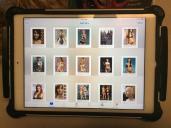
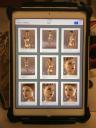
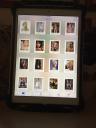
I have set up a new system for keeping my DAZ Library in order, I keep everything on my Ipad in the .pdf format for quick viewing. Picture Sample below:
IMG_0505.JPG
720 x 538 - 294K

IMG_0506.JPG
720 x 964 - 430K
IMG_0507.JPG
720 x 964 - 487K
IMG_0504.JPG
720 x 964 - 441K
Post edited by Softimage_Graphic_Artist on

Daz 3D is part of 
Connect
DAZ Productions, Inc.
7533 S Center View Ct #4664
West Jordan, UT 84084
Licensing Agreement | Terms of Service | Privacy Policy | EULA
© 2026 Daz Productions Inc. All Rights Reserved.
Comments
I do something similar, but using Adobe Bridge and the Mac's own built in filtering system.
So when do you guys find time to actually render, LOL
Can't imagine finding/making time for something like this, not that I need it though. looks great though and thanks for sharing.
A spreadsheet also works and just needs to be update as new content is added. Quicker to build and update than messing with a relational database.
Greetings,
Thankfully for me, rendering and programming are both hobbies. I don't know if I'd use this, in particular, but if I'm spending time writing code to help me find things in my library, it's just as good as rendering for meeting my 'creative work' ache.
e.g. Right now, one of my coding obsessions is understanding how I could use Cyc to allow me to search for 'furniture' and find all the individual objects from all sets that are beds, end tables, chairs, couches, etc., all listed together for further filtering.
-- Morgan
I just make categories in studio for my various things and file it as I purchase.