Help! Removing Unwanted Icons and Deleted Files
 MelonLord
Posts: 47
MelonLord
Posts: 47
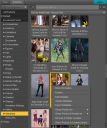
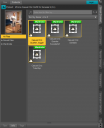
So I've converted some clothes using RSSY Converter G8 to G9, and I didnt liked them so I deleted the output files (clothes) from my drive but the icons are still showing in Product page of Smart Content tab. How do i delete them completely, both from the product tab and in daz library ?
Screenshot 2023-05-12 180753.png
527 x 630 - 235K
Screenshot 2023-05-12 190028.png
552 x 687 - 41K
Screenshot 2023-05-12 163907.png
559 x 687 - 70K

Daz 3D is part of 
Connect
DAZ Productions, Inc.
7533 S Center View Ct #4664
West Jordan, UT 84084
Licensing Agreement | Terms of Service | Privacy Policy | EULA
© 2026 Daz Productions Inc. All Rights Reserved.
Comments
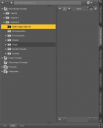
You may well also have some leftover files in the /data folder, but you can remove the metdata entries by right-click on the Product container in the Content Library pane, or by right-click on inidividual references if you don't want to ditch the whole product.
RMB click on a thumbnail, Show Asset in > Content Library Products. Select all 'blank thumbnails', RMB click menu - Remove Orphaned Reference or Remove References...
Thanks a lot !! Finally got it solved. This issue gave me so much headache. Thanks a bunch, everyone
That didn't work for me because it was something I had saved. I saved a character as a scene. Went back and saved it corecctly as a character preset and deleted the scene and right-clicking does not bring up any delete dialogs. All I can do is explore file location where the files have already been deleted but placeholder icon still remains. You would think it would be easy to add a right-click option in the item areas for Delete so this doesn't happen.