External Harddrive?
 Faeryl Womyn
Posts: 3,779
Faeryl Womyn
Posts: 3,779
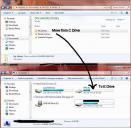
Not sure if this should be here or Technical. Anyhow, I am using Daz 4.7 and I have seen various posts about external runtimes. I know it can be done, have done it myself in the past with previous versions of Daz. What I need to know this time is in regard to the existing runtime currently in Daz My Library. Instead of creating a new runtime, can I just move that one to the other drive on my computer? And then tell Daz where to find it? I have no problem leaving just the runtime/textures on C Drive so textures are not a problem for items installed under My Library Daz content.

Daz 3D is part of 
Connect
DAZ Productions, Inc.
7533 S Center View Ct #4664
West Jordan, UT 84084
Licensing Agreement | Terms of Service | Privacy Policy | EULA
© 2026 Daz Productions Inc. All Rights Reserved.
Comments
Yes, but you will need to update the CMS to point to the new location*, and the Install Manager (if you use that) won't be able to uninstall the moved products.
* find an item in the products list in the Content Library pane, right-click on it and select Database>Edit Base paths..., set Change to All Files using this base path, select your new content directory in Change to, click Accept.
Yes, you can move your content library or maintain multiple ones. Keep in mind, though, that things may not run as quickly on an external drive.
Ok Great and thanks. For the record, it's only the runtime folder I want to move, not the my library folder, and to a second hard drive on my computer, so won't change the amount of space being used but free's up some of C Drive for my son to download and run games.
Move the whole library or create a second one. Otherwise products that aren't completely located in the runtimes won't be looking in the right places.