• Daz 3D
  • Shop
  • 3D Software
    • Daz Studio Premier
    • Daz Studio
    • Install Manager
    • Partnerships
    • AI Training data
    • Exporters
    • Daz to Roblox
    • Daz to Maya
    • Daz to Blender
    • Daz to Unreal
    • Daz to Unity
    • Daz to 3ds Max
    • Daz to Cinema 4D
  • 3D Models
    • Genesis 9
    • Genesis 8.1
    • Free 3D Models
  • Community
    • Gallery
    • Forums
    • Blog
    • Press
    • Help
  • Memberships
    • Daz Premier
    • Daz Plus
    • Daz Base
    • Compare
  • Download Studio
ADVANCED SEARCH
  • Menu
  • Daz 3D
ADVANCED SEARCH
Add image
  • Shop
  • 3d Software
    • Daz Studio Premier
    • Daz Studio
    • Install Manager
    • Partnerships
    • AI Training data
    • Exporters
    • Daz to Roblox
    • Daz to Maya
    • Daz to Blender
    • Daz to Unreal
    • Daz to Unity
    • Daz to 3ds Max
    • Daz to Cinema 4D
  • 3D Models
    • Genesis 9
    • Genesis 8.1
    • Free 3D Models
  • Community
    • Our Community
    • Gallery
    • Forums
    • Blog
    • Press
    • Help
  • Memberships
    • Daz Premier
    • Daz Plus
    • Daz Base
    • Compare

Notifications

You currently have no notifications.

Loading...
    • Categories
    • Recent Discussions
Daz 3D Forums > 3rd Party Software > Maya Discussion

Pupils and Iris not displaying properly
tam_c3df5332fctam_c3df5332fc Posts: 122
November 2022 in Maya Discussion

Hey guys,

Whether I use the DazToMaya bridge or the Genesis8ToMaya script, the textures for the Pupils and Iris are not displaying as intended

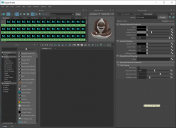
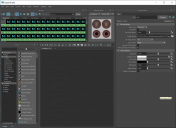
You can see by the screenshots that the Hypershader is connected to the correct texture, but I do not see any Pupils in the final render, along with the iris not being the correct color. I have tried to connect other textures, but all of them will not produce pupils or the color of the iris will not look anything like the image selected

All the other textures come over to Maya as expected. I do not understand why the pupils and iris of the eyes are not transferring properly.

BTW, the iris and pupils were originally appearing as a light grey color. I compared the settings of the other textures, followed by mimicing the settings to the pupils and iris, thus is the reason why I am at least having something different from the original light grey color

Although, I am sure some of you are thinking, that looks pretty grey to me. At least this grey is a little green

As usual, thanks in advance
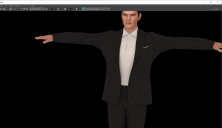
 

close-up.png
3667 x 2110 - 2M
pupils-v1.png
2583 x 1878 - 383K
pupils-v2.png
2583 x 1878 - 363K
pupils-iris-not-displaying-properly-in-maya.png
3839 x 2159 - 826K

Comments

  • tam_c3df5332fctam_c3df5332fc Posts: 122
    November 2022

    Solution:

    In case anyone else has this issue or I need to remember how to fix it.

    I had to set the transparency color of the following textures to achieve realistic eyes:
    Sclera
    Iris
    Cornea
    Eyemoisture
    Pupil

    The result is displayed in the closeup-v3 screenshot

    close-up-v3.png
    3667 x 2110 - 2M
    sclera-w-transparency.png
    2583 x 1878 - 318K
    iris-w-transparency.png
    2583 x 1878 - 330K
    cornea-w-transparency.png
    2583 x 1878 - 318K
    eyemoisture-w-transparency.png
    2583 x 1878 - 330K
    pupils-w-transparency.png
    2583 x 1878 - 329K
Sign In or Register to comment.
Adding to Cart…

Daz 3D is part of Tafi

Connect

DAZ Productions, Inc.
7533 S Center View Ct #4664
West Jordan, UT 84084

HELP

Contact Us

Tutorials

Help Center

Sell Your 3D Content

Affiliate Program

Documentation Center

Open Source

Consent Preferences

JOIN DAZ

Memberships

Blog

About Us

Press

Careers

Bridges

Community

In the Studio

Gallery

Forum

DAZ STORE

Shop

Freebies

Published Artists

Licensing Agreement | Terms of Service | Privacy Policy | EULA

© 2025 Daz Productions Inc. All Rights Reserved.