Understanding location of Hybrid Grunge shaders combined image file location
 sriesch
Posts: 4,243
sriesch
Posts: 4,243
While using the various Hybrid Grunge shaders (Rusticator, etc.), I realized I don't know exactly where DAZ Studio stores (or how it calculates) the final image that merges the original image with the grunge image. Do I have to track down and move this image to some known backed up location so I won't loose it after a fresh Windows install, or is it automatically regenerated every time the scene is opened by combining the original two product images (which are already backed up), or something else?
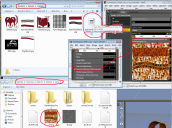
If you hover the mouse over the diffuse image, DS will say that the image file being used is in a temp folder (which is what originally got me concerned that I might need to back it up.) I also found some file gets created in the original product folder too (a second file I was concerned could get lost if I were to delete and reinstall that product's runtime.) See screenshot for file locations. However, when I tried manually deleting both these files and reloading the scene, the scene worked just fine, which suggests that perhaps neither of those two files require saving? I also noticed that if you click on the Diffuse thumbnail, it has a checkmark in front of a third filename (which doesn't match the hover-the-mouse-over-the-diffuse-thumbnail filename, and isn't in the folder you are given when clicking Browse from that mouse menu). I ran a search on my entire C: for that filename, and (unless I mistyped it somehow) I didn't find it (although Windows' find doesn't always work, so that doesn't really mean it's not there, just that I don't know where it is... anybody know?)

Daz 3D is part of 
Connect
DAZ Productions, Inc.
7533 S Center View Ct #4664
West Jordan, UT 84084
Licensing Agreement | Terms of Service | Privacy Policy | EULA
© 2026 Daz Productions Inc. All Rights Reserved.
Comments
The way most LIE stuff works is that the individual textures are loaded and then made into temp images.
If you have a lot of characters with these layered textures and it starts getting slow to load, you can consider a product like http://www.daz3d.com/lie-baker , which can flatten the images and place them in folders you want.
Ok, good to know, thanks.
I feel a little annoyed that LIE Baker tech isn't part of the core application, but it was definitely worth getting. I don't use it all the time, but whenever I end up with a lot of LIE stuff... it can save me hassle. (I find it particularly useful with Skin Builder and Skin Overlay)
It IS reacreated from scratch if/when you reload the scene (which xan cause a degree of lag). The 'end result' files witl be called d???.png (with the??? part being numeric) and found in whatever folder you have defined as DAZ's temporary folder. Note that if you reload the scene the generated filename(s) will be different.
That's not what the product does. It merely renames and moves the files LIE already "flattens". They're in your D|S temp folder. If you use LIE a lot, I suppose a scripted solution will save you time. Otherwise, just move (and rename if you want) those temp files, and you're good. They're deleted automatically when you exit D|S.